
Yokan Board MCP
This project is a Model Context Protocol (MCP) server for the Yokan Kanban Board API. It provides a tool-based interface for AI agents to interact with and manage Kanban boards, columns, and tasks.
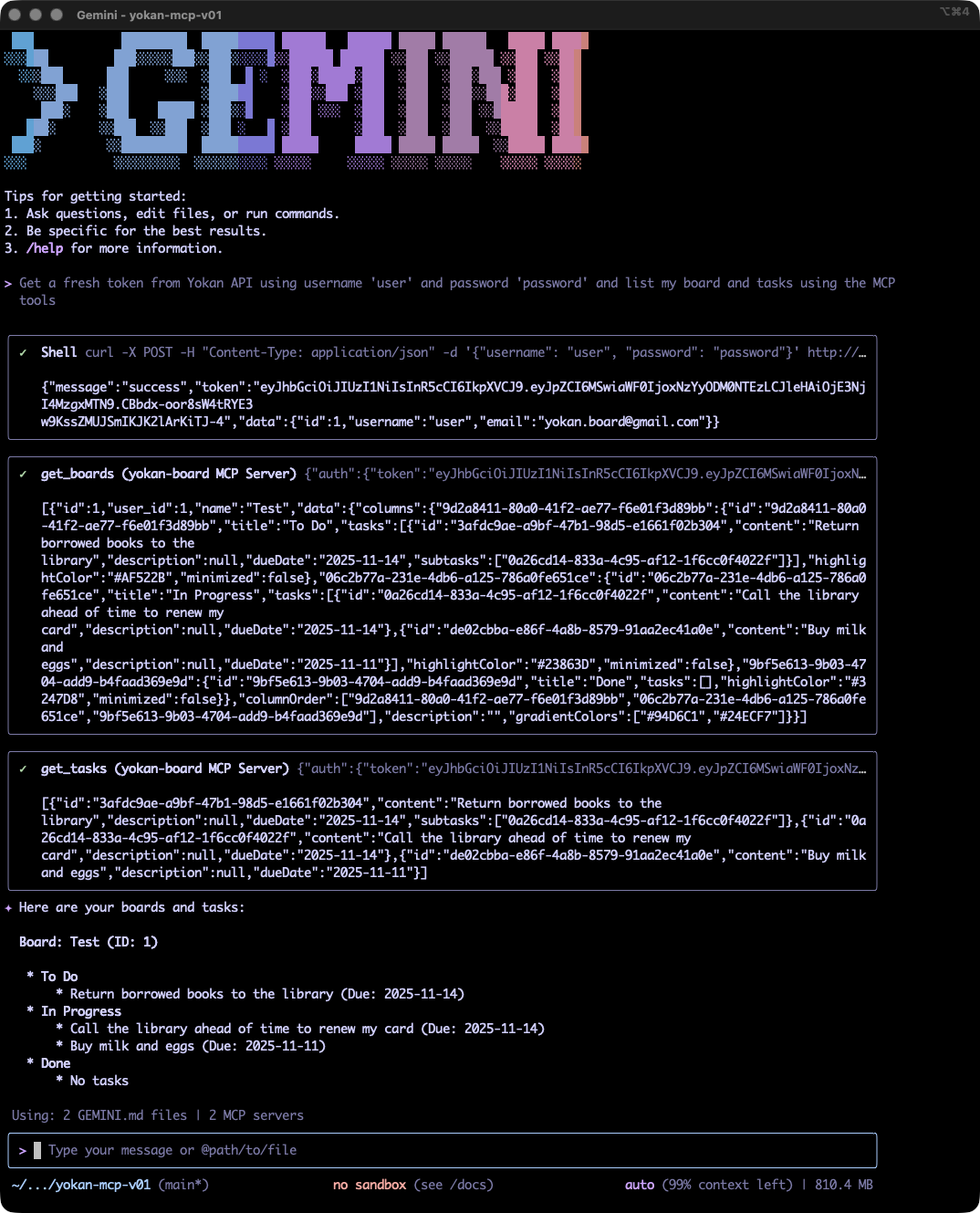
Features
- Board Management: Create, retrieve, update, and delete Kanban boards.
- Column Management: Create, retrieve, update, reorder, and delete columns within a board.
- Task Management: Create, retrieve, update, move, and delete tasks.
- Agent-Ready: Designed to be used by AI agents via the Master Control Protocol.
Tech Stack
Getting Started
Building and Running Docker Image
For new users or those who want to run the server without setting up a development environment, we recommend using Docker.
Build the Docker image:
docker build -t yokanboard/yokan-mcp .Run the Docker container:
docker run -p 8888:8888 --name yokan-mcp -e YOKAN_API_BASE_URL=http://your-yokan-api-host:port/api yokanboard/yokan-mcpMake sure to replace
http://your-yokan-api-host:port/apiwith the actual URL of your Yokan API instance.
Configuring Gemini CLI
Create .gemini/settings.json with the following content:
{
    "mcpServers": {
        "yokan-board": {
            "httpUrl": "http://[your-yokan-mcp-host]:8888/mcp",
            "headers": {
                "Authorization": "Bearer [TOKEN]",
                "accept": "application/json"
            }
        }
    }
}
Development
Prerequisites
- Python 3.8+
uv(for managing the Python environment)- Access to a running instance of the Yokan API.
Setup
Clone the repository:
git clone https://github.com/yokan-board/yokan-board-mcp.git
cd yokan-board-mcp
Create and activate a virtual environment:
uv venv
source .venv/bin/activate
Install the dependencies:
uv sync
Configuration
- Create a
.envfile by copying.env.example:cp .env.example .env - Edit the
.envfile to point to your Yokan API instance:YOKAN_API_BASE_URL=http://your-yokan-api-host:port/api
Running the Server
To start the MCP server for development, run the following command:
uvicorn src.main:app --host localhost --port 8888 --reload
Testing
To run the integration tests, you need to have a running Yokan API instance and a test user. The tests are configured to use the username user and password password.
Make sure your .env file is correctly configured with the YOKAN_API_BASE_URL.
Run the tests using the following command:
make test
Available Tools
The MCP server exposes the following tools for managing a Yokan Kanban board:
| Category | Tools |
|---|---|
| Boards | get_boards, get_board, create_board, update_board, delete_board |
| Columns | create_column, get_columns, update_column, reorder_columns, delete_column, update_column_color |
| Tasks | create_task, create_tasks, get_tasks, update_task, move_task, delete_task |
Usage Examples
You can interact with the MCP server using the fastmcp client library.
Authentication
To use the tools, you first need to obtain a JWT token from your Yokan API instance. You can do this by sending a POST request to the /login endpoint of the Yokan API.
Example using curl:
curl -X POST \
  -H "Content-Type: application/json" \
  -d '{"username": "your_username", "password": "your_password"}' \
  http://localhost:3001/api/v1.1/login
Example: Interacting with the MCP Server
A Python example demonstrating how to use the fastmcp client to interact with the Yokan MCP server can be found in examples/mcp_client.py.
Copyright
Yokan Board MCP is created by: Julian I. Kamil
© Copyright 2025 Julian I. Kamil. All rights reserved.
License
Yokan Board MCP is available under a dual license:
- AGPLv3: Free to use, modify, and distribute under the terms of the GNU Affero General Public License Version 3 (see LICENSE.AGPLv3)
- Commercial License: Available for organizations that wish to use Yokan without AGPLv3's copyleft requirements (see LICENSE.COMMERCIAL)
For information on commercial use licensing, please email: [email protected]


