

Fetchira
Website and docs: fetchira.dev
Web search, page reading, deep research and image generation through one router. Use theCLI or connect your agent through MCP. Bring an API key or a supported web session;Fetchira routes requests across your configured accounts and providers.
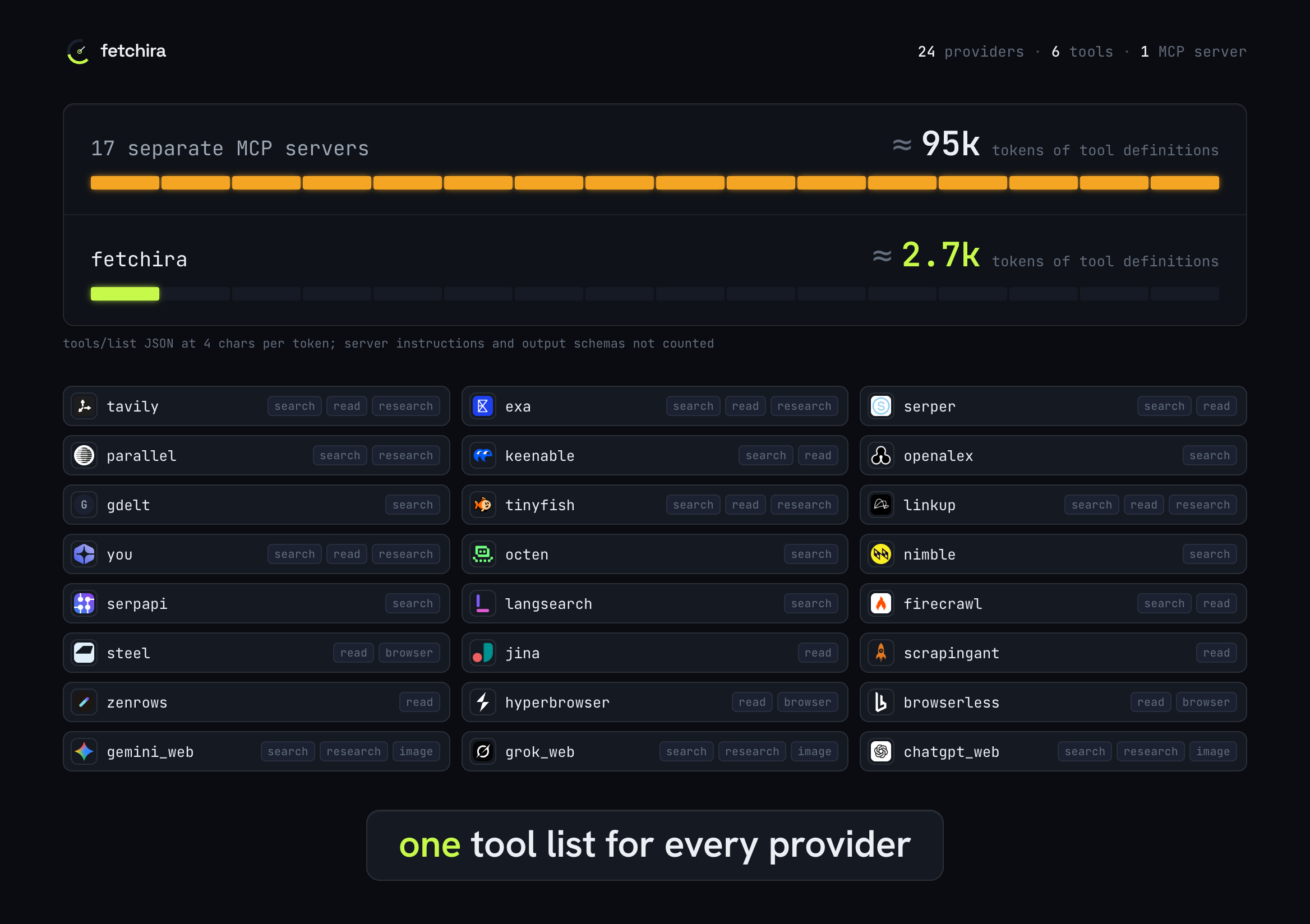
Fetchira covers 24 providers, 21 through APIs and 3 through browser sessions, behind six MCPtools. Connected one by one, the 17 providers that publish an official MCP server add about95k tokens of tool definitions to every request, a median of 3.7k per server; the wholeFetchira tool list is about 2.7k. One router picks the account with quota left, fails over onerrors and keeps every provider's limit in one place. Provider names and logos belong to theirrespective owners.
Start locally
Install and open the dashboard with one command (macOS or Linux, needs Node.js):
npx -y fetchira
Or install on macOS with Homebrew:
brew install ImmuneFOMO/tap/fetchira
On Linux or macOS without Homebrew:
curl -fsSL https://raw.githubusercontent.com/ImmuneFOMO/fetchira/main/install.sh | sh
See installation for Linux arm64, building from source and PATH setup.
Add a provider and make a request:
fetchira add serper --key 'YOUR_SERPER_KEY'
fetchira search "latest Rust release"
fetchira read "https://example.com"
Get a Serper key at serper.dev, or run fetchira providers to chooseanother provider. Each provider has its own plan and quota; paid features can consume apaid balance. For browser login instead of an API key, run fetchira add gemini_web.
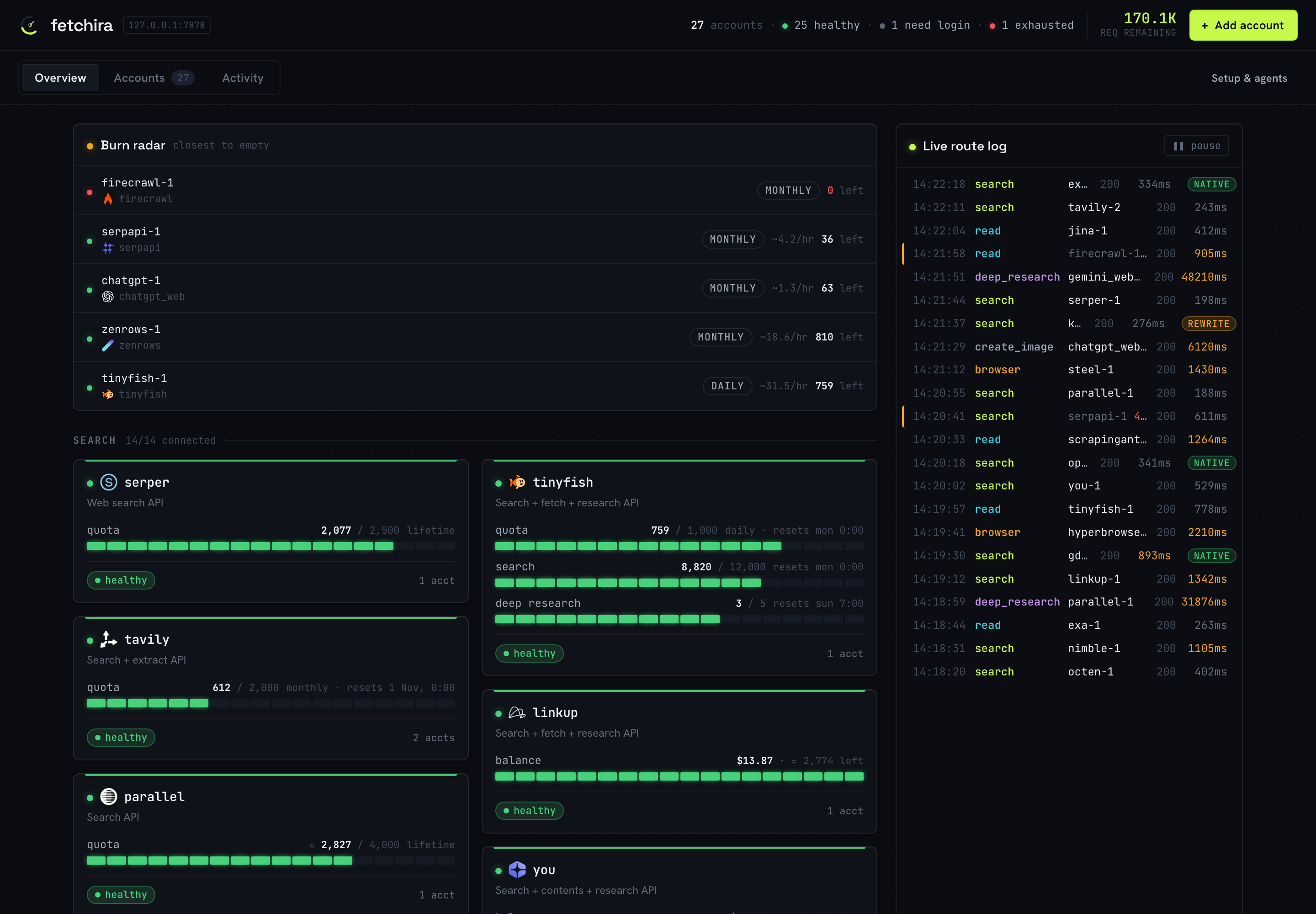
MCP is optional. Run fetchira setup to choose local accounts or an existing hosted server.For an agent, fetchira install offers CLI only, MCP, or MCP with CLI fallback, then installsthe matching skill in your selected agents. Restart the agent after installation.fetchira ui opens the local dashboard.
Choose a guide
| I want to… | Guide |
|---|---|
| Install, connect an agent, or choose a skill | Setup |
| Search, research, generate images, or continue a session from a shell | CLI |
| Manage accounts, quotas, proxies, or troubleshoot a failure | Configuration |
| Share one private server through CLI or MCP | Hosted deployment |
| Build, test, contribute, or release | Contributing · Releasing |
Hosted
To use an existing server, get its URL and API key from the administrator. Runfetchira setup and choose Connect to a server to verify access before saving.For scripted setup, save the connection and check it:
fetchira remote set https://fetchira.example.com/mcp --key 'fk_live_...'
fetchira remote check
CLI and MCP both use the configured server; generated images and PDFs are saved on yourcomputer. Laptop file attachments require local mode through either interface.See hosted deployment to run your own server.
Apache-2.0 license · Report a security issue


