
Proton Calendar MCP App
A dark industrial-themed MCP App that displays your Proton Calendar events directly in Claude Desktop.


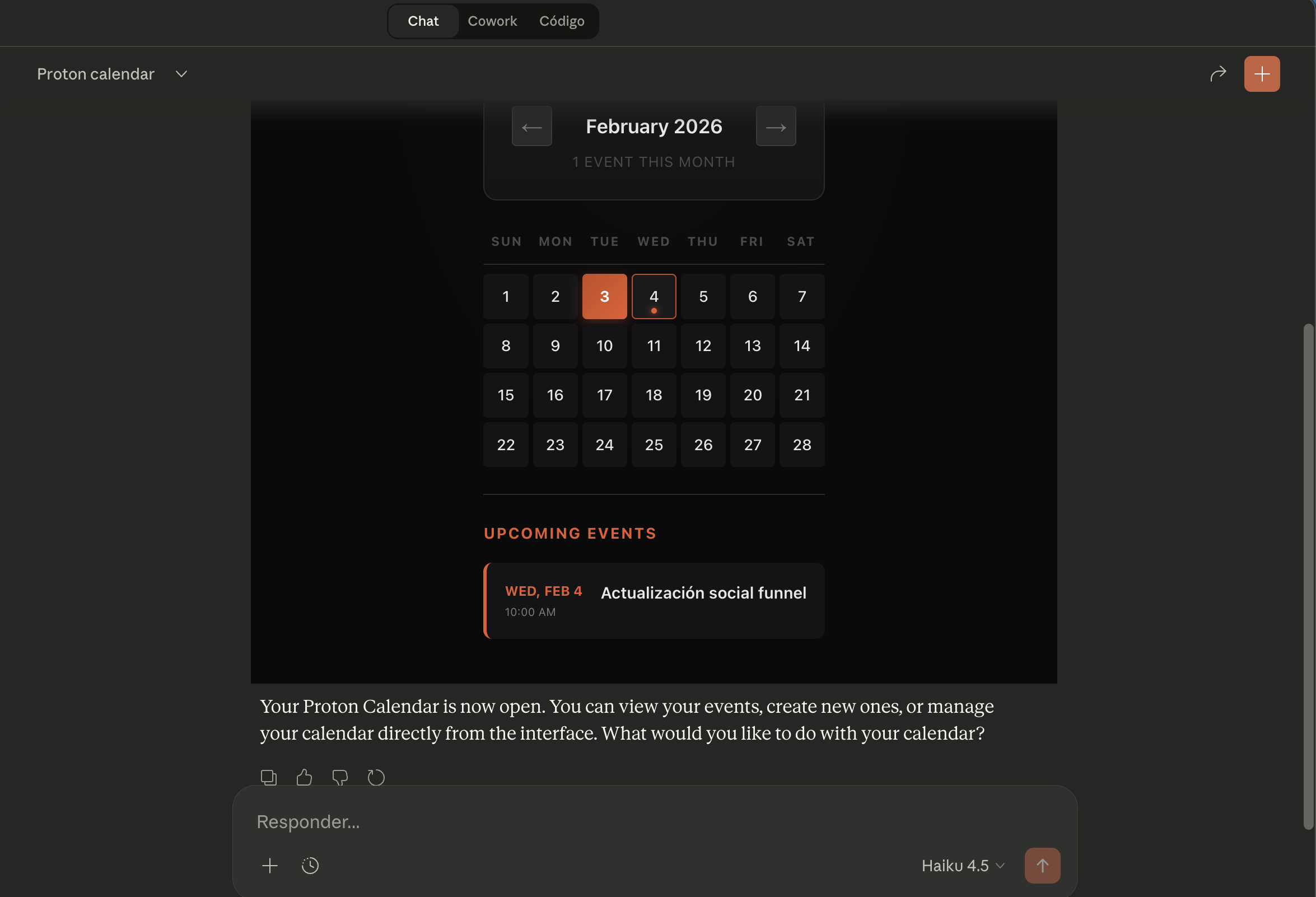
Features
- Dark industrial UI design
- Monthly calendar view with event indicators
- Upcoming events list
- Click on any day to see its events
- Reads events from Proton Calendar ICS feed
Requirements
- Node.js v20+ (v22 recommended)
- Bun (for building)
- Claude Desktop or compatible MCP host
- Proton Calendar account with a shared calendar link
Installation
# Clone the repository
git clone https://github.com/Rixmerz/proton-calendar-app-mcp.git
cd proton-calendar-app-mcp

# Install dependencies
npm install

# Build
npm run build
Getting Your Proton Calendar URL
- Go to Proton Calendar
- Click on Settings (gear icon)
- Go to Calendars → Select your calendar
- Scroll to Share via link
- Create a new link (or copy existing)
- Copy the ICS URL (looks like
https://calendar.proton.me/api/calendar/v1/url/.../calendar.ics?...)
Configuration
Add this to your claude_desktop_config.json:
macOS: ~/Library/Application Support/Claude/claude_desktop_config.jsonWindows: %APPDATA%\Claude\claude_desktop_config.json
{
  "mcpServers": {
    "proton-calendar": {
      "command": "/path/to/node",
      "args": [
        "/path/to/proton-calendar-app-mcp/dist/index.js",
        "--stdio"
      ],
      "env": {
        "CALENDAR_URL": "https://calendar.proton.me/api/calendar/v1/url/YOUR_CALENDAR_ID/calendar.ics?CacheKey=...&PassphraseKey=..."
      }
    }
  }
}
Finding Your Node Path
# macOS/Linux
which node
# or if using nvm
nvm which 22

# Windows
where node
Usage
After configuring, restart Claude Desktop and say:
"Open my calendar"
or
"Show me my upcoming events"
Claude will display the calendar UI with your Proton Calendar events.
Security Note
Your CALENDAR_URL contains access tokens. Keep your claude_desktop_config.json private and never commit it to version control.
License
MIT


