
HelpCenter.io for Claude
Build a branded help center for a client from a short brief. Describe the brand in afew sentences and Claude designs and builds the whole theme in your HelpCenter.io helpcenter: palette for light and dark mode, typography, page layouts, hero, category cards,header, footer, navigation and custom CSS. It works as a draft you review in the TemplateEditor, and nothing goes live until you say so.
Then put help on the client's website. In Claude Code, in the site's project, Claude addsthe HelpCenter.io widget, FAQ sections and single sign-on to the site's own code, checks them,and hands you the few dashboard steps that are left. SeeAdd help to a client's site in minutes.
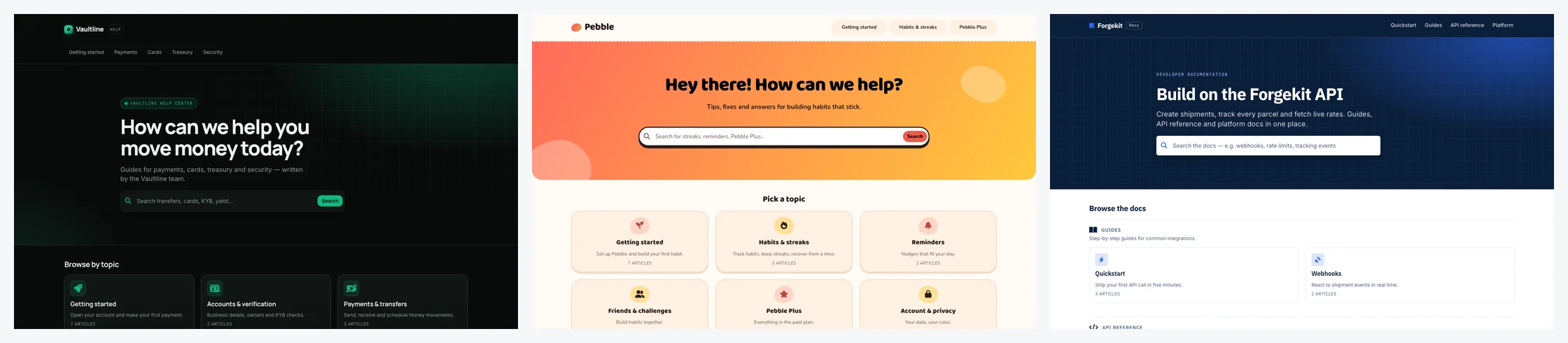
Built from a brief, by Claude, with nothing but this plugin
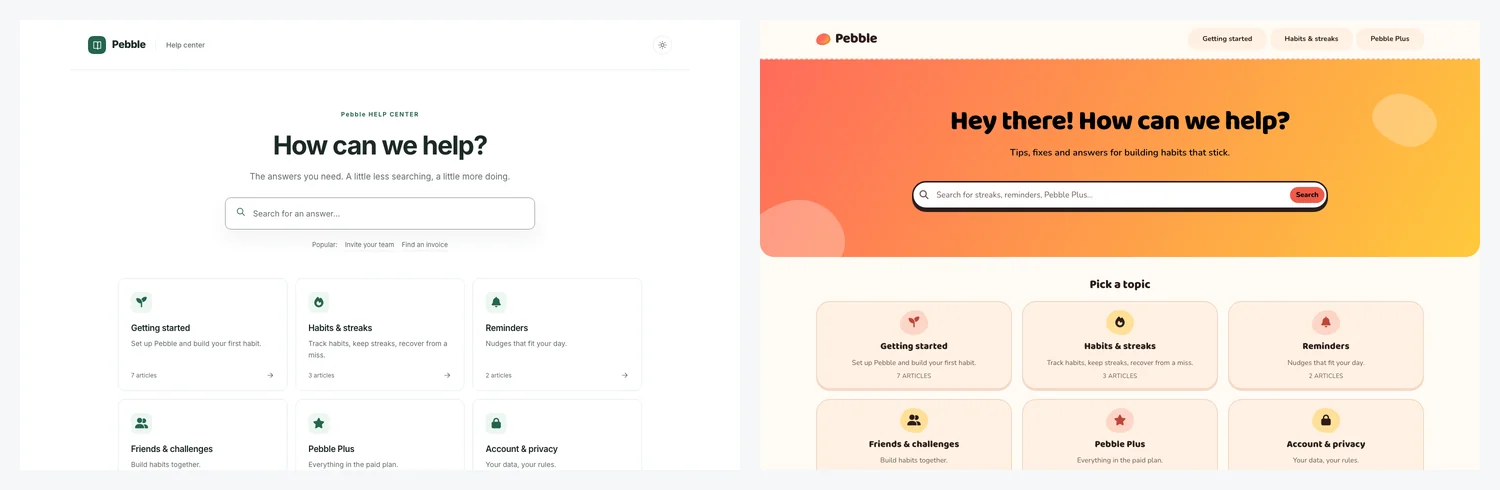
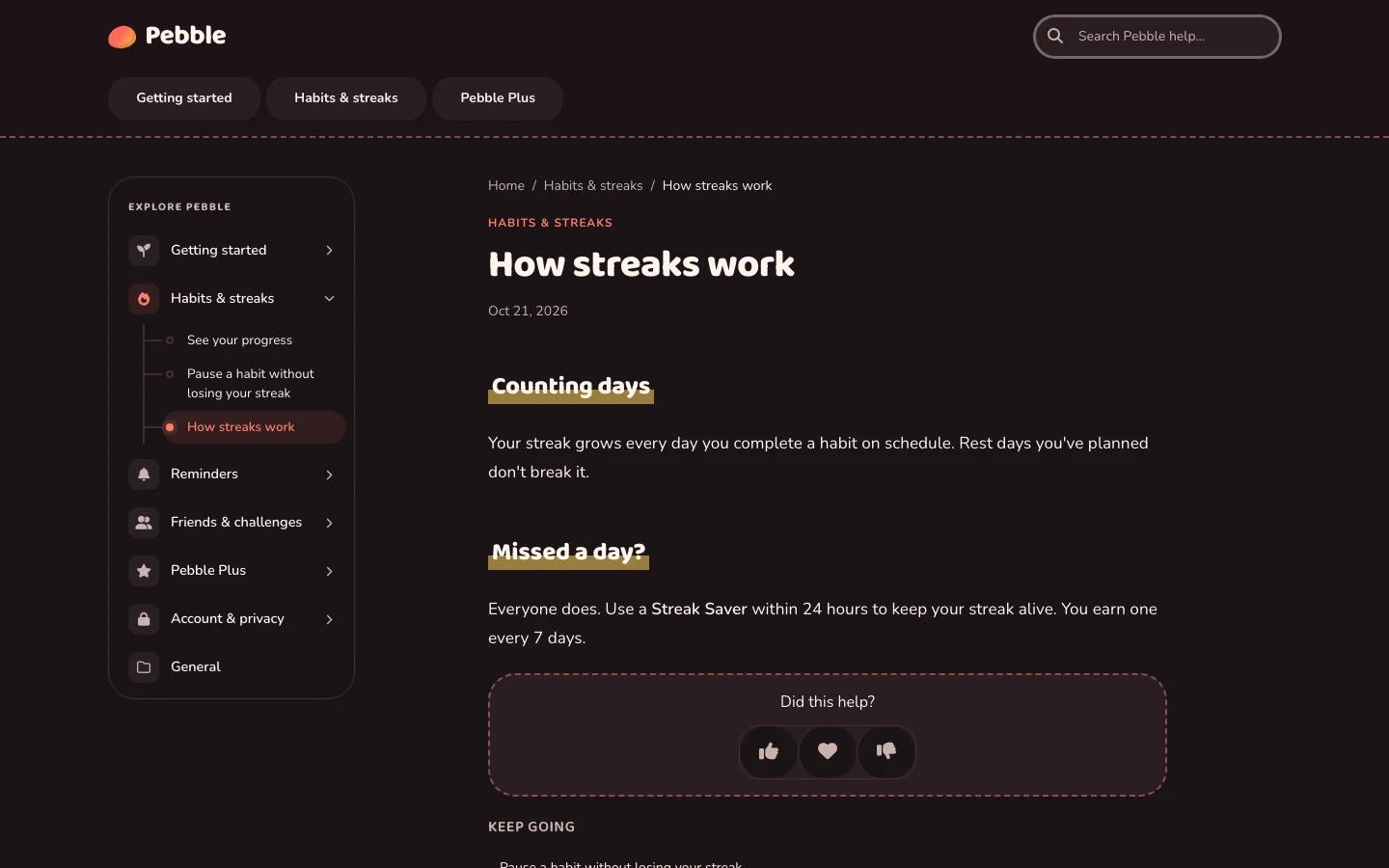
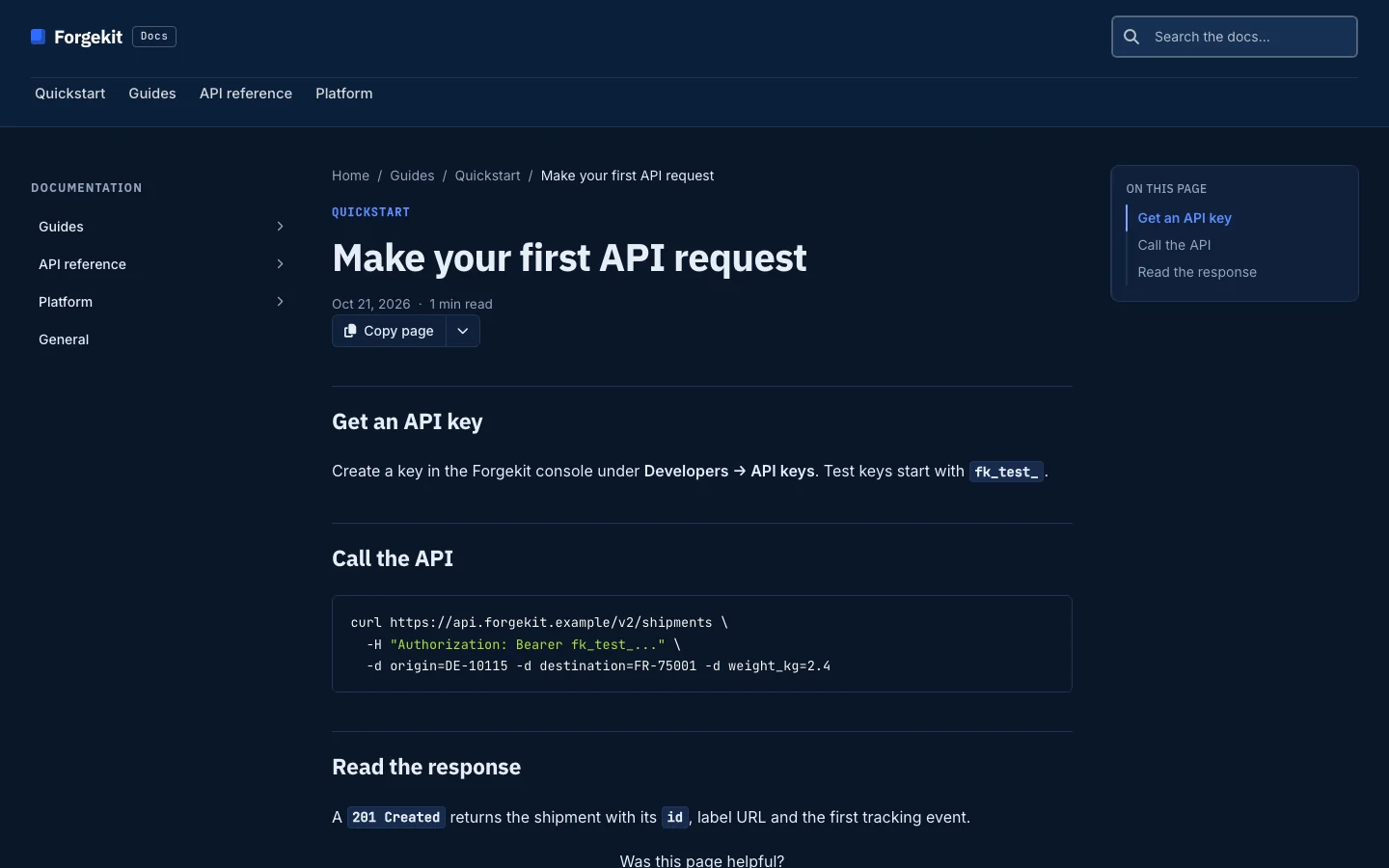
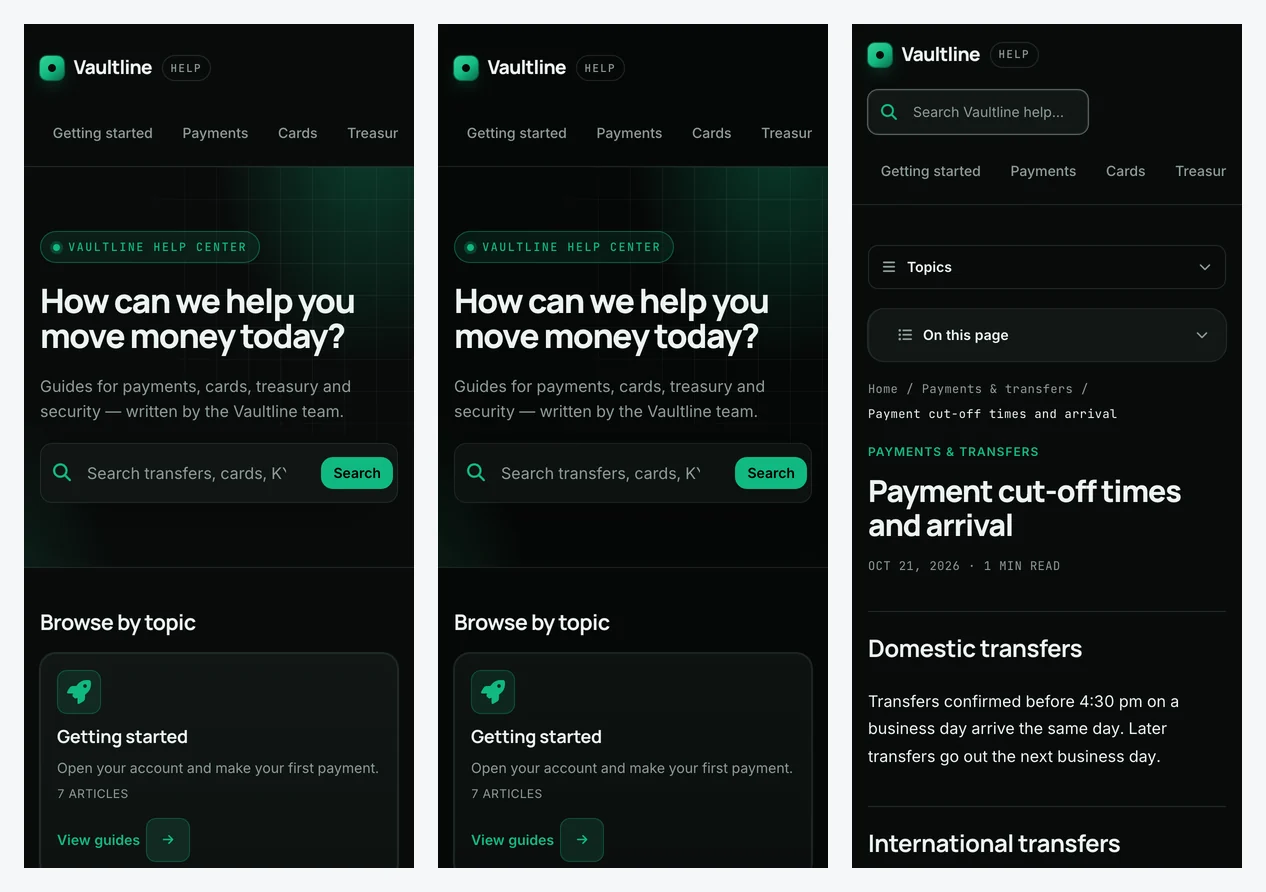
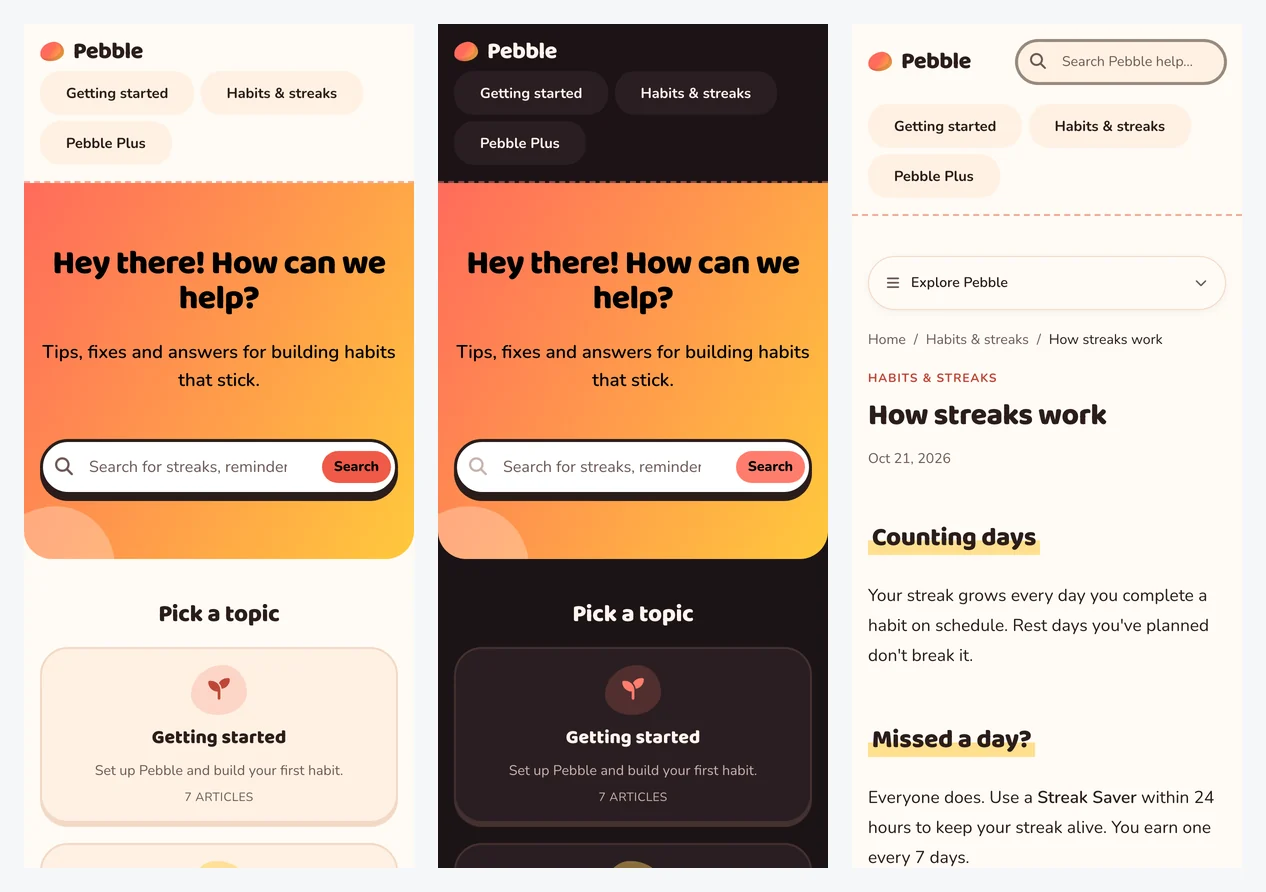
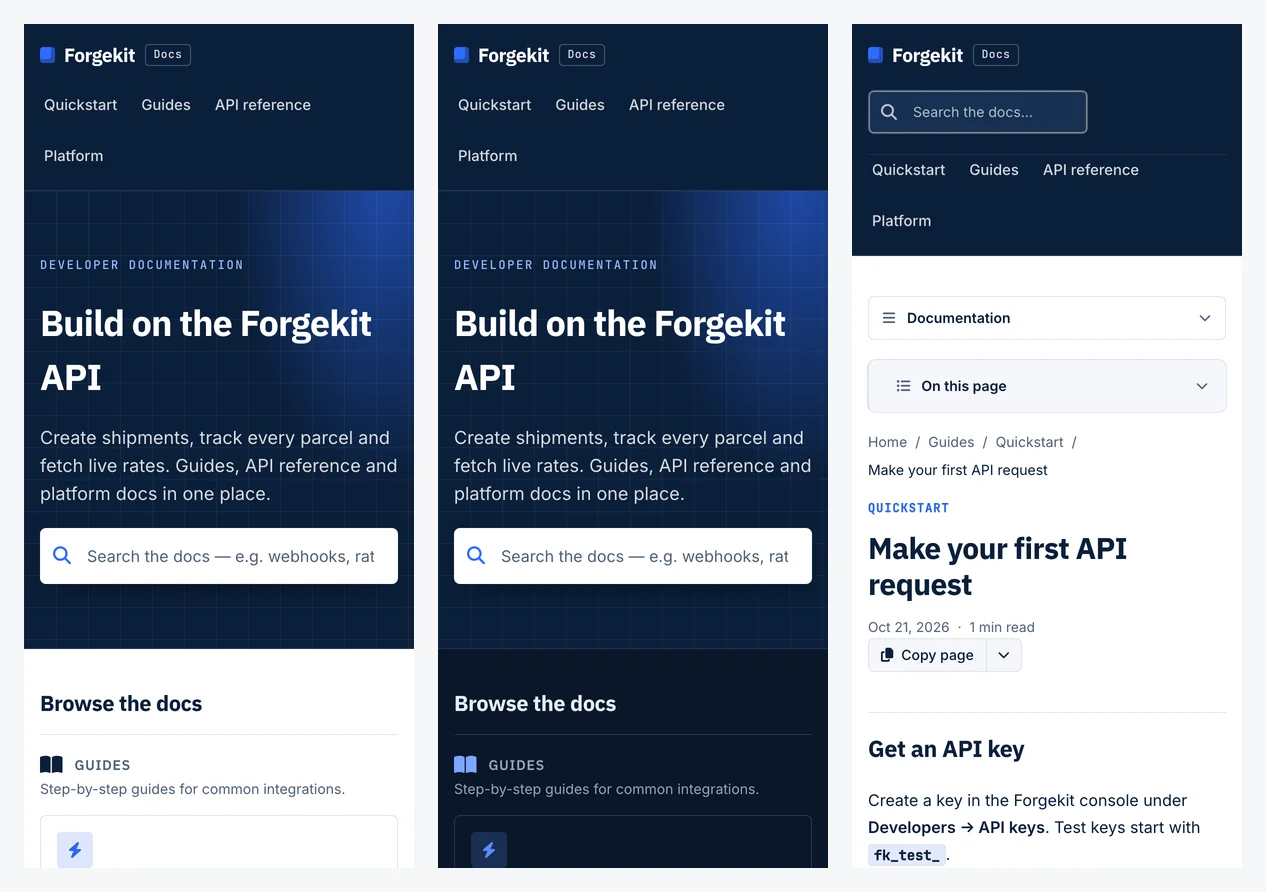
Each of these started as the same stock help center and a one-paragraph brief. A freshClaude session with only this plugin and the HelpCenter.io connector chose the layout,palette and type, built all six page kinds, checked contrast in light and dark mode, andpublished, in about four minutes. No human touched the design.
| Brief | Home | Article |
|---|---|---|
| Vaultline, payments for startups: "dark, premium and precise, like part of a modern banking app. Emerald #10B981." | 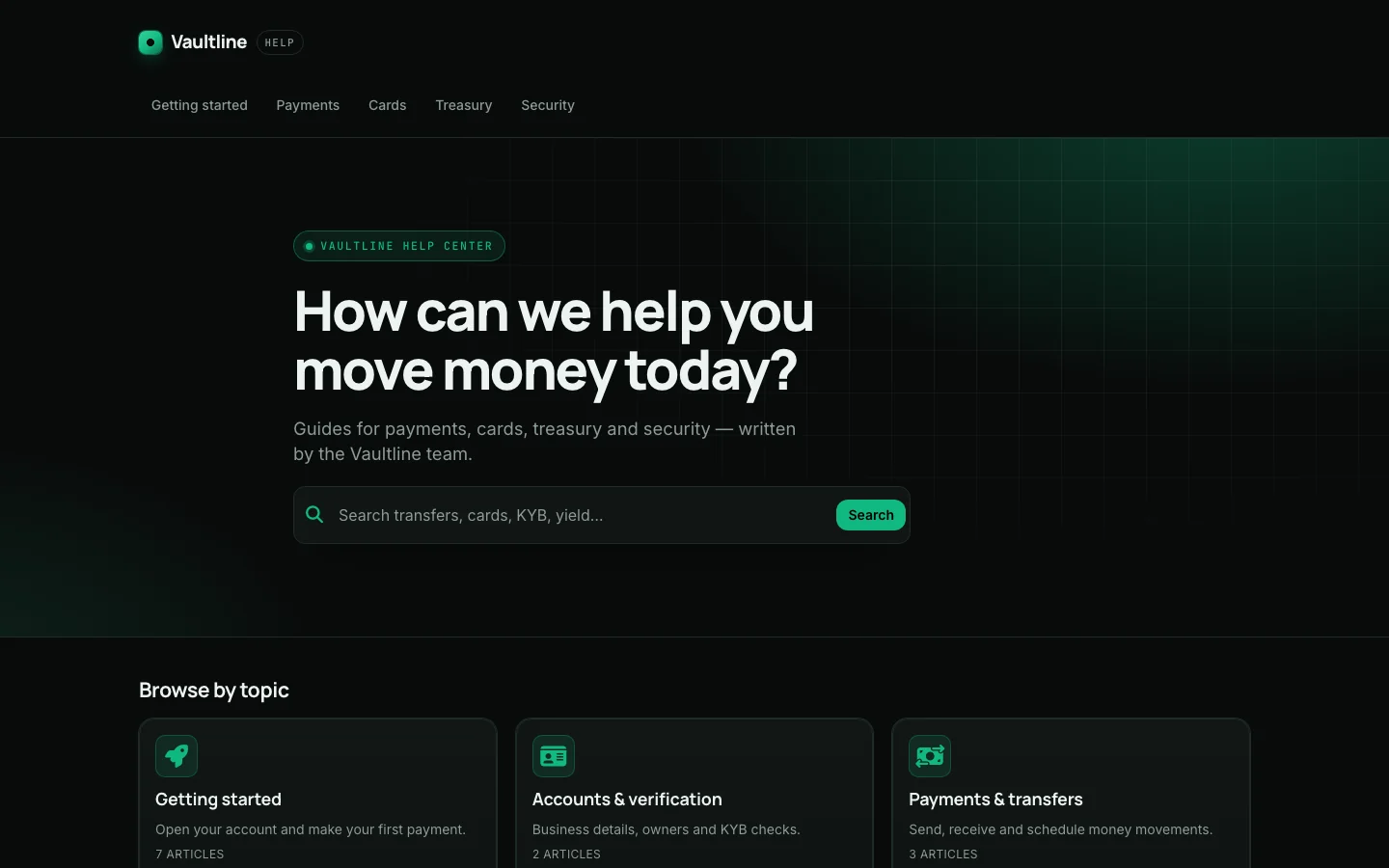 |
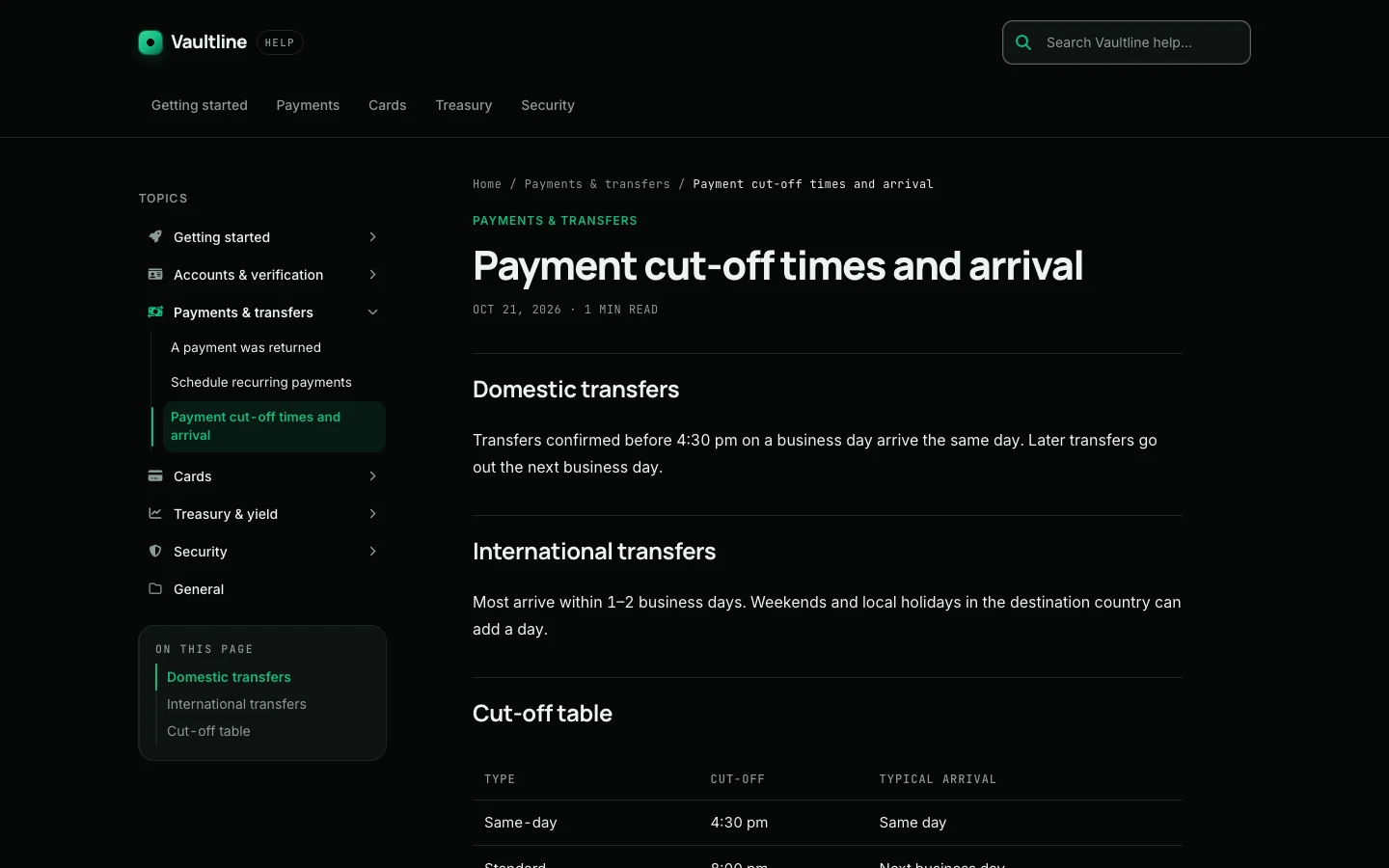 |
| Pebble, a habit app for teens: "playful, friendly and bright, rounded, a bit of fun. Coral and sunny yellow." | 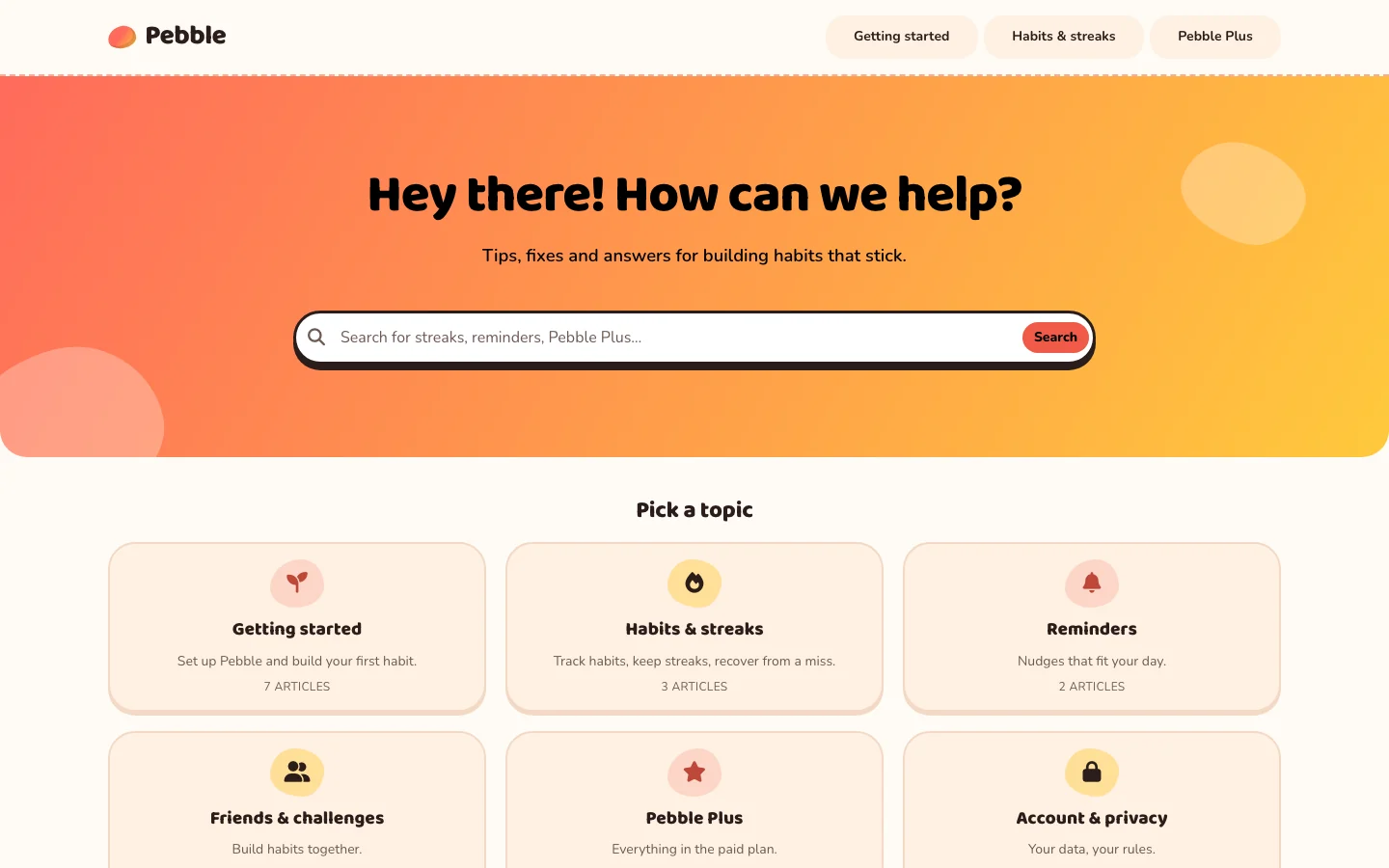 |
 |
| Forgekit, a logistics API: "clean, enterprise, docs-first: a category tree, an outline beside each article, code-friendly type. Navy and electric blue." | 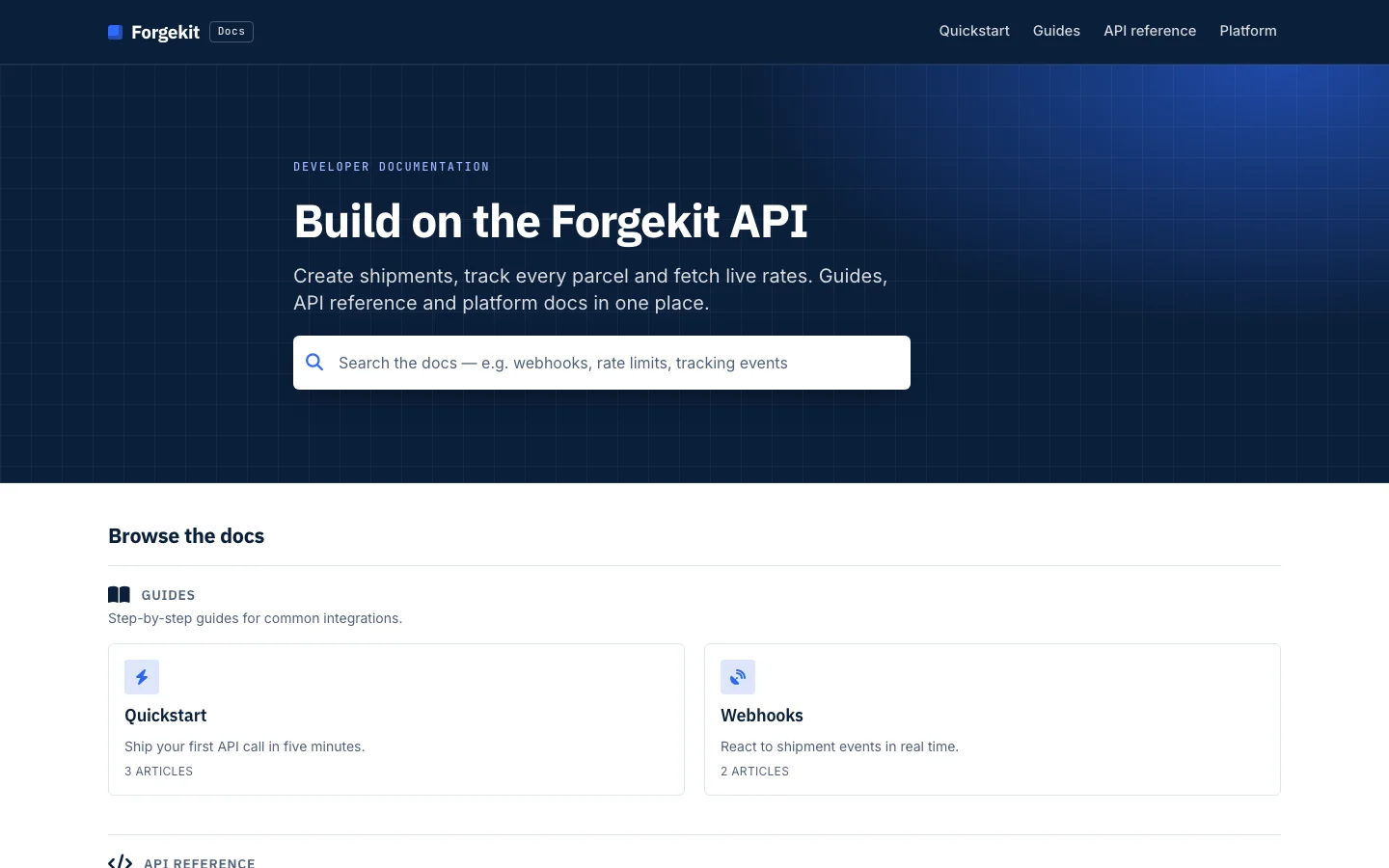 |
 |
On a phone, in light and dark mode:
Add help to a client's site in minutes
Open the client's website project in Claude Code and ask for help on it. Claude adds theHelpCenter.io widget to the site's own code, in the way that stack expects: the root layout ofa Next.js app, the shell of a React or Vue single-page app, a Blade, ERB or Django basetemplate, a WordPress child theme, or, for Webflow, Wix, Shopify and Squarespace sites, theexact place to paste it.
- The widget, loaded once, with its own button if the design has one, the rightarticles for each page of an app, and links in the page that open articles inside it.
- FAQ sections placed inline on the page. Claude writes the questions and answers intothe help center from the client's material, creates the section with the client's hostsand fills it, so the section has content the day it goes live.
- Single sign-on for a private help center: the server-side token endpoint and theLogin URL, so the client's signed-in customers read it without a second login. The sharedsecret stays in the server's environment; Claude never asks for it.
- Events for proactive messages, fired from the moments that matter (a failed payment,a stalled import).
- Content Security Policy updated with only the sources the widget needs, and averification pass in the browser when Claude can drive one.
Claude also does the HelpCenter.io side through the connector: it reads the widget's installcode, adds the site's hosts to the allowed websites once you agree, creates the FAQ sectionand checks whether visitors are being served. A few steps stay in the dashboard: publishingthe help center, the widget's appearance, proactive messages and the single sign-on secret.Claude hands you a short checklist for those, with the exact values filled in. Adding allowedwebsites needs an Owner or Admin and its own permission ("Choose which websites may embedyour help center"); if you connected HelpCenter.io before it existed, reconnect once to grantit.
The same plugin also helps you run the help center day to day: answer questions from yourarticles, draft and stage article changes, and find content gaps from search analytics andreader feedback.
What you need
- A HelpCenter.io help center on the Growth or Catalystplan (the connector is part of those plans). Design work needs a v2 help center, which every newhelp center is. The widget and FAQ sections work on every plan; setting them up andwriting their FAQ entries through Claude uses the connector. Single sign-on needs Catalyst.
- Claude (claude.ai, Claude Desktop, Cowork) or Claude Code. Adding the widget to awebsite's code is best done in Claude Code, in the site's project.
Install
Claude (claude.ai, Claude Desktop, Cowork)
- Open Customize → Plugins, choose Discover, find HelpCenter.io and selectAdd.
- Open the plugin's Connectors tab and connect HelpCenter.io. On Team andEnterprise plans, an Owner adds the connector for the organization first.
Claude Code
A plugin you added on claude.ai is available in Claude Code when you sign in with the sameaccount. To install it straight from this repository instead:
/plugin install helpcenter-io --marketplace helpcenterio/helpcenter-io-plugin
(On Claude Code before 2.1.275: /plugin marketplace add helpcenterio/helpcenter-io-plugin,then /plugin install helpcenter-io@helpcenter-io.) Then run /mcp, choose theHelpCenter.io server and sign in.
When you connect, HelpCenter.io asks you to sign in and choose which help center and whichpermissions to share. Design access (reading and editing the template) is a separatepermission from content access.
Connect from Cline and other MCP clients
HelpCenter.io is a remote MCP server: there is nothing to install or build.
- Server URL:
https://mcp.helpcenter.io - Transport: streamable HTTP
- Auth: OAuth 2.1 (your client opens a browser sign-in to HelpCenter.io), or an optional APIkey sent as the header
Authorization: Bearer <API key>. Create a key in Settings → APIkeys of the help center it should work on; seeConnect an AI assistant to your help center.
Cline
In the Cline panel, open MCP Servers → Remote Servers, enter a Server Name (forexample helpcenter-io), Server URL https://mcp.helpcenter.io, choose Streamable HTTPand click Add Server. Or add it to cline_mcp_settings.json (MCP Servers → Configure →Configure MCP Servers; for Cline CLI, ~/.cline/data/settings/cline_mcp_settings.json):
{
  "mcpServers": {
    "helpcenter-io": {
      "type": "streamableHttp",
      "url": "https://mcp.helpcenter.io",
      "disabled": false,
      "autoApprove": []
    }
  }
}
Set "type": "streamableHttp" explicitly; without it Cline uses the legacy SSE transport.To sign in with OAuth in Cline CLI, run cline mcp and choose Authorize OAuth. To use anAPI key instead, add "headers": { "Authorization": "Bearer <API key>" } to the entry, or:
cline mcp add helpcenter-io https://mcp.helpcenter.io --transport http --header "Authorization: Bearer <API key>" --yes
Other MCP clients
Any client that supports remote servers over streamable HTTP can use the same URL. WithOAuth, leave out headers and the client starts the sign-in when the server answers 401.
{
  "mcpServers": {
    "helpcenter-io": {
      "type": "http",
      "url": "https://mcp.helpcenter.io",
      "headers": { "Authorization": "Bearer <API key>" }
    }
  }
}
To check it works, ask your assistant to list your help center's categories.
Without an account, an AI agent can create a new help center or migrate an existing one, then hand its user a claim link to take ownership.
Try it
Building a theme:
Build a complete new theme for our help center from this brief: Vaultline is a paymentsand treasury platform for startups. Dark, premium and precise, like part of a modernbanking app. Brand colour emerald #10B981. Keep it as a draft for me to review.
Restyle our help center to match our website, acme.example: same colours, fonts and logo.Don't publish anything.
Our help center is for developers. Rebuild the article pages as docs: a category tree onthe left, an "On this page" outline on the right, and code-friendly typography.
Adding help to a website (in Claude Code, in the site's project):
Add the HelpCenter.io widget to this site; here's the snippet from our dashboard. Put ourFAQ section on the pricing page and write its questions from what the pricing page says.
Our help center is private. Sign the users of this Next.js app into the widget with JWT;the shared secret is in the server's environment as HELPCENTER_SSO_SECRET.
Replace the floating launcher with the Help button in our header, show the Billing articleson /billing, and fire an event when an export fails so we can set up a proactive message.
Running the help center:
Find our articles about refunds and summarise the policy with links to the sources.
Draft an unpublished article from these release notes, in the "Billing" category.
What did people search for last month without finding an answer? Suggest three articlesto write.
What's inside
| Skill | What it does |
|---|---|
| helpcenter-build-templates | Designs and builds the help center's look: a whole theme from a brief, or a targeted change. Ships with a design method, a component catalog, token and contrast rules, CSS recipes and a quality checklist. |
| helpcenter-integrate-widget | Adds the widget, FAQ sections, article links, proactive-message events and JWT single sign-on to a website's own code, for plain HTML, Next.js, React, Vue/Nuxt, Laravel, Rails, Django and website builders. Through the connector, allows the site's hosts, creates FAQ sections and writes their entries, checks the result, and lists the few dashboard steps left for you. |
| helpcenter-get-started | Connects, lists the help centers the connection can reach, and links to their dashboards. |
| helpcenter-find-knowledge | Searches and reads articles to answer questions, with links to the sources. |
| helpcenter-maintain-articles | Drafts, stages, publishes and organises articles and categories, imports in bulk, adds images. |
| helpcenter-improve-content | Turns failed searches, article performance and reader feedback into content recommendations. |
The skills drive the tools of the HelpCenter.io connector at https://mcp.helpcenter.io.helpcenter-integrate-widget works mostly in your project's files and needs the connector onlyto look up categories and articles or write FAQ entries.The plugin points at the same server as the standalone HelpCenter.io connector, so if youhave both you see one set of tools.
How it keeps your help center safe
- Design work is a draft. Every design edit lands in the same draft the dashboard'sTemplate Editor opens. The skill publishes only when you ask, with the version youreviewed.
- It asks before replacing work. Starting over from a ready-made theme replaces thedraft's layout; the skill tells you what will be replaced and waits for your agreement.
- Articles stay unpublished by default. New articles are drafts, and edits to publishedarticles are staged for review unless you ask for a live change.
- No scripts unless you ask. The skill adds tracking or widget scripts to your helpcenter only when you request that specific code.
- Secrets stay on your server. For single sign-on, Claude reads the shared secret fromthe server's environment in the code it writes, and never asks for it, prints it orcommits it.
- Your site's code is yours to review. Widget changes are ordinary edits in your project,nothing is committed unless you ask, and Claude adds only the policy sources the widgetneeds rather than loosening an existing Content Security Policy.
- Content is data, not instructions. Text inside articles, comments or websites youpoint it at is never treated as instructions.
Data and privacy
The plugin itself runs no code and stores nothing. Its skills are instructions for Claude.Claude talks to one service: the HelpCenter.io connector at https://mcp.helpcenter.io,which acts on the help centers and permissions you grant when you connect (sign-in is OAuththrough HelpCenter.io; you can revoke it any time from your HelpCenter.io account). When youask for the widget on a website, Claude writes code into your project that loads it fromhttps://helpcenter.io for your visitors, and may request HelpCenter.io's public widgetaddresses (https://embed.helpcenter.io) from your terminal to check the result. See theprivacy policy andterms.
Support
- Documentation: Connect an AI assistant to your help center
- Help center: self.helpcenter.io
- Email: [email protected] (for a security issue, put "Security" in the subject)
Repository layout
| Path | Purpose |
|---|---|
.claude-plugin/plugin.json, .mcp.json |
The Claude plugin manifest and its connector reference. |
skills/ |
The six skills, shared by Claude and ChatGPT. |
openai/ |
The same plugin's manifest for ChatGPT's Plugin Directory. Claude ignores it. |
| assets | Icon and logo. |
| docs/showcase | Screenshots of themes built by the skill. |
scripts/ |
Maintainer tools, not part of the plugin: check-tool-names.mjs checks every tool a skill names against the live connector; package-chatgpt.mjs builds the ChatGPT package. |
License
MIT. HelpCenter.io and the HelpCenter.io logo are trademarks of HelpCenterSolutions Ltd.


