
NotionMCP — AI-Powered Notion Assistant via MCP
NotionMCP is a Modular Context Protocol (MCP) server that exposes advanced Notion search, reading, summarization, and emotion-analysis tools to any MCP-compatible LLM client such as Claude Desktop.
This project turns your Notion workspace into an intelligent, queryable knowledge system, giving your AI assistant the ability to:
- Search pages and databases with precision
- Read and extract block-level content
- Summarize large or complex Notion pages
- Analyze sentiment/emotion of page text
- Build AI workflows on top of your Notion data
- Operate securely using the MCP standard
It is built for:
- Developers
- Researchers
- Data science teams
- Knowledge-intensive organizations
- Anyone wanting an AI agent deeply integrated with Notion
Features
Intelligent Notion Search
- Title search
- Page/database filtering
- Pagination + streaming search
- User discovery tools
Advanced Content Reading
- Extract readable text from pages
- Traverse block structures
- Read pages by name or ID
- Support for headings, lists, checkboxes, callouts, quotes, etc.
AI Summaries & Emotion Analysis
- Abstractive summarization (T5)
- Emotion/tone classification (Transformers)
- Integrated into Notion workflows
Fully MCP-Compatible
Works out-of-the-box with:
- Claude Desktop
- ChatGPT MCP mode
- Any MCP-compatible automation or agent
Clean, Modular Architecture
search_tools.pyread_tools.pyai_tools.py- Async Notion client layer with retries + rate-limit handling
Business Value
NotionMCP upgrades Notion from a documentation space into a scalable AI knowledge engine.It enables teams and organizations to operate faster, reduce manual overhead, and make better decisions by turning unstructured notes into actionable intelligence.
For Organizations
- Automate summarization, research, onboarding, and documentation workflows
- Improve knowledge accessibility across teams and departments
- Standardize how information is consumed, summarized, and shared
- Reduce operational time spent searching or rewriting content
- Build internal AI agents capable of retrieving, processing, and analyzing company knowledge
For Technical Teams
- Gain a robust async Notion API client with retry + backoff handling
- Extend MCP tools with custom AI models or internal logic
- Integrate Notion into broader AI, analytics, or automation pipelines
- Build reproducible and automated workflows on top of Notion pages
- Maintain full control over data by running tools locally
Strategic Outcomes
- Faster decision-making
- Reduced cognitive load across technical and non-technical teams
- Stronger organizational memory and knowledge consistency
- A foundation for deployable AI assistants operating on real company data
Demo
Video Demo
Click to view ./demo/1.mp4
Image Walkthrough
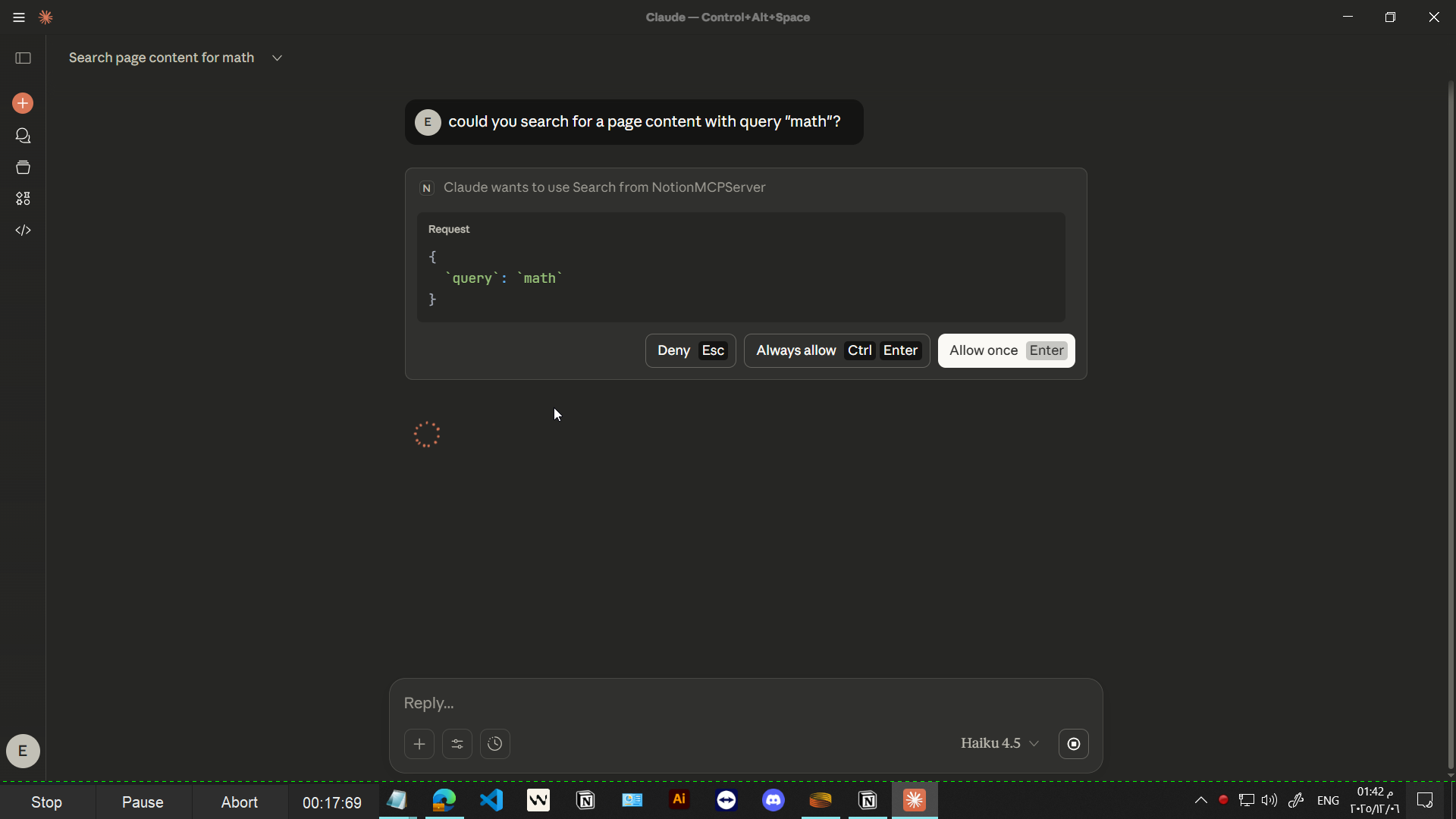
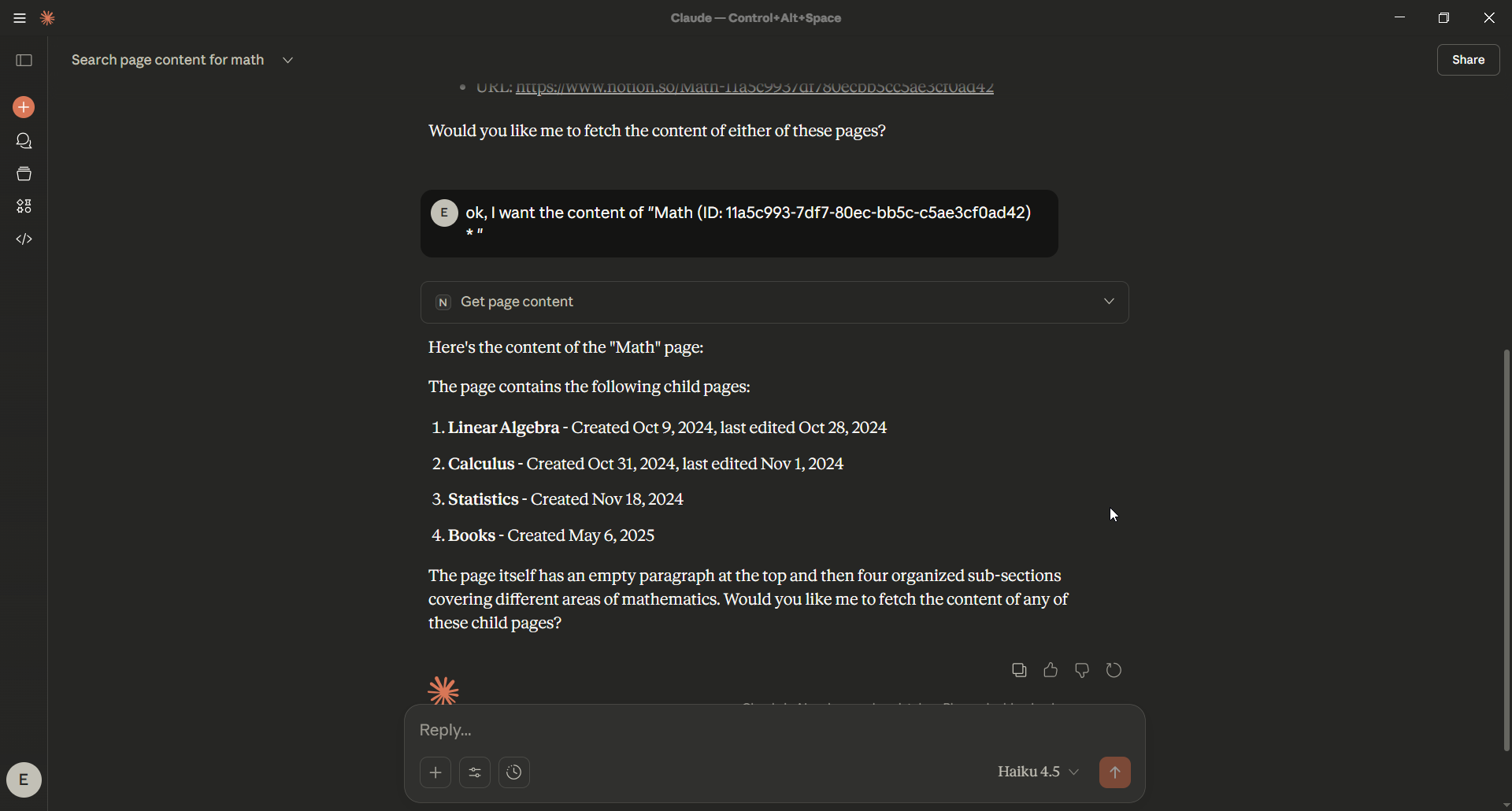
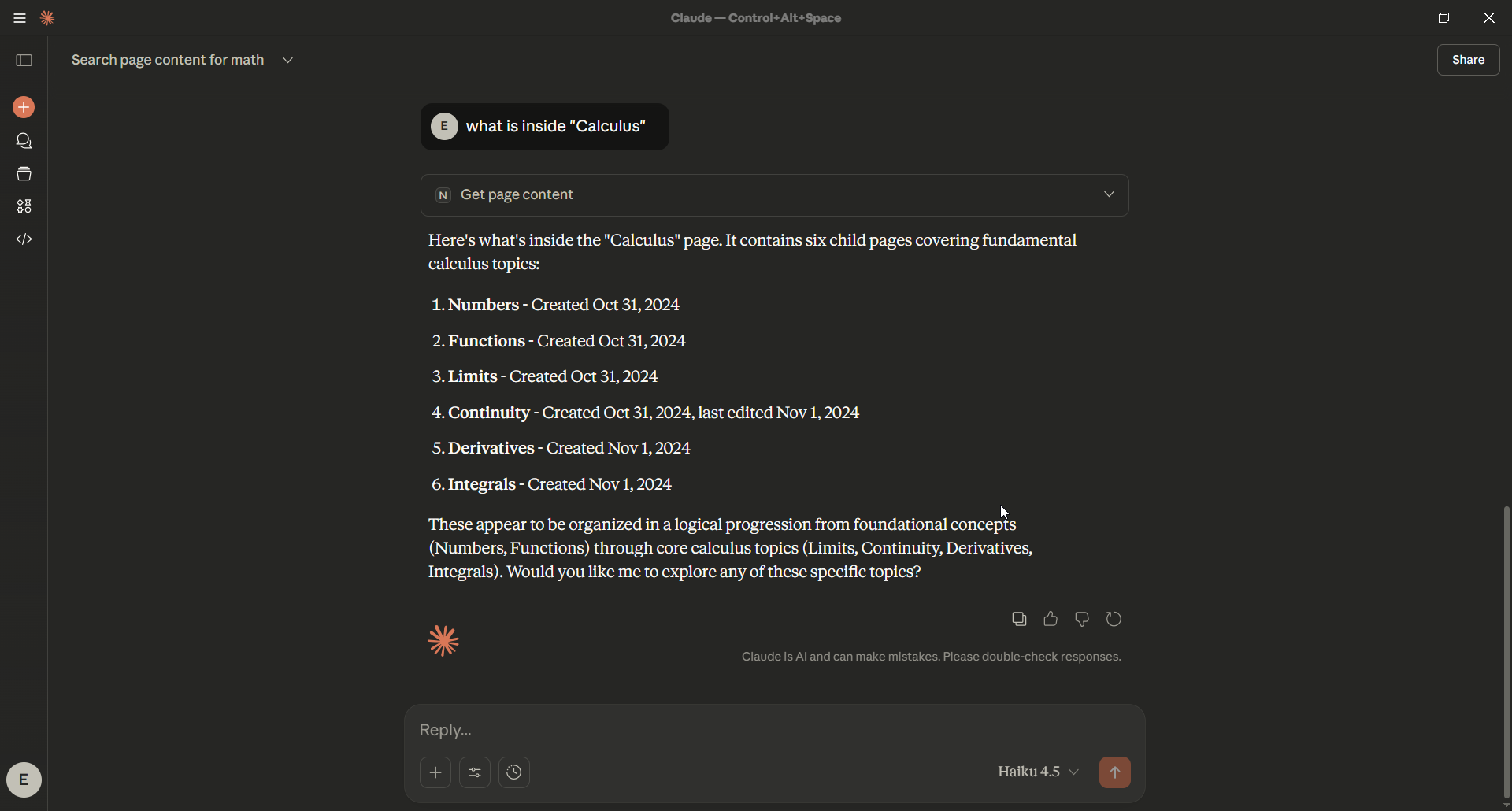
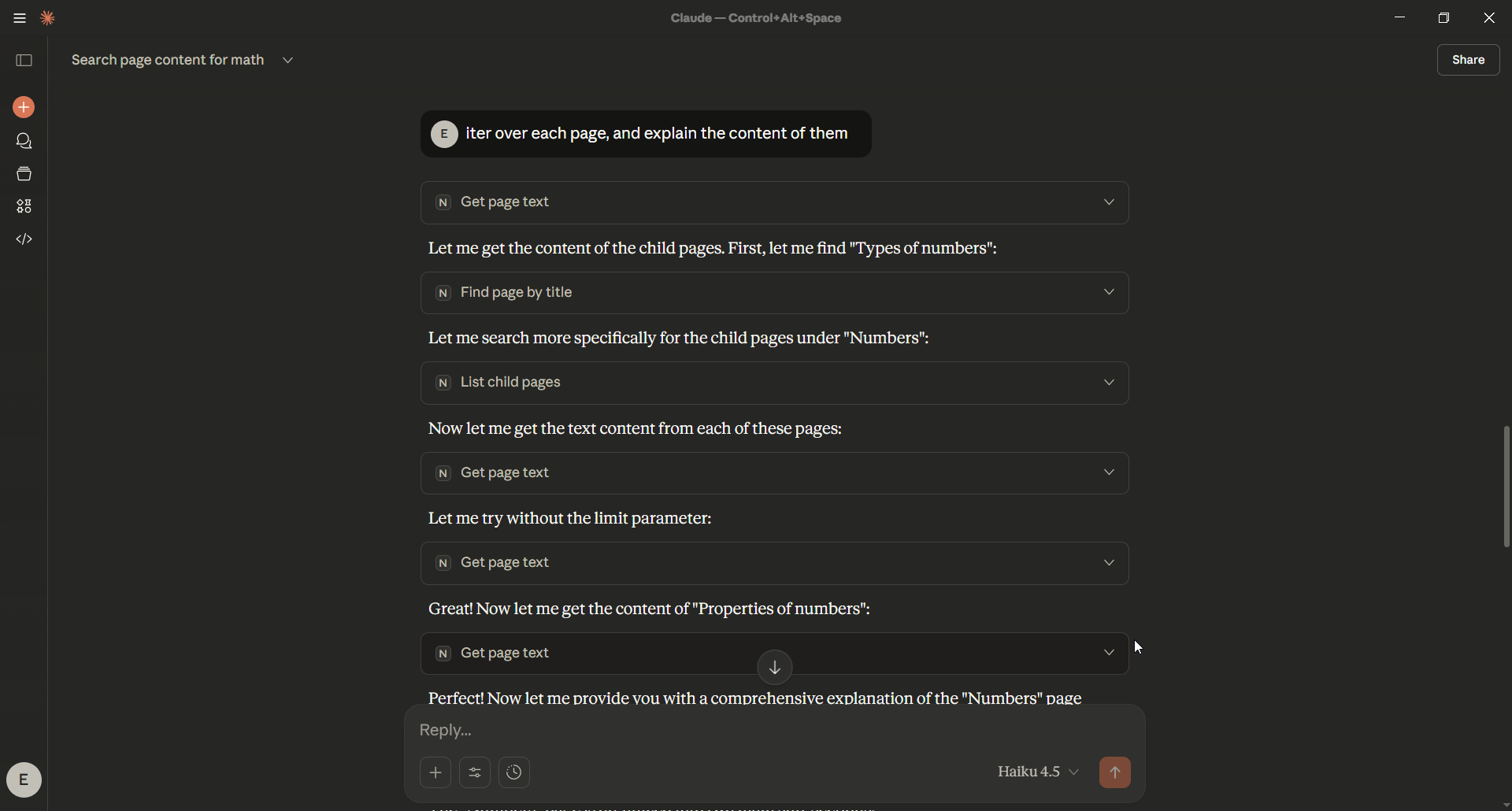
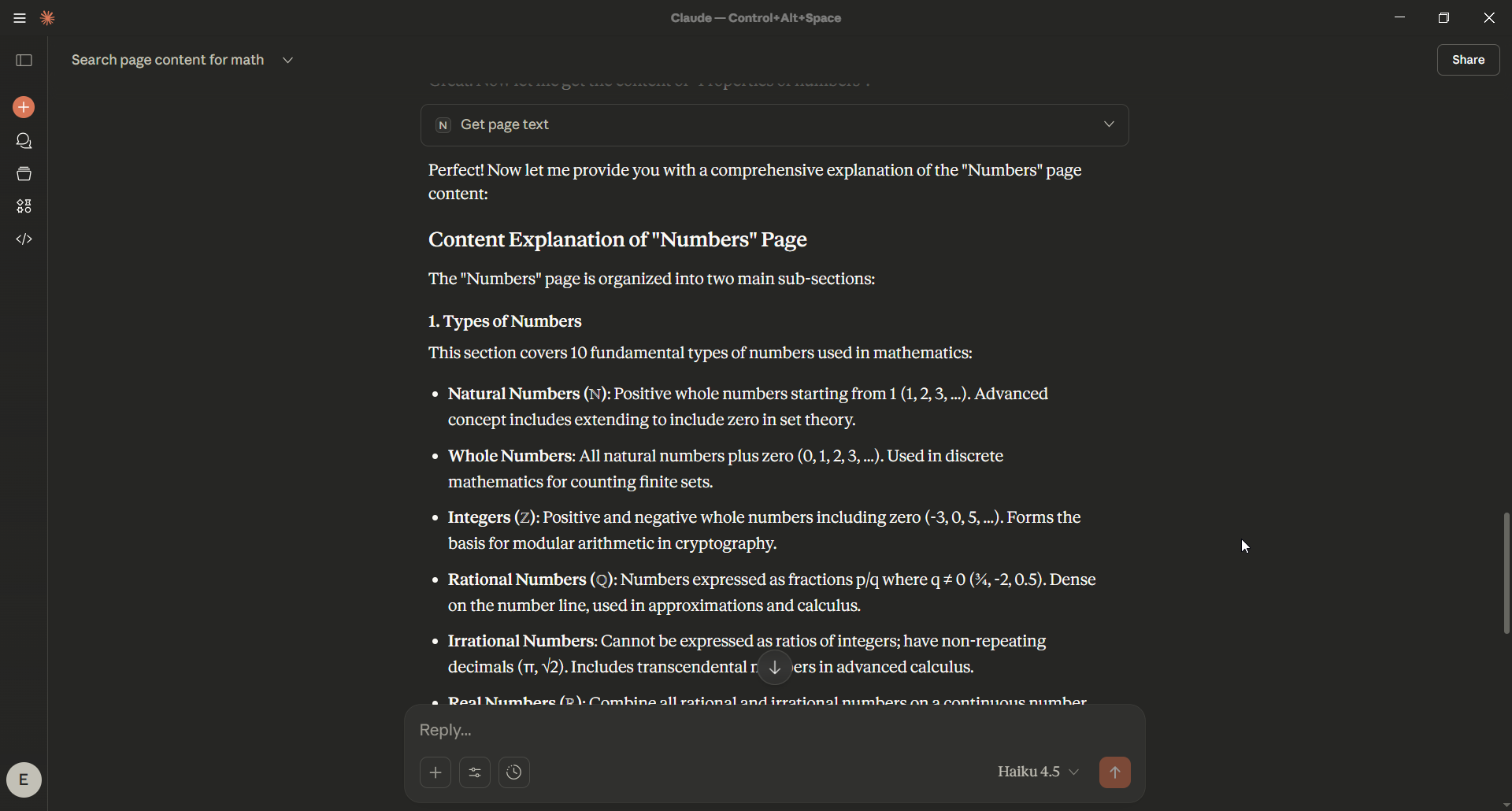
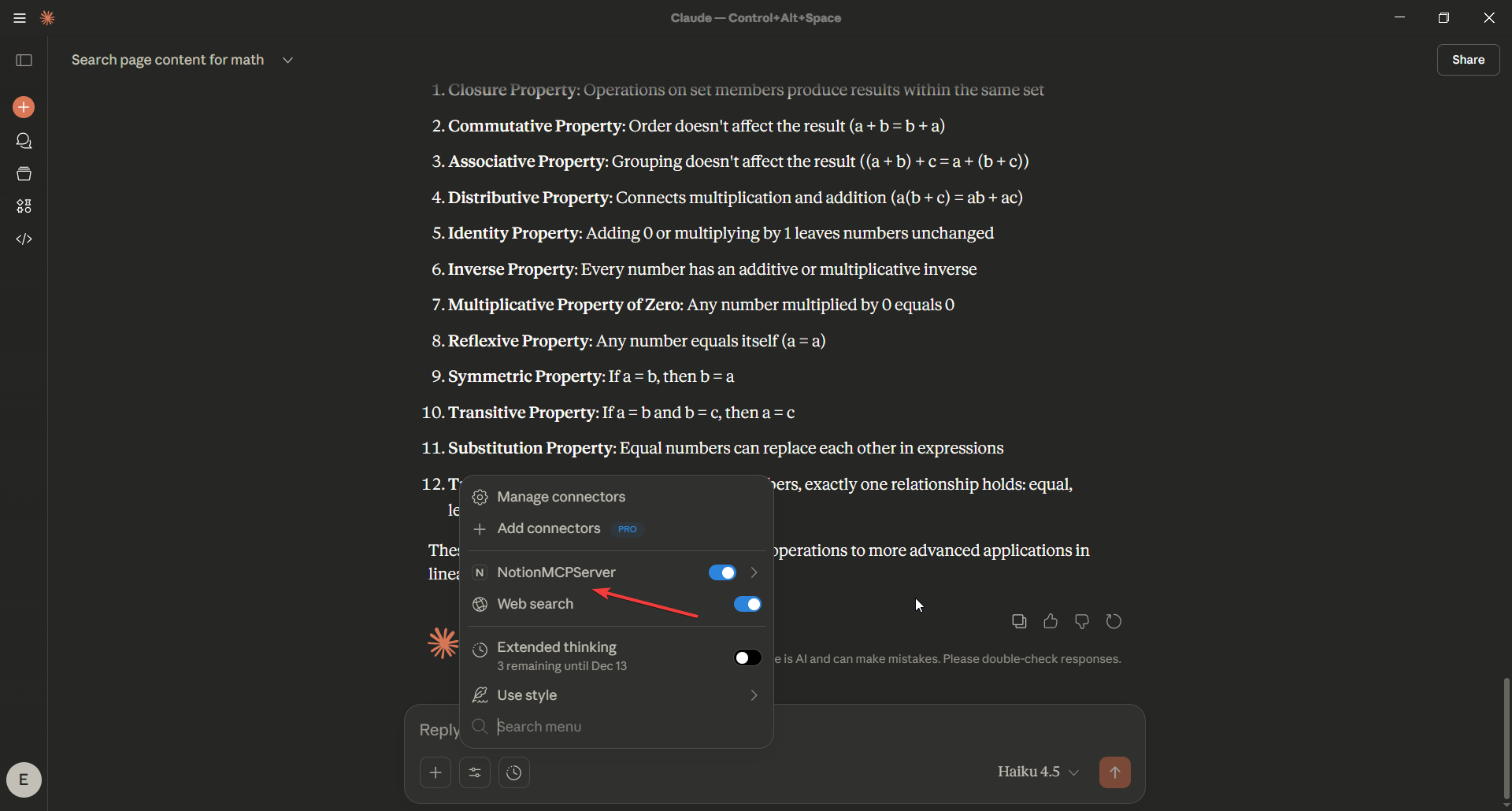
Installation
You may install using either:
Option A — Using venv (recommended for most users)
1. Clone the repository
git clone https://github.com/DeepActionPotential/NotionMCP.git
cd NotionMCP
2. Create and activate a virtual environment
python -m venv .venv
Activate it:
Windows
.venv\Scripts\activate
macOS/Linux
source .venv/bin/activate
3. Install dependencies
pip install -r requirements.txt
4. Run the MCP server
python server.py
Option B — Installation using uv
uv sync
uv run server.py
Configuring Claude Desktop
Add the following to:
claude_desktop_config.json
{
  "mcpServers": {
    "NotionMCPServer": {
      "command": "uv",
      "args": [
        "--directory",
        "your-own-server-file-directory",
        "run",
        "server.py"
      ]
    }
  }
}
Restart Claude Desktop.You should now see all Notion tools available under the MCP Tools menu.
Environment Variables
Create a .env file or export environment variables:
NOTION_API_KEY=secret_notion-api
HTTP-TIMEOUT=60
Your Notion integration must be shared with the pages or workspace you want to read.
Usage Examples
Ask Claude:
- “Search Notion for pages about convolution.”
- “Summarize the Deep Learning page in 200 words.”
- “Extract the first 20 lines of the Metrics page.”
- “Analyze the emotional tone of the Vision page.”
Claude will automatically call MCP tools such as:
searchiter_searchget_page_textsummarize_page_textget_page_sentiment
Architecture
NotionMCP
│
├── tools/
│   ├── search_tools.py
│   ├── read_tools.py
│   └── ai_tools.py
│
├── core/
│   └── notion_clients.py
│
├── services/
│   ├── summarization_service.py
│   └── text_emotion_service.py
│
├── demo/
│
└── server.py
Contributing
Contributions are welcome:
- New AI models
- Additional Notion endpoints
- Performance improvements
- New MCP tools
Please open an issue or submit a PR.
License
MIT License — free for commercial and private use.


