
google-surf-mcp
✨Anti-Bot Search MCP: No API Key✨
English | 한국어
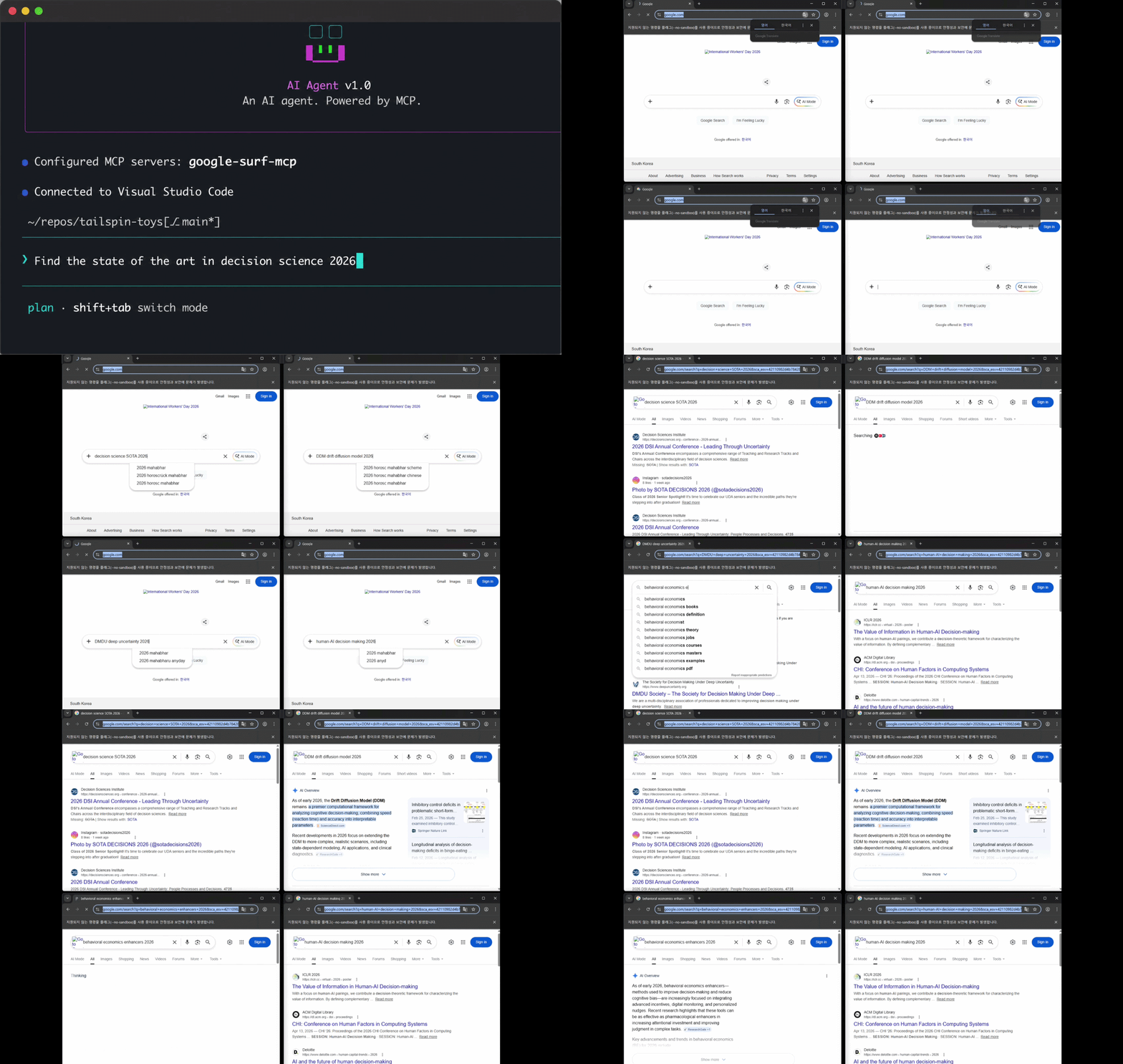
Demo only. Actual searches run headless by default (no visible browser). Set
SURF_HEADLESS=falseto make Chrome visible like in the clip above.
Google search MCP. No API key. Just works.
- ✅ Actually works (tested 6 free Google search MCPs, all failed)
- ✅ Search + URL extract in one MCP (replaces the usual search MCP + fetch MCP combo)
- ✅ 4 tools:
search/search_parallel/extract/search_extract - ✅ No API key, no proxies, no solver
- ✅ Auto CAPTCHA recovery (Chrome opens, human solves once, call retries)
What
Plug it into any MCP client and you get Google search as a tool.
No CAPTCHA solver. When CAPTCHA fires on any tool, a Chrome window opens for a human to solve. Each solve preserves the profile's reputation with Google. Built for sustainable, ethical use.
One-time install needs a ~1s profile warm-up (see Install).
Designed for local use. Not suitable for stateless / serverless deployment.
Numbers
| result | |
|---|---|
| sequential | ~2s/query (first call ~4s, includes setup) |
| parallel x4 | ~2s wall |
| parallel x10 | ~5s wall |
| search_extract x5 | ~7s wall (search + 5 parallel extracts) |
Measured on a workstation with a 1Gb/s connection. Numbers vary with hardware and network.
Stack
- Playwright + persistent Chrome profile
playwright-extrastealth- Resource-blocked images / media / fonts for speed
- One-shot profile bootstrap before first run
- Mozilla Readability + Turndown for article extraction
Install
Requires Node 18+ and Google Chrome (or Chromium) on the system.
npx google-surf-mcp # actual MCP - register in client config
Or local clone:
git clone https://github.com/HarimxChoi/google-surf-mcp
cd google-surf-mcp
npm install
npm run bootstrap
bootstrap opens a Chrome window. Run one Google search in it. Close. Profile is now warm.
Override paths if needed:
CHROME_PATH=/path/to/chrome SURF_TZ=America/New_York npm run bootstrap
Use with Claude Code
Paste this into your ~/.claude.json:
{
  "mcpServers": {
    "google-surf": {
      "command": "npx",
      "args": ["-y", "google-surf-mcp"]
    }
  }
}
Restart Claude Code. Done. search, search_parallel, extract, search_extract are now available.
For other MCP clients, use the same JSON shape in their config file.
Local clone variant:
{
  "mcpServers": {
    "google-surf": {
      "command": "node",
      "args": ["/abs/path/to/google-surf-mcp/build/index.js"]
    }
  }
}
Tools
search(query, limit?)- single query, ~2s. Returns title / url / snippet.search_parallel(queries[], limit?)- pool of 4, max 10 queries per call.extract(url, max_chars?)- fetch a URL, return article markdown (Readability with text fallback). Failures return{ error }, never throw.search_extract(query, limit?, max_chars?)- search + parallel extract in one call. Returns SERP results enriched with full article content. Per-page failures are isolated.
search_extract is the killer one: SERP + full article content in a single call. Replaces the usual "search MCP + URL fetcher MCP" combo most agents stitch together.
Env vars
| var | default | notes |
|---|---|---|
CHROME_PATH |
auto-detected | absolute path to Chrome binary |
SURF_PROFILE_ROOT |
~/.google-surf-mcp |
where the warm profile lives |
SURF_LOCALE |
en-US |
browser locale |
SURF_TZ |
system tz | e.g. America/New_York |
SURF_HEADLESS |
true |
set false to run Chrome visibly (demos / debugging). CAPTCHA auto-recovery always runs visible regardless. |
SURF_IDLE_CLOSE_MS |
30000 |
idle ms before closing the sequential ctx and pool. Lower = faster cleanup, higher = warmer cache for spaced-out calls. |
Troubleshooting
- CAPTCHA: a visible Chrome window opens automatically (works for all 4 tools). Solve it once, do one search inside, the call retries and continues. To fail-fast instead, run with no display attached.
- "Chrome not found": install Chrome or set
CHROME_PATH. - Stale selectors: Google rotates classes. PRs welcome.
License
MIT


