
selfhosted-doctor
AI-ready security checks for self-hosted homelabs, starting with Docker Compose.
Before exposing your NAS to the internet, run one command.
selfhosted-doctor is a local-first security doctor for people who run services on a NAS, VPS, or homelab with Docker Compose, reverse proxies, and Cloudflare Tunnel.
The goal is not to replace Trivy, Checkov, or enterprise security scanners. The goal is to catch the common self-hosted mistakes that happen right before a private service becomes public.
Quickstart
npx selfhosted-doctor scan docker-compose.yml
Scan a whole directory (finds every docker-compose*.yml / compose*.yml, .env, and cloudflared config):
npx selfhosted-doctor scan ./my-stack
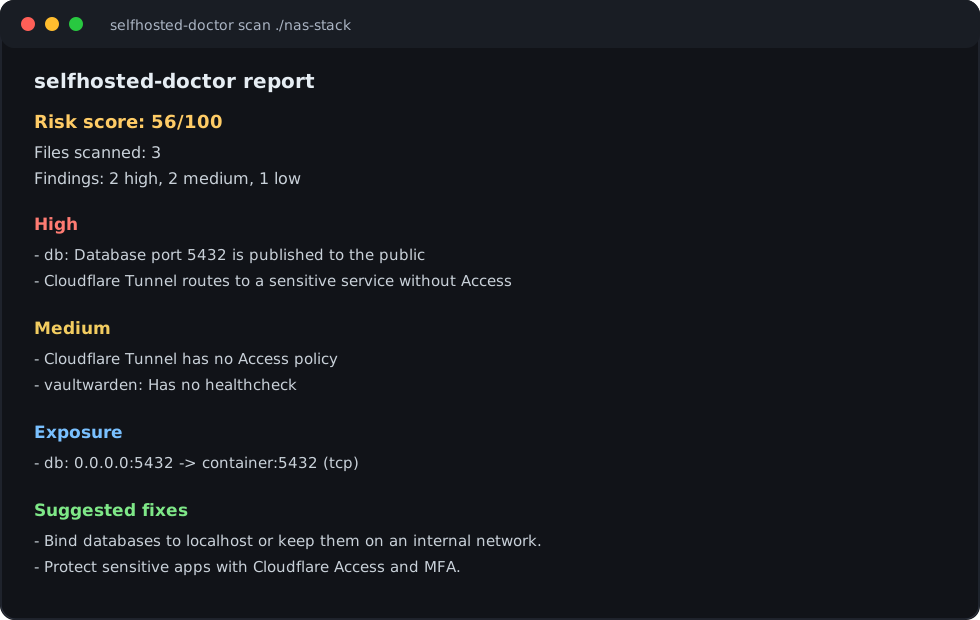
Example output:
selfhosted-doctor report

Risk score: 56/100
Files scanned: 3
Findings: 2 high, 2 medium, 1 low

High
- db: Database port 5432 is published to the public (docker-compose.yml)
- Cloudflare Tunnel routes to a sensitive service without Access (cloudflared/config.yml)

Medium
- Cloudflare Tunnel has no Access policy (cloudflared/config.yml)
- vaultwarden: Has no healthcheck (docker-compose.yml)

Low
- db: Image is not pinned by digest (docker-compose.yml)

Exposure
- db: 0.0.0.0:5432 -> container:5432 (tcp)
Every finding comes with a concrete fix. Run -f markdown (or selfhosted-doctor explain) to get the Suggested Fixes section:
- Bind the database to localhost only (e.g. 127.0.0.1:5432:5432) or keep it on an internal network.
- Protect sensitive apps with a Cloudflare Access policy and MFA before tunneling them to the public internet.
- Add a healthcheck so the container is restarted when it becomes unhealthy.
Commands
selfhosted-doctor scan [path]                 # terminal report (default command)
selfhosted-doctor scan [path] -f json         # machine-readable JSON (AI-ready)
selfhosted-doctor scan [path] -f markdown     # Markdown report
selfhosted-doctor scan [path] -o report.md    # write to a file (format inferred from extension)
selfhosted-doctor scan [path] --fail-on high  # exit non-zero for CI when a high risk exists
selfhosted-doctor explain [path]              # plain-language explanation of the findings
selfhosted-doctor mcp                         # run the read-only MCP server over stdio
path can be a Compose file (docker-compose.yml, compose.yml) or a directory. When you point it at a single file, sibling .env and cloudflared config files in the same folder are scanned too.
--fail-on high|medium|low makes the process exit 1 when a finding at or above that severity exists — handy in a pre-deploy CI step. The default is none (always exit 0).
Compose profiles
Services behind a Compose profiles: key are optional — they only run when you opt into that profile. selfhosted-doctor treats them accordingly:
selfhosted-doctor scan ./stack --profile milvus                     # score default + the "milvus" profile
selfhosted-doctor scan ./stack --profile milvus --profile opengauss # score default + several profiles
selfhosted-doctor scan ./stack --all-profiles                       # score every service, all profiles on
--profile <name>(repeatable) scores your default services plus the named optional profile(s).--all-profilesscores every service, including all profile-gated ones.
By default the risk score reflects only your active/default services. Optional services behind Compose profiles: are reported as conditional and don't affect the score unless you pass --profile or --all-profiles. This is why a large upstream Compose file (like Dify's, which gates alternate vector DBs behind profiles) no longer collapses to 0/100 just because of services you never actually run.
NAS without a Compose file
v0.1 is intentionally Compose-first. It scans:
docker-compose.yml,docker-compose.yaml,compose.yml, andcompose.yaml- sibling
.env/.env.*files - Cloudflare Tunnel config near the stack
Many NAS setups do not have a Compose file in the obvious place. If you use Portainer, Dockge, Synology Container Manager projects, or a copied stack from another machine, look for the exported stack/compose YAML and scan that folder:
npx selfhosted-doctor scan /path/to/exported-stack
If your services were created only through a NAS UI, Package Center, app catalog, or raw docker run, this version will not fully understand them yet. Runtime inventory support (docker ps / docker inspect export, still read-only) is the next product direction.
What it checks
The scanner is deterministic — a set of rules across four areas, including default-secret-fallback detection (${VAR:-default} in Compose) and active/conditional/template classification of every finding:
Exposure & privilege (high)
exposed-port— ports published to0.0.0.0/ an unspecified hostdatabase-port-exposed— Postgres/MySQL/MariaDB/Mongo/Redis reachable from the hostprivileged—privileged: truehost-network—network_mode: hostdocker-socket—/var/run/docker.sockmounts
Secrets (high)
plaintext-secret— hardcoded secret values in active.env/ Compose files (values are always redacted; template files are downgraded to info — see below)default-secret-fallback— Compose${VAR:-default}fallbacks that ship a known default when the variable is unset
Image & container hygiene (medium / low)
latest-tag,unpinned-image,missing-healthcheck,missing-restart,runs-as-root,no-user,missing-resource-limits,missing-labels
Cloudflare Tunnel (static, no API calls)
cloudflared-no-access— a tunnel with no Access policy hintcloudflared-tunnel-to-risky— a tunnel routing to a sensitive app (e.g. Vaultwarden) without Access
Service-aware notes (service-notes) add context for Vaultwarden, Immich, Nextcloud, Jellyfin and more — e.g. "your exposed database sits behind Nextcloud" or "back up both the Immich library and its Postgres volume". Detection is image-first, so a nextcloud_db container running mariadb is correctly identified as a database.
Why isn't .env.example flagged as high severity?
Template and example env files — .env.example, .env.sample, .env.template, and anything under examples/ — are expected to contain placeholder defaults. Flagging them as high-severity plaintext secrets would be noise: they're not your running configuration, they're the starting point you copy from. So selfhosted-doctor reports them as low-priority info findings ("change these before you deploy") instead.
Real env files with literal secrets stay high. .env, .env.local, .env.production, and .env.prod are treated as active configuration, so a hardcoded secret in one of them still produces a HIGH finding.
Compose fallback defaults are flagged high, though. A value like POSTGRES_PASSWORD: ${DB_PASSWORD:-difyai123456} means that a self-hoster who never sets DB_PASSWORD silently ships the well-known default password — so it's reported as Default secret fallback in service environment (HIGH) for active services. A plain ${DB_PASSWORD} reference with no fallback is not flagged, because nothing is baked in.
AI and MCP
The scanner is useful without AI. AI is an optional explanation layer, and the LLM never decides what is a finding — deterministic rules do; AI only rephrases them.
Plain-language explanation (offline mock provider, zero config):
selfhosted-doctor scan ./my-stack -f json -o report.json
selfhosted-doctor explain report.json
Read-only MCP server — expose the scanner to Claude Code, Cursor, and other MCP clients:
// e.g. Claude Code / Claude Desktop MCP config
{
  "mcpServers": {
    "selfhosted-doctor": {
      "command": "npx",
      "args": ["-y", "selfhosted-doctor", "mcp"]
    }
  }
}
Tools (all read-only): scan_compose, list_findings, list_exposed_services, generate_markdown_report. Secrets are redacted before anything leaves the tool.
Examples
Three intentionally-imperfect stacks live in examples/ and double as the test fixtures:
vaultwarden-cloudflare— Vaultwarden behind a Cloudflare Tunnel with no Access policyimmich-postgres— Immich with an exposed Postgres portnextcloud-db— Nextcloud + MariaDB + Traefik + Watchtower (docker socket, privileged, host network)
npx selfhosted-doctor scan examples/vaultwarden-cloudflare
Development
npm install
npm test           # vitest
npm run build      # tsup -> dist/
npm run scan -- examples/nextcloud-db   # run the CLI from source
The pipeline is load files → parse Compose into a normalized model → run rules → assemble a Report → render. Rules live in src/core/rules/ (one file each) and are the only producers of findings; reporters, MCP, and AI all consume the same Report object. See docs/implementation-notes.md for design decisions, tradeoffs, and the roadmap.
MVP scope
Docker Compose file -> deterministic scan -> terminal / JSON / Markdown report (+ AI explain, + MCP)
Out of scope for v0.1: no automatic fixes, no Docker daemon access, no Cloudflare API calls, no public internet scanning, no Web UI.
Next after v0.1: read-only runtime inventory for NAS users who do not have Compose files.
Disclaimer
selfhosted-doctor is a best-effort configuration checker, not a security guarantee. Always review findings manually before exposing services to the internet.
License
MIT


