
Unreal AI Connection
Drive Unreal Engine 5.7 from any MCP-compliant client over a local TCP socket.
105 tools total. Zero pixel-clicking. ~50ms round-trip.









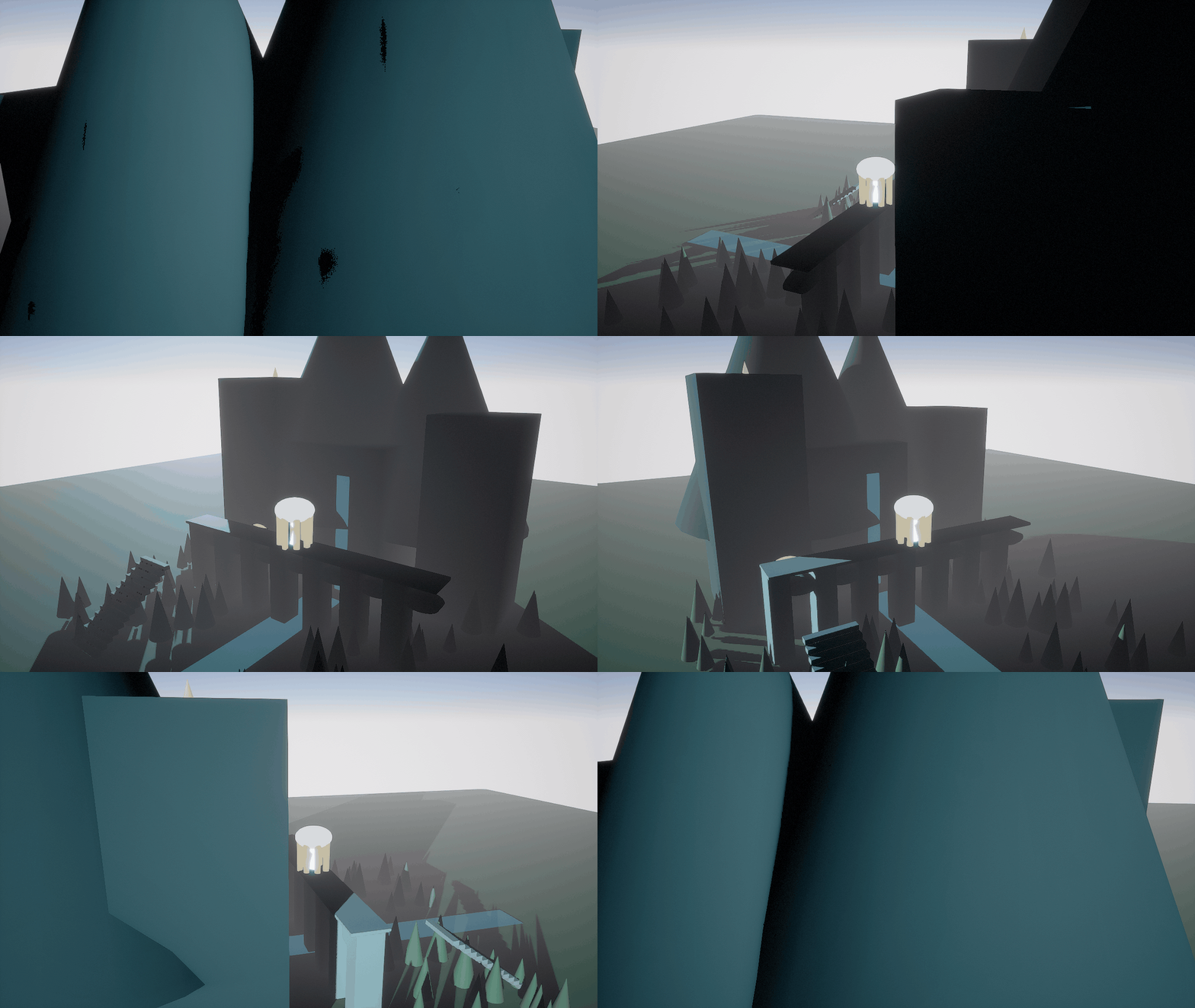
Live capture — an MCP client builds the scene and orbits the camera entirely over the local TCP socket. Reproduce with scripts/capture_demo_gif.py.
Native C++ handlers — not Python Remote Execution. ~50 ms round-trips across 105 tools · 498 tests · MIT · works with Claude Code, Cursor, Cline, Codex, Gemini, Continue, Windsurf & Zed.
⭐ If this saves you time, a star helps other devs find it.
Authoring high-quality assets: see docs/ASSET-PIPELINE-BLENDER.md.
Install (one paste, any client)
Every route below only wires the stdio bridge. You must separately install the UE 5.7 plugin into your project's
Plugins/folder and launch the editor (it binds127.0.0.1:18888). Seedocs/setup/README.mdfor the prerequisite, anddocs/DISTRIBUTION.mdfor how this is published.
Claude Code — paste the owner/repo, no clone needed:
/plugin marketplace add NAJEMWEHBE/unreal-ai-connection
/plugin install unreal-ai-connection@unreal-ai-connection
Cursor — one-click deeplink. Base64-encode your machine's bridge path into this template:
cursor://anysphere.cursor-deeplink/mcp/install?name=unreal-ai-connection&config=<BASE64>
where <BASE64> is base64 of {"command":"python3","args":["/ABSOLUTE/PATH/TO/bridge/unreal_ai_connection_bridge.py"]} (on Windows use "command":"py" if python3 is not on PATH). Manual fallback — .cursor/mcp.json:
{ "mcpServers": { "unreal-ai-connection": { "command": "python3", "args": ["/ABSOLUTE/PATH/TO/bridge/unreal_ai_connection_bridge.py"] } } }
VS Code — install deeplink (URL-encode the JSON for your path):
vscode:mcp/install?<URL-ENCODED {"name":"unreal-ai-connection","command":"python3","args":["/ABSOLUTE/PATH/.../bridge/unreal_ai_connection_bridge.py"]}>
Windows: all snippets use
python3; if that's not on PATH use thepylauncher instead ("command": "py"). The.claude-plugin/mcp-config.jsonmarketplace path usespython3for cross-platform consistency — Windows users withoutpython3should use the manual per-client recipe indocs/setup/withpy.
Every other client — copy-paste recipe per client:
| Client | Route | Recipe |
|---|---|---|
| Claude Code | /plugin marketplace add NAJEMWEHBE/unreal-ai-connection |
docs/setup/claude-code.md |
| Claude Desktop | edit claude_desktop_config.json |
docs/setup/claude-desktop.md |
| Cursor | deeplink / .cursor/mcp.json |
docs/setup/cursor.md |
| Codex CLI | codex mcp add unreal-ai-connection -- … |
docs/setup/codex-cli.md |
| Windsurf | mcp_config.json |
docs/setup/windsurf.md |
| Continue | ~/.continue/config.yaml |
docs/setup/continue.md |
| Cline | MCP Marketplace tab / settings | docs/setup/cline.md |
| Zed | ~/.config/zed/settings.json |
docs/setup/zed.md |
| Gemini CLI | ~/.gemini/settings.json |
docs/setup/gemini-cli.md |
| VS Code Copilot | .vscode/mcp.json |
docs/setup/vscode-copilot.md |
Also discoverable in the official MCP Registry as io.github.najemwehbe/unreal-ai-connection (feeds the VS Code MCP gallery, mcp.so, PulseMCP) and submittable to the Cline marketplace via llms-install.md.
Jump to
- How it fits together — architecture diagram + per-call sequence
- Why it exists — the UE 5.7 Python dead-ends this plugin sidesteps
- Why MCP specifically — one protocol, every conforming client
- Tools — 105 tools grouped into 14 expandable categories
- Quick start — copy-paste path to a running editor with the plugin live
- What's in the box — directory tree
- Status — release / test / build state
- Contributing — house rules + how to add a tool
- License
How it fits together
graph LR
    A[Any MCP client] -->|stdio MCP| B[Python Bridge]
    B -->|TCP 127.0.0.1:18888| C[UnrealClaudeMCP plugin<br/>UE editor module]
    C -->|native C++ API| D[Unreal Editor 5.7]
sequenceDiagram
    participant User
    participant Client as MCP client<br/>(e.g. Claude Code)
    participant Bridge as Python bridge
    participant Plugin as UE plugin module
    participant Editor as Unreal Editor 5.7

    User->>Client: "Spawn a Cube at origin"
    Client->>Bridge: stdio MCP — tools/call spawn_actor
    Bridge->>Plugin: TCP 127.0.0.1:18888<br/>JSON-RPC framed
    Plugin->>Editor: GEditor->SpawnActor()
    Editor-->>Plugin: success + actor ref
    Plugin-->>Bridge: JSON-RPC result
    Bridge-->>Client: MCP envelope
    Client-->>User: rendered confirmation<br/>(~50ms total)
You ask Claude Code: "Take a screenshot of my level and tell me what's there." — Claude resolves the request to a tool call, the bridge forwards it as JSON-RPC to the running editor, the plugin captures the viewport, and Claude renders the image inline. Same flow works for spawning actors, inspecting Blueprints, mutating Widget Trees, executing arbitrary unreal.* Python, listing actors, focusing the viewport, loading levels, taking high-res screenshots.
The plugin binds to 127.0.0.1 only — your running editor is never reachable across the network.
Why it exists
UE 5.7's Python reflection has known dead-ends. Most painfully: EditorUtilityWidgetBlueprint.WidgetTree is a UPROPERTY() without EditAnywhere, so neither get_editor_property nor direct attribute access can reach it. This blocks "let an LLM build me an editor utility panel" workflows entirely.
The plugin sidesteps these limits by calling UE's native C++ APIs directly inside the editor process. It's also dramatically faster than driving UE's GUI with screenshot pixel-clicks — ~50ms round-trip vs. minutes of GUI fiddling.
Why MCP specifically
MCP (Model Context Protocol) is a vendor-neutral I/O protocol designed for LLM tool-use. Because this plugin speaks MCP rather than baking in any one client, every conforming client gets all 105 tools for free: Claude Code, Codex CLI, Cursor, Gemini CLI, Continue, Zed, Cline, and any future entrant. Switch clients without changing the plugin or the bridge.
The wire format is stdio MCP between client and bridge, then a tight length-prefixed JSON-RPC over TCP 127.0.0.1:18888 between bridge and the running UE editor. Either side can be reimplemented in another language; the contract is the JSON.
Tools
105 tools total. 72 are native C++ handlers registered by the plugin at editor startup; 33 are bridge-side synthetic tools (wait_for_events, get_camera_transform, set_camera_transform, screenshot_actor, compile_mod_pak, compile_mod_pak_direct, bulk_delete_assets, bulk_move_assets, bulk_rename_assets, bulk_duplicate_assets, bulk_inspect_assets, inspect_data_asset, inspect_sound_class, inspect_sound_submix, inspect_audio_bus, inspect_material_function, inspect_metasound, find_unused_assets, get_reference_chain, bulk_compile_blueprints, audit_blueprint_compile_status, find_actors_by_class, bulk_focus_actors, bulk_screenshot_actors, bulk_set_actor_property, compare_assets, bulk_set_console_variables, inspect_dependency_graph, bulk_fix_redirectors, marketplace_search, marketplace_import, convert_hdri_to_cubemap, sequencer_add_transform_keyframe) that compose existing handlers without a dedicated UE round-trip (or, for compile_mod_pak and compile_mod_pak_direct, shell out to RunUAT or UnrealPak entirely outside the UE process) — see bridge/unreal_ai_connection_bridge.py's SYNTHETIC_TOOLS. Per-tool JSON schemas and examples live in docs/TOOLS.md. Grouped overview:
Python execution (5 tools)
Python execution — click to expand the tool table| Tool | Purpose |
|---|---|
execute_unreal_python |
Universal escape hatch — run arbitrary unreal.* Python in the editor's interpreter. Multi-line scripts work. |
run_python_file |
Execute a .py file from disk in the editor's Python interpreter. |
apply_python_to_selection |
Run a Python snippet with the editor's current selection bound as actors / assets. |
exec_python_persistent |
Persistent Python session — variables defined in one call survive into the next. |
reset_python_state |
Wipe the persistent session's globals. |
Project / asset registry (8 tools)
Project / asset registry — click to expand the tool table| Tool | Purpose |
|---|---|
get_project_summary |
Project name, engine version, enabled plugins, asset count. |
find_assets |
Query the asset registry by class + path + name. |
inspect_asset |
Class, tags, dependencies, referencers, on-disk size. |
move_asset |
Move an asset to a different folder; UE creates a redirector at the source path. |
rename_asset |
Change an asset's leaf name in place; UE creates a redirector at the old name. |
duplicate_asset |
Copy an asset to a new path. |
delete_asset |
Delete an asset; refuses if referenced by other packages unless force=true. |
fix_up_redirectors |
Resolve all object redirectors under a folder. |
Blueprint / widget / animation introspection (14 tools)
Blueprint / widget / animation introspection — click to expand the tool table| Tool | Purpose |
|---|---|
inspect_blueprint |
Variables, function/event graphs, parent class of any Blueprint asset. |
compile_blueprint |
Recompile a Blueprint asset and report errors. |
inspect_widget_tree |
Read the widget hierarchy of a UWidgetBlueprint or EUW (the thing UE Python can't do). |
inspect_widget_blueprint |
Widget-BP-specific surface: animations, delegate bindings, palette category, inherited named slots, property-binding count, blueprint compile status. Pairs with inspect_blueprint + inspect_widget_tree. |
edit_widget_tree |
Mutate the tree: set_root / add_child / set_property. Solves the EUW WidgetTree blocker. |
inspect_anim_blueprint |
Read variables and state machines of an Animation Blueprint. |
inspect_anim_montage |
Read sections, slots, and notify tracks of an UAnimMontage. |
inspect_static_mesh |
LODs, materials, collision, bounds for a UStaticMesh. |
inspect_skeletal_mesh |
LODs, materials, sockets, skeleton info for a USkeletalMesh. |
inspect_physics_asset |
Body setups (one per simulated bone), constraint setups (joints between bodies), bounds-bodies subset, named physical-animation + constraint profiles. Cross-links to inspect_skeletal_mesh via preview_skeletal_mesh. |
inspect_niagara_system |
Emitters and exposed user parameters of a Niagara system. |
inspect_landscape |
Components, layers, and material info for a landscape actor. |
inspect_data_table |
RowStruct identity, sorted row names, per-property name+type for every FProperty on the row struct, plus client-strip / ignore-extra/missing-fields flags. |
inspect_curve |
UCurveBase channel layout (1ch UCurveFloat / 4ch UCurveLinearColor / 3ch UCurveVector), per-channel name + key count + per-channel + global time/value range. |
Materials (4 tools)
Materials — click to expand the tool table| Tool | Purpose |
|---|---|
create_material_instance |
Create a UMaterialInstanceConstant asset with a parent material set. |
set_mi_parameter |
Override a scalar/vector/texture parameter on a material instance. Type discriminator picks value shape. |
inspect_material |
List parameter names declared by a UMaterial or UMaterialInstance (scalar/vector/texture/static-switch). |
inspect_material_instance |
Read a material instance's parent + currently-overridden parameter values. |
Textures (3 tools)
Textures — click to expand the tool table| Tool | Purpose |
|---|---|
import_texture |
Bring an image file (PNG / JPG / EXR / TGA / BMP / HDR) from disk into the project as a UTexture2D asset via UE's canonical import path. |
configure_texture |
Adjust SRGB / compression / LOD group / filter on an existing texture asset. |
inspect_texture |
Texture class, surface dimensions, sRGB, compression, filter, LOD group, mip-gen, virtual-texture / never-stream flags, composite-texture cross-link. UTexture2D-specific size / mips / pixel format / imported source dimensions emitted conditionally. |
Level Sequences (3 tools)
Level Sequences — click to expand the tool table| Tool | Purpose |
|---|---|
inspect_sequence |
Read structure of a Level Sequence: tracks, sections, bindings, frame rate, playback range. |
create_sequence |
Create a new empty Level Sequence asset with a configured display rate and playback range. |
bind_actor_to_sequence |
Add a level actor as a possessable binding to a Level Sequence. |
Level / actor authoring (16 tools)
Level / actor authoring — click to expand the tool table| Tool | Purpose |
|---|---|
get_actors_in_level |
Name / class / transform of every actor; optional case-insensitive substring filter. |
spawn_actor |
Create an actor at a location with optional rotation, label, and initial properties. Class path supports built-ins and Blueprints. |
set_actor_transform |
Move / rotate / scale an existing actor by name. Absolute or relative mode. |
delete_actor |
Remove an actor by name. Force flag overrides children-attached safety check. |
set_actor_property |
Mutate any UPROPERTY on an actor. Supports primitives, FName/FText, vectors, rotators, colors, enums, and TSoftObjectPtr. |
add_component |
Attach a component (UActorComponent / USceneComponent subclass) to an existing actor at runtime, optionally socketed. |
focus_actor |
Select an actor by label and frame the viewport on it. |
load_level_by_path |
Open a level by package path. |
find_actors_by_class |
Filter the active level's actors by class. Composes get_actors_in_level and matches against the short class name. Bridge-side synthetic. |
bulk_focus_actors |
Frame the viewport on each actor in a sequence, optionally screenshotting each one. Composes focus_actor (+ get_viewport_screenshot) per name. Bridge-side synthetic. |
bulk_screenshot_actors |
Focus + screenshot each actor in a sequence. Composes screenshot_actor per name. Bridge-side synthetic. |
bulk_set_actor_property |
Apply many {actor, property, value} mutations in one call. Composes set_actor_property per assignment. Bridge-side synthetic. |
compare_assets |
Symmetric diff between two assets' inspect_asset outputs. Bridge-side synthetic. |
bulk_set_console_variables |
Set many CVars in one call with optional atomic rollback. Composes get_console_variable + set_console_variable. Bridge-side synthetic. |
inspect_dependency_graph |
BFS the asset dependency graph (down by default, optional bidirectional sweep). Composes inspect_asset recursively. Bridge-side synthetic. |
bulk_fix_redirectors |
Resolve redirectors across many content folders in one call. Composes fix_up_redirectors per folder. Bridge-side synthetic. |
Viewport / screenshots (3 tools)
Viewport / screenshots — click to expand the tool table| Tool | Purpose |
|---|---|
get_viewport_screenshot |
Active viewport as a base64 PNG, returned inline. |
take_high_res_screenshot |
Trigger UE's HighResShot console command. |
render_camera_to_png |
Force a synchronous render of the level-editor viewport (or an off-screen SceneCapture2D at arbitrary resolution) and write a PNG — works headless where deferred screenshots fail. |
Console / logs (5 tools)
Console / logs — click to expand the tool table| Tool | Purpose |
|---|---|
get_log_lines |
Read recent UE Output Log entries from the in-process ring buffer. Filter by category and minimum verbosity. |
execute_console_command |
Run a UE console command (e.g. stat fps, r.ScreenPercentage 50) and capture its output. |
get_console_variable |
Read a single console variable's current value. |
set_console_variable |
Write a value to a console variable. |
find_console_variables |
Enumerate console variables matching a name pattern. |
Long-running tasks (4 tools)
Long-running tasks — click to expand the tool table| Tool | Purpose |
|---|---|
start_sleep_task |
Reference long-running task — sleeps for N seconds. Used to exercise the task pattern from clients. |
poll_task |
Read a task's current state / result. |
cancel_task |
Cancel an in-flight task by id. |
list_tasks |
Enumerate all tracked tasks and their states. |
Event push / subscriptions (5 tools)
Event push / subscriptions — click to expand the tool table| Tool | Purpose |
|---|---|
poll_events |
Drain queued editor events (actor spawn/delete, asset add/remove/rename/import, level save, map change) from the in-process EventBus. |
wait_for_events |
Bridge-side synthetic tool — block until matching events arrive or timeout_ms elapses, by polling poll_events at poll_interval_ms cadence. |
register_subscription |
Open a per-client subscription channel for a filtered event stream. |
poll_subscription |
Drain queued events from a specific subscription. |
unsubscribe |
Close a subscription. |
Audio (3 tools — introspection trio)
Audio — click to expand the tool table| Tool | Purpose |
|---|---|
inspect_sound_cue |
USoundCue duration, multipliers, attenuation cross-link, root sound-node class, full graph node list (sorted, with class taxonomy). |
inspect_sound_wave |
USoundWave sample rate, channels, frame count, duration, compression type + runtime format + compressed-data size, sound group, looping/streaming flags, loading behavior, subtitle + cue-point + loop-region counts. Editor-only LUFS / sample-peak / comment fields conditional. |
inspect_sound_attenuation |
USoundAttenuation 3D-playback rules: distance algorithm + shape, spatialization, air-absorption LPF/HPF, listener focus, occlusion tracing, reverb send, priority attenuation, plus assorted feature flags. Each major feature is gated by its master bitfield; sub-objects collapse to {enabled: false} when disabled. |
Camera (3 tools — bridge-side synthetic)
Camera — click to expand the tool table| Tool | Purpose |
|---|---|
get_camera_transform |
Read the level-editor viewport camera's location + rotation. Composes execute_unreal_python + get_log_lines via the marker pattern. |
set_camera_transform |
Set the level-editor viewport camera's location and/or rotation. Single execute_unreal_python round-trip. |
screenshot_actor |
Frame the viewport on a specific actor and capture a focused PNG. Composes focus_actor + get_viewport_screenshot. |
Self-introspection (1 tool)
Self-introspection — click to expand the tool table| Tool | Purpose |
|---|---|
list_tools |
Names of every registered method (for autodiscovery). |
Adding a 73rd C++ handler is one .cpp file plus one line of registration — see docs/ARCHITECTURE.md. New synthetic tools are an entry in SYNTHETIC_TOOLS plus a function in bridge/unreal_ai_connection_bridge.py.
Quick start
Engineers (you already build UE projects from source)
- Drop the plugin in. Copy
UnrealClaudeMCP/into<YourProject>/Plugins/. - Regenerate project files. Right-click
<YourProject>.uproject→ Generate Visual Studio project files. - Build the editor. Open the .sln, build Development Editor | Win64. First build takes ~5–15 min.
- Launch. Open the .uproject. The MCP server auto-starts on
127.0.0.1:18888. Look for these lines in the Output Log:[LogUnrealClaudeMCP] Module started LogUCMCPHandler: Registered handler 'execute_unreal_python' ... (64 lines) [LogUCMCP] Listening on 127.0.0.1:18888 - Wire your MCP client. Copy
examples/.mcp.json.exampleto your project root as.mcp.json, edit the path to point atbridge/unreal_ai_connection_bridge.py, restart your client, and approve the new MCP server. Same bridge works with Claude Code, Claude Desktop, Cursor, Codex CLI, Windsurf, Continue, Cline, Zed, Gemini CLI, and VS Code Copilot — seedocs/setup/for per-client copy-paste recipes.
Non-engineers / GUI-only users
See docs/INSTALLATION.md — step-by-step, screenshot-first.
Verify it works
The smoke test fires every default-on tool from a plain Python TCP client (not through Claude Code) — a fast way to confirm the plugin loaded and the server is alive:
python examples/smoke_test.py
You'll see structured JSON output for every default-on step (eleven banner-headed sections, plus a few unbannered checks for the asset registry, sequencer and materials handlers — the last two skip with a print if your project has no Level Sequences or Materials in /Game/). Last line: "Smoke test complete."
What's in the box
UnrealClaudeMCP/                The Unreal Engine plugin (drop into <Project>/Plugins/)
  Source/UnrealClaudeMCP/         C++ editor module
  Resources/                      MCP manifest JSON
  UnrealClaudeMCP.uplugin         Plugin manifest

bridge/
  unreal_ai_connection_bridge.py     Python stdio ↔ TCP bridge for any MCP client

examples/
  smoke_test.py                   Connects to the live server, fires the safe tools
  .mcp.json.example               Template Claude Code MCP config

docs/
  INSTALLATION.md                 Step-by-step install for a UE 5.7 project
  TOOLS.md                        What each tool does + JSON examples
  ARCHITECTURE.md                 How the pieces fit + UE 5.7 API gotchas

tests/                            Pytest suite for the bridge (no UE required)
.github/workflows/                CI runs the bridge tests on every push & PR
Status
| Latest release | v0.9.1 — 2026-05-08 |
| Tools | 105 live — 72 native C++ handlers (one MCP method per Handler_*.cpp) plus 33 bridge-side synthetic tools (Python-only composition over existing handlers; never crosses the TCP wire as a dedicated round-trip). See docs/TOOLS.md for the per-tool reference. |
| Tested on | UE 5.7.4 / Windows 11 / Visual Studio Build Tools 2022 / MSVC 14.44 / NETFXSDK 4.8.1 |
| Build status | Plugin compiles + loads against UE 5.7.4 host on Windows 11; 72 handlers register, TCP server binds 127.0.0.1:18888, bridge round-trip via tools/call list_tools returns full registry. |
| Bridge tests | 498 pytest cases, ~99% coverage |
| CI | GitHub Actions on every push and PR |
| Development workflow | Multi-agent ensemble — Opus orchestrates, Codex authors C++, Sonnet handles Python + recon, NVIDIA cloud + local OSS LLMs run pre-PR diff review, Copilot CLI gives a second opinion, Gemini auto-review fires on every PR open. No single model gates a merge. |
Roadmap / status honesty
One in-flight item is stated plainly here so nothing is oversold:
- Officially built & tested on UE 5.7. Other UE versions are community / best-effort: the cross-engine compatibility scaffold lets you build from source for your engine version (uncertified, not actively maintained, contributions welcome). See ADR-0001 / docs/PHASE-H-COMPAT.md.
What this is NOT
- A general MCP server framework — this is bonded to UE's editor process.
- A live-broadcast tool — for that, look at vMix, OBS, NDI Studio Monitor.
- An Aximmetry / Pixotope / Disguise replacement — those have multi-engineer multi-year codebases.
Contributing
Issues and PRs welcome. Two house rules:
- Verify UE API claims against UE 5.7 source. Past reviewer subagents have made specific UE API claims that turned out wrong; ground-truth the engine source before committing.
- Each new MCP handler is one
Handler_*.cppfile inSource/UnrealClaudeMCP/Private/MCP/Handlers/, plus oneexterndeclaration and oneReg.Register(Make_Handler_*())line inUnrealClaudeMCPModule.cpp. Don't grow the foundation — add handlers.
Running tests
Bridge unit tests run without UE in under a second:
pip install pytest pytest-cov
pytest tests/
CI runs the same suite on every push and PR (see .github/workflows/tests.yml). The live integration smoke test in examples/smoke_test.py requires a running UE editor — see tests/README.md.
License
MIT — see LICENSE. © 2026 HD Media (Kuwait).


