
Legal Contract Review Agent
AI-powered Japanese legal contract review agent system built with LangGraph, RAG, MCP, and Tool Calling.
中文文档 | 日本語ドキュメント
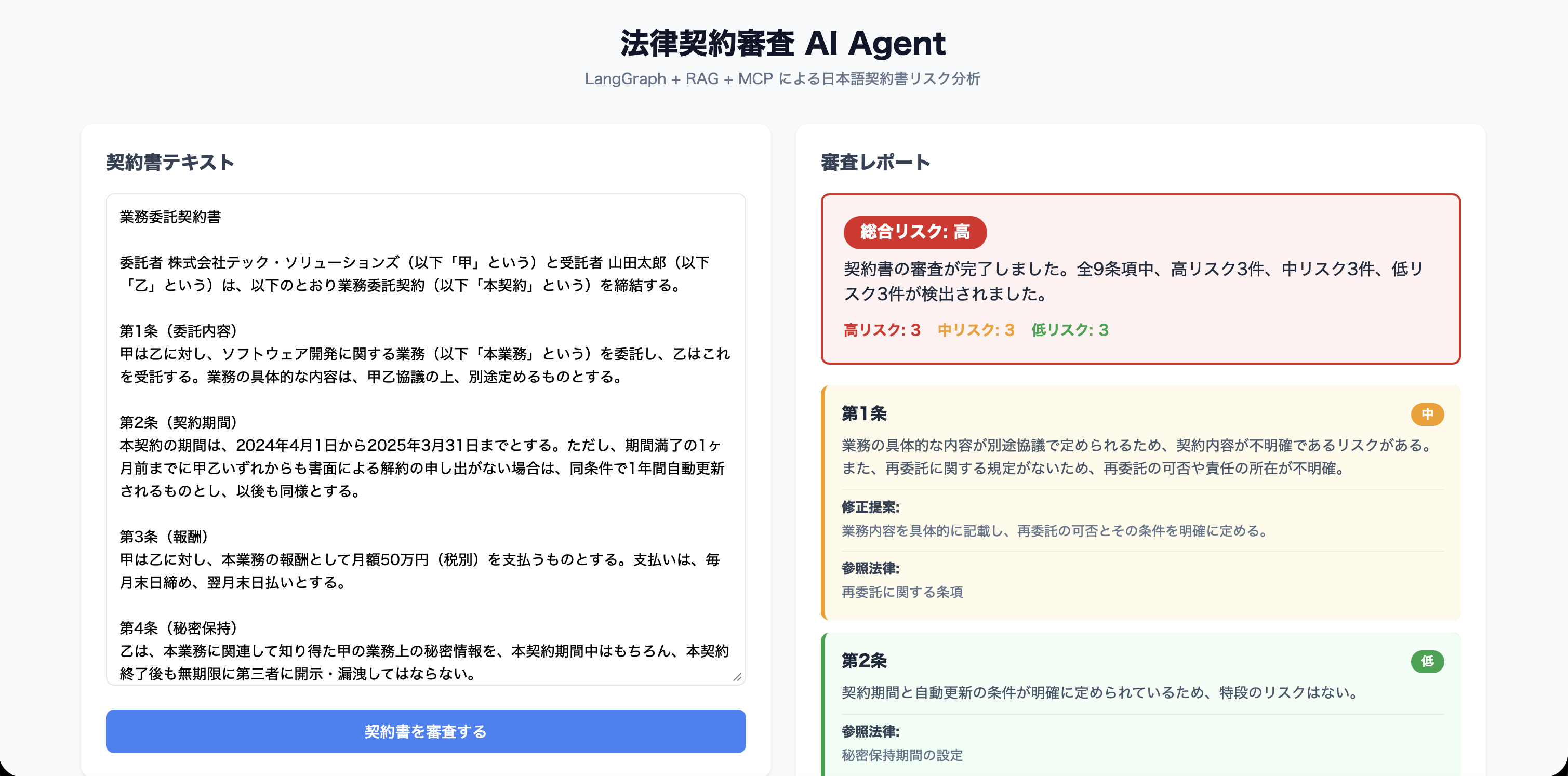
Demo
Architecture
┌─────────────┐    ┌──────────────────────────────────────────┐
│  React UI   │───▶│  FastAPI Backend                         │
└─────────────┘    │                                          │
                   │  LangGraph Agent Workflow:                │
┌─────────────┐    │  parse_contract → retrieve_knowledge     │
│ Claude       │    │  → analyze_risks → generate_report      │
│ Desktop     │───▶│                                          │
│ (MCP Client)│    │  Tools: search_legal_knowledge           │
└─────────────┘    │         analyze_clause_risk              │
                   │         generate_suggestion              │
                   │                                          │
                   │  RAG: ChromaDB + OpenAI Embeddings       │
                   └──────────────────────────────────────────┘
Tech Stack
- LLM: OpenAI GPT-4o
- Agent Framework: LangGraph (StateGraph)
- RAG: ChromaDB + text-embedding-3-small
- MCP: FastMCP (Python)
- Backend: FastAPI
- Frontend: React + Vite + TypeScript
- Deployment: Docker Compose
Quick Start
Prerequisites
- Docker & Docker Compose
- OpenAI API Key
Setup & Run
cd legal-contract-agent

# Create .env from template and add your OpenAI API Key
cp .env.example .env
# Edit .env: OPENAI_API_KEY=sk-your-key-here

# Build and start all services
docker compose up --build
Open http://localhost:5173 — paste a Japanese contract and click "契約書を審査する".
To stop:
docker compose down        # Stop containers
docker compose down -v     # Stop and remove data volumes
Run Without Docker (Alternative)
# Install Python dependencies
pip install .

# Install frontend dependencies
cd frontend && npm install && cd ..

# Terminal 1: Start backend
uvicorn backend.main:app --reload

# Terminal 2: Start frontend
cd frontend && npm run dev
MCP Server (for Claude Desktop)
python -m backend.mcp.server
Add to Claude Desktop config:
{
  "mcpServers": {
    "legal-review": {
      "command": "python",
      "args": ["-m", "backend.mcp.server"],
      "cwd": "/path/to/legal-contract-agent"
    }
  }
}
Project Structure
backend/
├── main.py              # FastAPI entry point
├── Dockerfile           # Backend container image
├── agent/
│   ├── graph.py         # LangGraph workflow
│   ├── nodes.py         # Agent node functions
│   ├── state.py         # Agent state definition
│   └── tools.py         # LangChain tools
├── rag/
│   ├── store.py         # ChromaDB vector store
│   └── loader.py        # Knowledge loader
├── mcp/
│   └── server.py        # MCP server
└── data/
    └── legal_knowledge.json  # Legal knowledge (20 entries)

frontend/
├── Dockerfile           # Frontend container image
└── src/
    ├── App.tsx           # Main UI
    └── App.css           # Styles

docker-compose.yml       # Container orchestration
Key Design Decisions
- LangGraph over simple chain: Supports conditional branching, state management, and is extensible for multi-agent collaboration
- RAG: Grounds agent responses in reliable legal knowledge rather than relying solely on LLM memory
- MCP: Standardized AI tool protocol enabling any client (Claude Desktop, etc.) to invoke contract review capabilities
- Tool Calling: Agent autonomously decides when to invoke which tool, demonstrating autonomous decision-making


