
MCP LLDB Server
A Model Context Protocol (MCP) server that provides LLDB debugging functionality for use with Claude or other AI assistants.
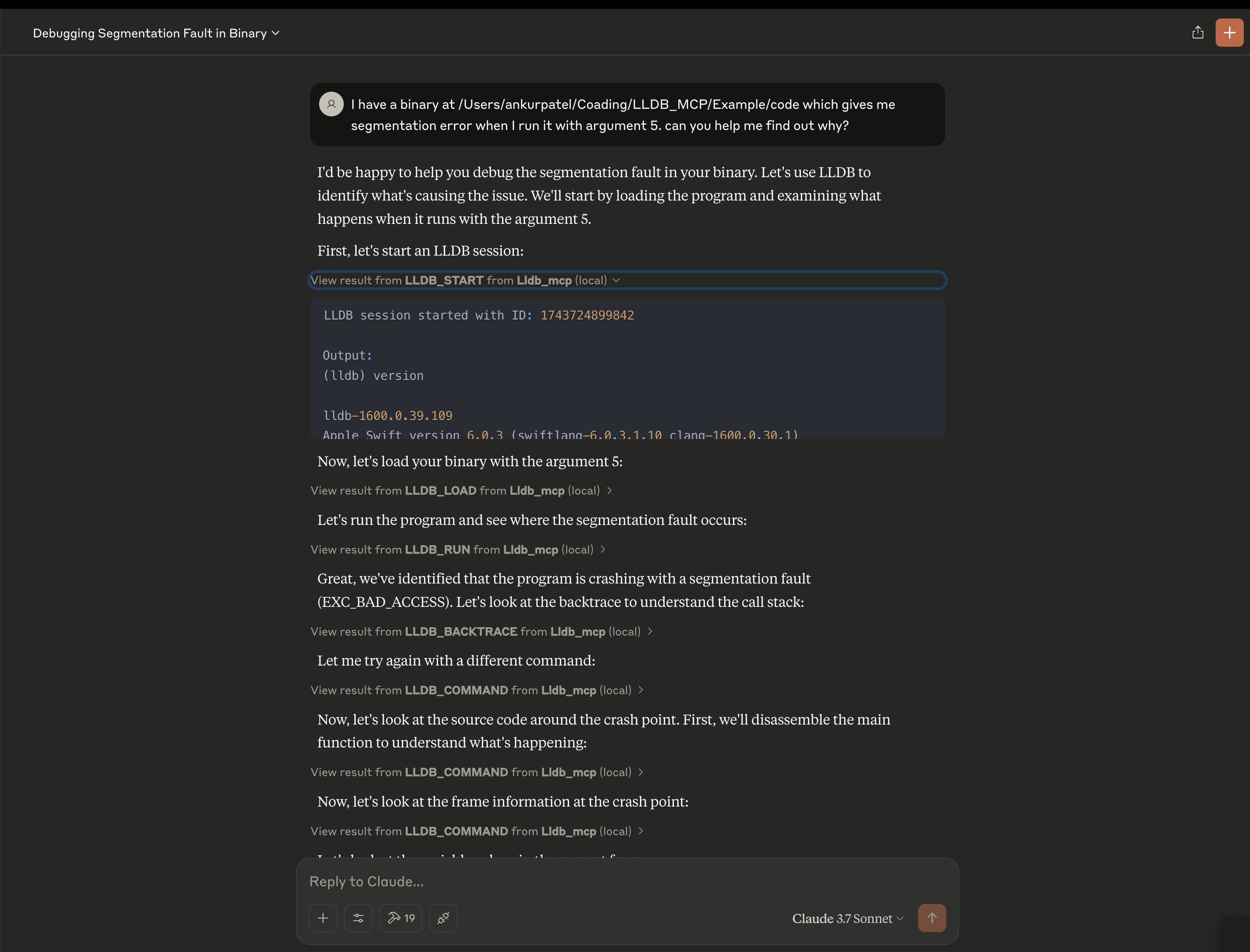
Features
- Start and manage LLDB debugging sessions
- Load programs and core dumps for analysis
- Set breakpoints, step through code, and examine memory
- View call stacks, variables, and registers
- Execute arbitrary LLDB commands
Installation
# Clone the repository
git clone [email protected]:ankur106/LLDB_MCP.git

cd LLDB_MCP

# Install dependencies
npm install

# Build the project
npm run build
Usage
Using with Claude or other MCP-enabled assistants
- Configure the MCP settings in the Claude desktop app or browser extension to include this server:
{
  "mcpServers": {
    "lldb": {
      "command": "node",
      "args": ["/path/to/LLDB_MCP/build/index.js"],
      "disabled": false
    }
  }
}
Restart Claude or refresh the page.
Now you can use the LLDB tools in your conversations with Claude.
Supported LLDB Commands
lldb_start: Start a new LLDB sessionlldb_load: Load a program into LLDBlldb_command: Execute an arbitrary LLDB commandlldb_terminate: Terminate an LLDB sessionlldb_list_sessions: List all active LLDB sessionslldb_attach: Attach to a running processlldb_load_core: Load a core dump filelldb_examine: Examine memorylldb_info_registers: Display registerslldb_set_breakpoint: Set a breakpointlldb_continue: Continue program executionlldb_step: Step program executionlldb_backtrace: Show call stacklldb_print: Print value of expressionlldb_next: Step over function callslldb_finish: Execute until the current function returnslldb_run: Run the programlldb_frame_info: Get information about the current stack framelldb_disassemble: Disassemble the current function


