
PowerPoint MCP Server
The best open-source MCP server for PowerPoint automation. Free, no subscriptions, no credits.
Built by a UCSD grad student who was tired of spending 3-4 hours per week making presentations.
Languages
- English
- 中文
- 日本語



Demo Video
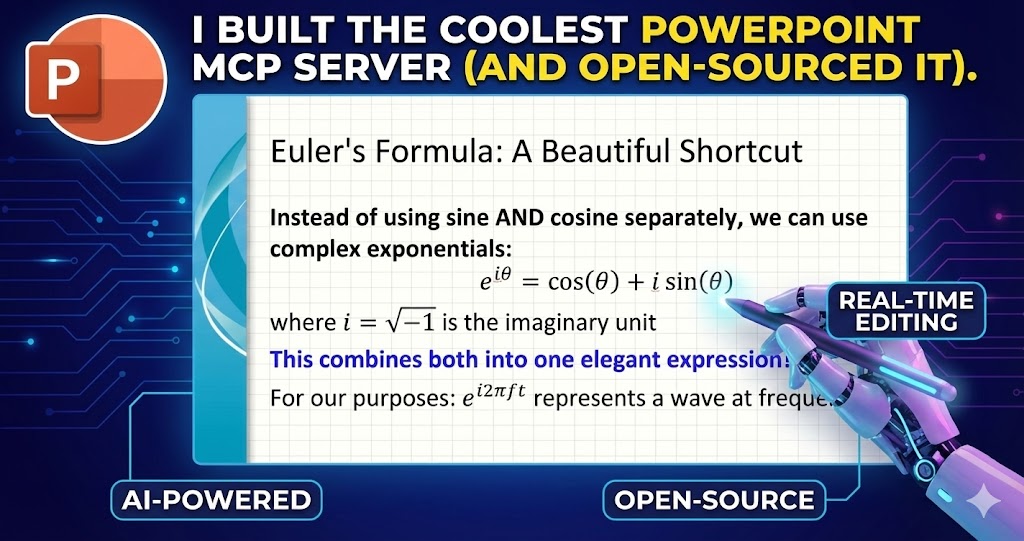
Watch Claude build a complete "Fourier Transform and Fourier Series" lecture from scratch - equations, diagrams, and animations included.
Windows Only
This MCP server works exclusively on Windows because it uses pywin32 COM automation to control the PowerPoint application directly. This is what enables bidirectional read/write access, real-time editing, LaTeX rendering, templates, and animations.
macOS/Linux alternatives like python-pptx don't get access to the full PowerPoint feature set. PRs for an AppleScript-based macOS version are welcome.
Why This Is Different
There are a lot of PowerPoint automation tools out there. Here is why this one is actually worth using:
Template-first designPoint the LLM at your desired template and it just works. Tell Claude: "Make a GPU performance comparison presentation using our company's Nvidia_Black_Green_2025 template" - it discovers the template, analyzes its layouts, and populates them correctly.
Actually bidirectional and real-timeUnlike python-pptx (write-only) or other popular MCP implementations, this uses COM automation. Claude can READ your existing presentations and edit them in real time without closing PowerPoint first.
Multimodal slide analysisThe slide_snapshot tool gives the LLM both visual context (screenshots with annotated bounding boxes) AND detailed text/chart/table extraction. Claude can literally see what is on your slides.
LaTeX rendering that actually worksThe server renders LaTeX equations by controlling PowerPoint's built-in equation editor directly. Just write <latex>E=mc^2</latex> and it appears as a native PowerPoint equation object.
HTML formatting that saves tokensBold, italic, colors, and bullet points via HTML tags (<b>, <i>, <red>, <ul>, <ol>). One formatting pass, no repeated tool calls to apply fonts and colors separately.
Animations with progressive disclosureReal controllable PowerPoint animations, including paragraph-level entrance effects. Bullet-by-bullet reveals work out of the box - no need to split content across multiple shapes.
One-line install, no subscriptions
claude mcp add powerpoint -- uvx powerpoint-mcp
Works with Claude Code, Cursor, GitHub Copilot, or any MCP client. No third-party services, no monthly fees, no expiring credits.
11 focused tools, not 30+LLM decision paralysis is real. Every tool has a clear purpose and sensible defaults so Claude spends time building your presentation, not figuring out which tool to call.
Real Workflows
These are actual workflows tested in production:
Research and Create
"Research the latest developments in quantum computing, then create a 15-slide presentation on it"
Claude uses web search to find sources, then builds the deck with citations and formatted content.
Data Analysis and Visualization
"Analyze Titanic_dataset.csv, perform a detailed EDA, and make a presentation explaining the findings"
Free-form Python/matplotlib plotting that renders directly into slide placeholders.
Codebase Documentation
"Analyze my entire repository and create a technical architecture presentation"
Claude reads your local files, understands the structure, and generates slides explaining the system.
Template-Driven Corporate Decks
"Use the Nvidia_Black_Green_template to create a Q4 sales presentation from nvidia_quarterly_sales_data.csv"
Template layouts are discovered automatically, placeholders are identified and populated correctly.
Academic LaTeX Heavy
"Make a 20-slide lecture teaching Fourier Series and Fourier Transforms with equations"
Native PowerPoint equation objects rendered from LaTeX, with animations for progressive disclosure.
Interactive Learning
"Help me understand this presentation on PAM and BLOSUM matrices from my Computational Biology course, explain each slide and quiz me after each section"
Claude reads your slides (including charts, tables, and speaker notes), explains the content, and creates an interactive quiz.
Quick Start
Step 1: Install
claude mcp add powerpoint -- uvx powerpoint-mcp
Step 2: Open PowerPointOpen Microsoft PowerPoint (any presentation, or just the blank start screen).
Step 3: Give Claude a command
Make a 10-slide presentation on machine learning fundamentals using my company template.
Add equations where relevant and animate the bullet points on each slide.
That is it. Claude handles the rest.
Installation
Prerequisites
- Windows 10/11
- Microsoft PowerPoint installed
- Python 3.10+
Claude Code
# Single project
claude mcp add powerpoint -- uvx powerpoint-mcp

# Available across all projects (install once, use everywhere)
claude mcp add powerpoint --scope user -- uvx powerpoint-mcp
Cursor
- Click Settings -> Tools & MCP -> New MCP Server
~/.cursor/mcp.jsonwill open- Add the following:
{
  "mcpServers": {
    "powerpoint": {
      "command": "uvx",
      "args": ["powerpoint-mcp"]
    }
  }
}
- Restart your IDE after configuration.
Trae
- Create
.trae/mcp.jsonin your project root - Add the following:
{
  "mcpServers": {
    "powerpoint": {
      "command": "uvx",
      "args": ["powerpoint-mcp"]
    }
  }
}
- Restart Trae after configuration and use an MCP-enabled agent mode
Trae CN
- Trae CN currently supports the same project-level
.trae/mcp.jsonformat - Add the following to
.trae/mcp.jsonin your project root:
{
  "mcpServers": {
    "powerpoint": {
      "command": "uvx",
      "args": ["powerpoint-mcp"]
    }
  }
}
- Restart Trae CN after configuration and use an MCP-enabled agent mode such as Builder with MCP / SOLO Coder if available in your build
Codex
This server is Windows-only, so on Windows PowerShell use:
codex mcp add powerpoint -- cmd /c uvx powerpoint-mcp
After adding it, restart Codex CLI or run /mcp to verify the server is available.
CodeBuddy
- In the sidebar chat panel, click the CodeBuddy Settings button
- Open the MCP tab
- Click Add MCP
- Add the following JSON:
{
  "mcpServers": {
    "powerpoint": {
      "type": "stdio",
      "command": "uvx",
      "args": ["powerpoint-mcp"],
      "description": "PowerPoint automation on Windows"
    }
  }
}
- Save the configuration, then use Try to Run or invoke it from an agent
CodeBuddy CN
- 在侧栏对话面板右上方点击 CodeBuddy Settings
- 切换到 MCP 标签页
- 点击 Add MCP
- 添加以下 JSON:
{
  "mcpServers": {
    "powerpoint": {
      "type": "stdio",
      "command": "uvx",
      "args": ["powerpoint-mcp"],
      "description": "PowerPoint automation on Windows"
    }
  }
}
- 保存配置后,可通过 Try to Run 验证,或直接在 Agent 中调用
OpenCode
- Open
~/.config/opencode/opencode.jsonfor a global setup, oropencode.jsonin your project root for a project-specific setup - Add the following:
{
  "$schema": "https://opencode.ai/config.json",
  "mcp": {
    "powerpoint": {
      "type": "local",
      "command": ["uvx", "powerpoint-mcp"]
    }
  }
}
- Restart OpenCode after configuration.
VS Code (GitHub Copilot)
- Open
C:\Users\Your_User_Name\AppData\Roaming\Code\User\mcp.json - Add the following:
{
  "mcpServers": {
    "powerpoint": {
      "command": "uvx",
      "args": ["powerpoint-mcp"]
    }
  }
}
- Restart your IDE after configuration.
Google Antigravity
- Open an Agent session in Antigravity
- Click the "..." (dot menu) at the top of the editor's side panel
- Select MCP Servers → Manage MCP Servers → View raw config
- This opens
mcp_config.jsondirectly. You can also edit it manually at:- Windows:
C:\Users\<USERNAME>\.gemini\antigravity\mcp_config.json - macOS / Linux:
~/.gemini/antigravity/mcp_config.json
- Windows:
- This opens
- Add the following:
{
  "mcpServers": {
    "powerpoint": {
      "command": "uvx",
      "args": ["powerpoint-mcp"]
    }
  }
}
- Return to Manage MCP Servers and click Refresh to activate the server.
Tool Reference
All 11 tools, each with a single clear responsibility:
| Tool | What It Does |
|---|---|
manage_presentation |
Open, close, create, or save presentations. The entry point for any workflow. |
slide_snapshot |
Comprehensive slide analysis: screenshot with annotated bounding boxes, text extraction, chart data, table parsing, hyperlinks, comments, and speaker notes. |
switch_slide |
Navigate to a specific slide number in the active presentation. |
add_speaker_notes |
Add or replace speaker notes on any slide using the official COM approach. |
populate_placeholder |
Fill any placeholder with text (HTML formatting), LaTeX equations, or matplotlib plots. |
manage_slide |
Duplicate, delete, or move slides within the presentation. |
list_templates |
Discover all available PowerPoint templates from Personal, User, and System template directories. |
analyze_template |
Analyze a template's layouts with placeholder positions and screenshots. |
add_slide_with_layout |
Add a new slide using a specific layout from a template, preserving all template styling. |
add_animation |
Add entrance animations (fade, appear, fly, wipe, zoom) to shapes with optional paragraph-level progressive disclosure. |
powerpoint_evaluate |
Execute arbitrary Python code in the PowerPoint context for complex batch operations. |
Content Formatting Reference
The populate_placeholder tool accepts HTML-style tags for rich formatting:
<b>bold text</b>
<i>italic text</i>
<u>underlined text</u>
<red>colored text</red>  (also: blue, green, orange, purple, white, black)
<ul><li>unordered list item</li></ul>
<ol><li>ordered list item</li></ol>
<latex>E = mc^2</latex>
For matplotlib plots, pass your plotting code directly as the content with content_type="plot" - the server executes it and inserts the resulting image.
How It Works
PowerPoint MCP uses Windows COM automation (pywin32) to control Microsoft PowerPoint directly, the same mechanism used by VBA macros and Office add-ins. This gives it full access to every PowerPoint feature: the equation editor, animation engine, template system, and real-time slide reading.
The server is built on FastMCP and published on PyPI for easy installation via uvx.
Screenshots are saved automatically to ~/.powerpoint-mcp/ with timestamp-based filenames.
Limitations
- Windows only: COM automation is a Windows technology. No macOS or Linux support currently.
- PowerPoint required: Microsoft PowerPoint must be installed. LibreOffice is not supported.
- Python 3.10+: Required for the server runtime.
Star History
Fully open source (MIT License). If this saves you time, a star on GitHub goes a long way.


