
AppMarquee
Your store-screenshot studio—built for people and agents.
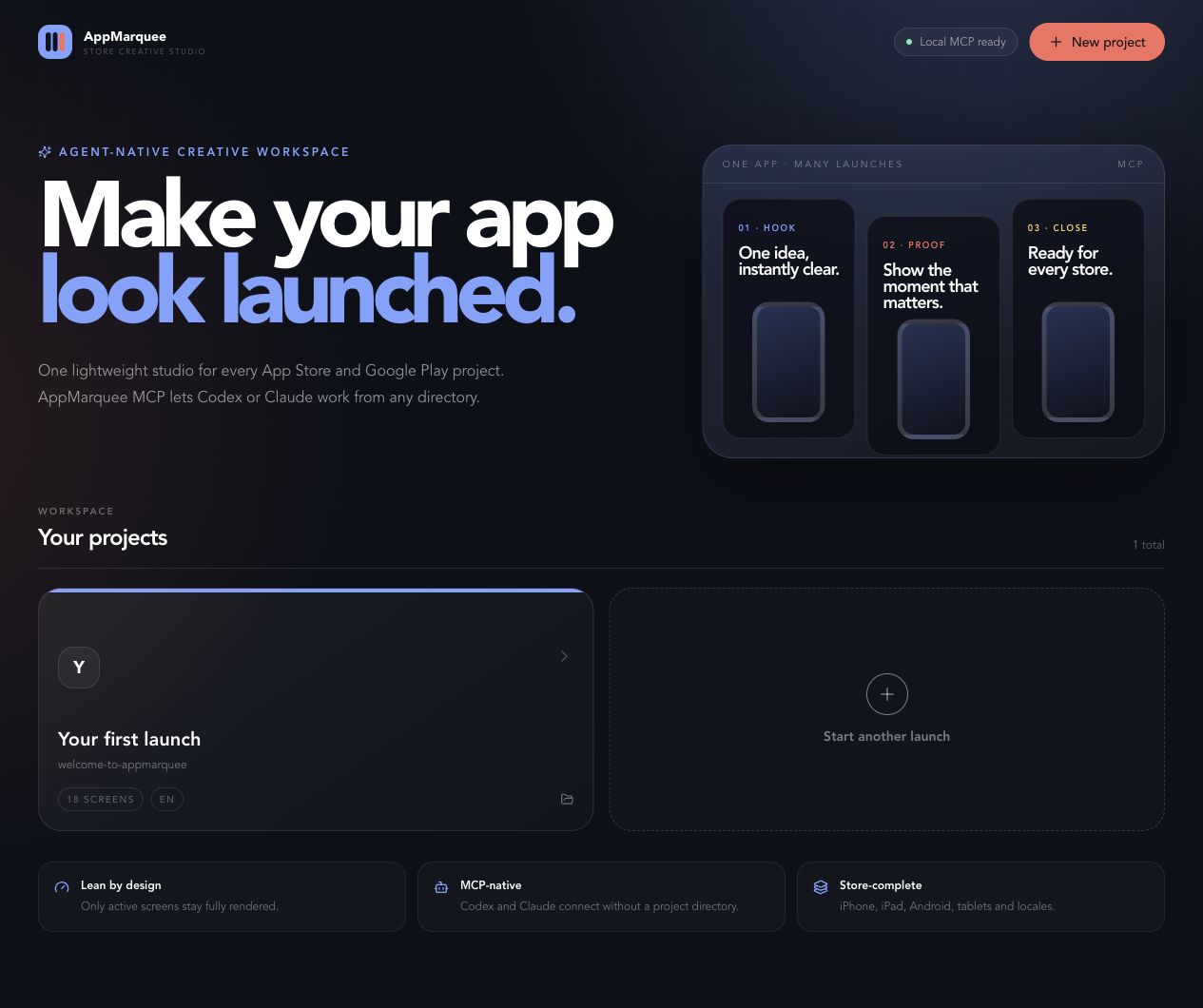
Create, review, localize, and export App Store and Google Play screenshot decks from one local workspace. Give agents the screenshots, not your source code.


English · Türkçe
The short version
Most screenshot generators begin as code inside each app repository. AppMarquee is one reusable program instead:
- Create a project in AppMarquee.
- Upload real product screenshots.
- Ask Codex, Claude, or another MCP agent to build the story.
- Review visually and export every required store size.
The agent never needs the app’s source directory. Your project files and screenshots remain local.
What ships
| Studio | Agent bridge | Output |
|---|---|---|
| Multi-project dashboard + bulk import | Codex plugin + MCP server | App Store iPhone and iPad sets |
| Connected or isolated canvas | Claude Code and generic MCP setup | Google Play phone and tablet sets |
| Drag, resize, rotate, reorder | Visual screenshot reading | 1024×500 feature graphics |
| Themes and localized copy | Revision-safe targeted updates | Language-selectable PNG ZIP bundles |
Quick start
Requires Bun 1.1+ and Node.js 20+.
git clone https://github.com/furkangonel/AppMarquee.git
cd AppMarquee
bun install
bun run mcp:build
bun run dev
Open http://127.0.0.1:3000.
Connect Codex
bun run mcp:install:codex
Connect Claude Code
bun run mcp:install:claude
Connect Claude Desktop
bun run mcp:install:claude-desktop
Completely quit and reopen Claude Desktop after installation. See the complete Claude Desktop guide for manual configuration, verification, removal, troubleshooting, and Desktop Extension status.
Restart the agent, then ask:
Check AppMarquee status. Inspect the screenshots in Focus Garden and create
a six-screen iPhone deck in English and Turkish. Validate it when finished.
That is enough. You can launch the agent from another folder; the generated MCP configuration uses an absolute path.
For plugin marketplace installation, generic MCP JSON, verification, and removal instructions, see the complete installation guide.
Designed for a real launch workflow
01 — Bring the product proof
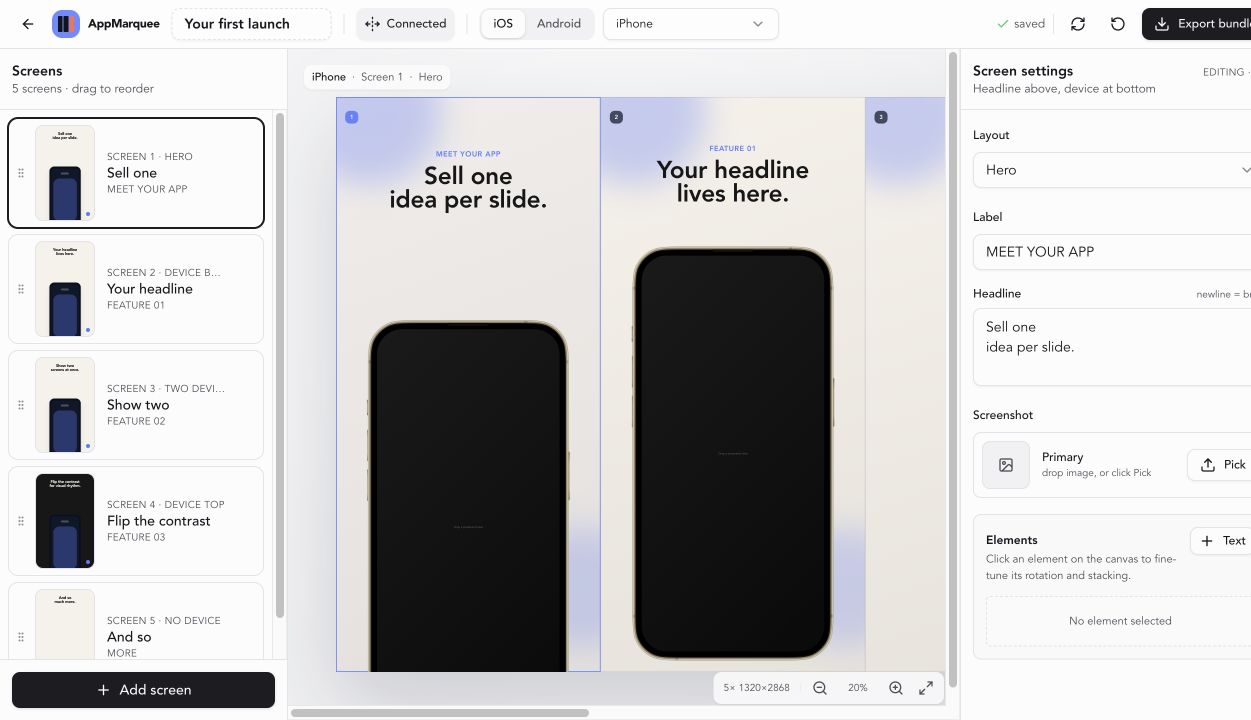
Select or drop several simulator, emulator, or device captures in one pass. AppMarquee sorts them by filename, fills empty screens, and adds screens up to the active store limit. Assets use content-addressed filenames and stay inside that local project.
02 — Let the agent shape the narrative
The agent can view uploaded screenshots, write benefit-led copy, choose layouts, localize text, and replace only the requested device deck. Revision checks prevent stale agent writes from silently replacing newer human edits.
03 — Keep the final visual decision human
Reload agent changes in the editor, adjust anything visually, choose exactly which project languages to download, and export exact PNG bundles. AppMarquee supports iPhone, iPad, Android phone, 7-inch tablet, 10-inch tablet, and Google Play feature graphics.
MCP tool surface
| Tool | What it lets an agent do |
|---|---|
appmarquee_status |
Confirm that the local studio is available |
appmarquee_list_projects |
Discover local projects without a directory path |
appmarquee_create_project |
Start a new launch workspace |
appmarquee_get_project |
Read project state and its current revision |
appmarquee_list_assets |
Find uploaded product screenshots |
appmarquee_read_asset |
View an uploaded screenshot as image content |
appmarquee_update_device_deck |
Replace one device deck without touching the others |
appmarquee_update_settings |
Change name, theme, canvas mode, or locales |
appmarquee_validate_project |
Check structure and Apple/Google screen limits |
appmarquee_project_link |
Return the exact local visual-review URL |
Why it stays light
AppMarquee avoids keeping every full-resolution screen alive at once. The editor renders detail only around the active slide, uses schematic sidebar thumbnails, keeps a decode-only image cache, captures each export source once, and streams uncompressed PNGs into the ZIP. See Architecture.
Project storage
projects/
└── focus-garden/
    ├── project.json
    └── assets/
        ├── 2b7d56c89bfa62e1.png
        └── a8b701c50136ee9d.jpg
projects/ is ignored by git by default. Publishing this repository does not publish local screenshot projects.
Development
bun run check          # unit tests + MCP bundle + production application build
bun run mcp:test       # real stdio client smoke test (studio must be running)
bun run project:list
bun run appmarquee validate <project-id>
Useful references:
- Agent workflow
- Installation for Codex, Claude, and other clients
- Claude Desktop setup
- Architecture and security boundaries
- Contributing
Open-source lineage
AppMarquee is an independent open-source continuation of Parth Jadhav’s original app-store-screenshots project. The editor foundation remains MIT-licensed; AppMarquee adds a multi-project workspace, local project API, lower-memory rendering, revision-safe MCP tools, plugin packaging, and the new product identity.
License
MIT © AppMarquee contributors.


