
MCP-Template 🚀



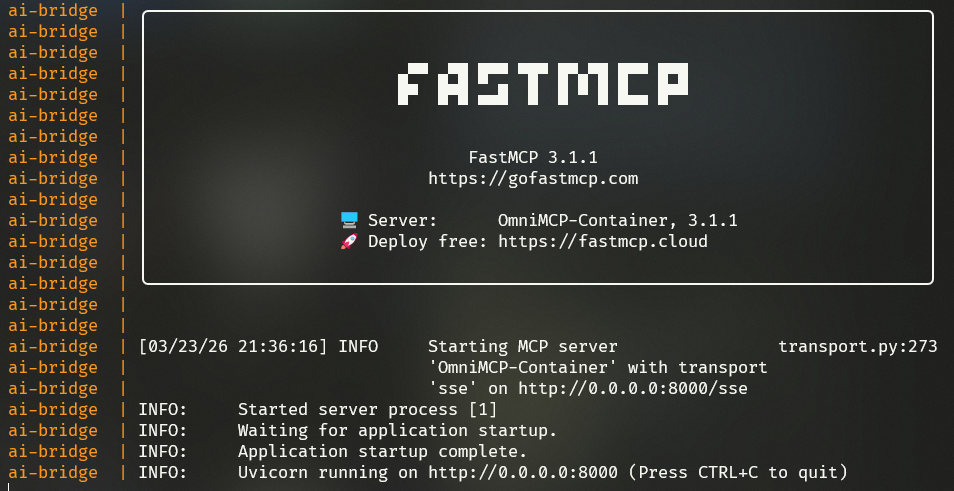
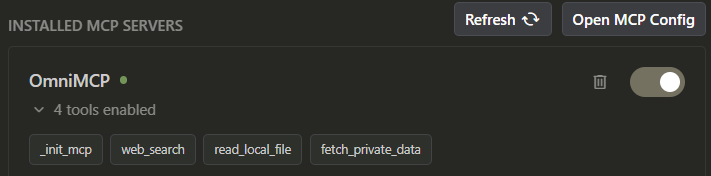
A containerized Model Context Protocol (MCP) bridge for local and external LLMs. This project provides a robust, extensible hub that allows you to use your local models (via Ollama) or cloud models while giving them access to your local filesystem and web search tools.
web_search mockedfetch_private_data using api.example.com
🌟 Key Features
- Local Inference: Integrated Ollama service for running models locally (no internet required).
- Bridge Service: Python-based MCP server using
FastMCPthat acts as the tool hub. - Filesystem Access: Secure access to your project files via mounted Docker volumes.
- Web Search: Extensible web search tool for real-time information.
- SSE Transport: Exposes the MCP server over HTTP (SSE) for easy integration with other apps.
🛠️ Stack
- Orchestration: Docker Compose
- Inference: Ollama
- MCP Framework: FastMCP (Python)
- Networking: LAN-ready SSE (Server-Sent Events)
🚀 Getting Started
1. Configure Environment
Copy the template and fill in your API keys (optional for local-only use):
cp .env.template .env
2. Launch the Hub
docker-compose up -d --build
3. Verify Services
- Ollama: Accessible at
http://localhost:11434 - MCP Bridge: Accessible at
http://localhost:8000/sse
📂 Mounting Your Project
To give the LLM access to your specific project files, place them in the my_project_files/ directory, or modify the volumes section in docker-compose.yml:
volumes:
  - ./your_local_path:/data
🔗 Connecting to Claude Desktop
To use this as an MCP server in Claude Desktop, add this to your claude_desktop_config.json:
{
  "mcpServers": {
    "omnimcp": {
      "command": "npx",
      "args": ["-y", "@modelcontextprotocol/inspector", "http://localhost:8000/sse"]
    }
  }
}
Note: This utilizes the MCP inspector to bridge the SSE connection to Claude Desktop's stdio-based expectations, or you can use other clients that support SSE directly.
🛠️ Customizing Tools
Add new tools in app.py by using the @mcp.tool() decorator.
📄 Licencia
Este proyecto está bajo la Licencia MIT - mira el archivo LICENSE para detalles.


