
Supermemory MCP
Built with Codex. Review, test, and harden before using in production.
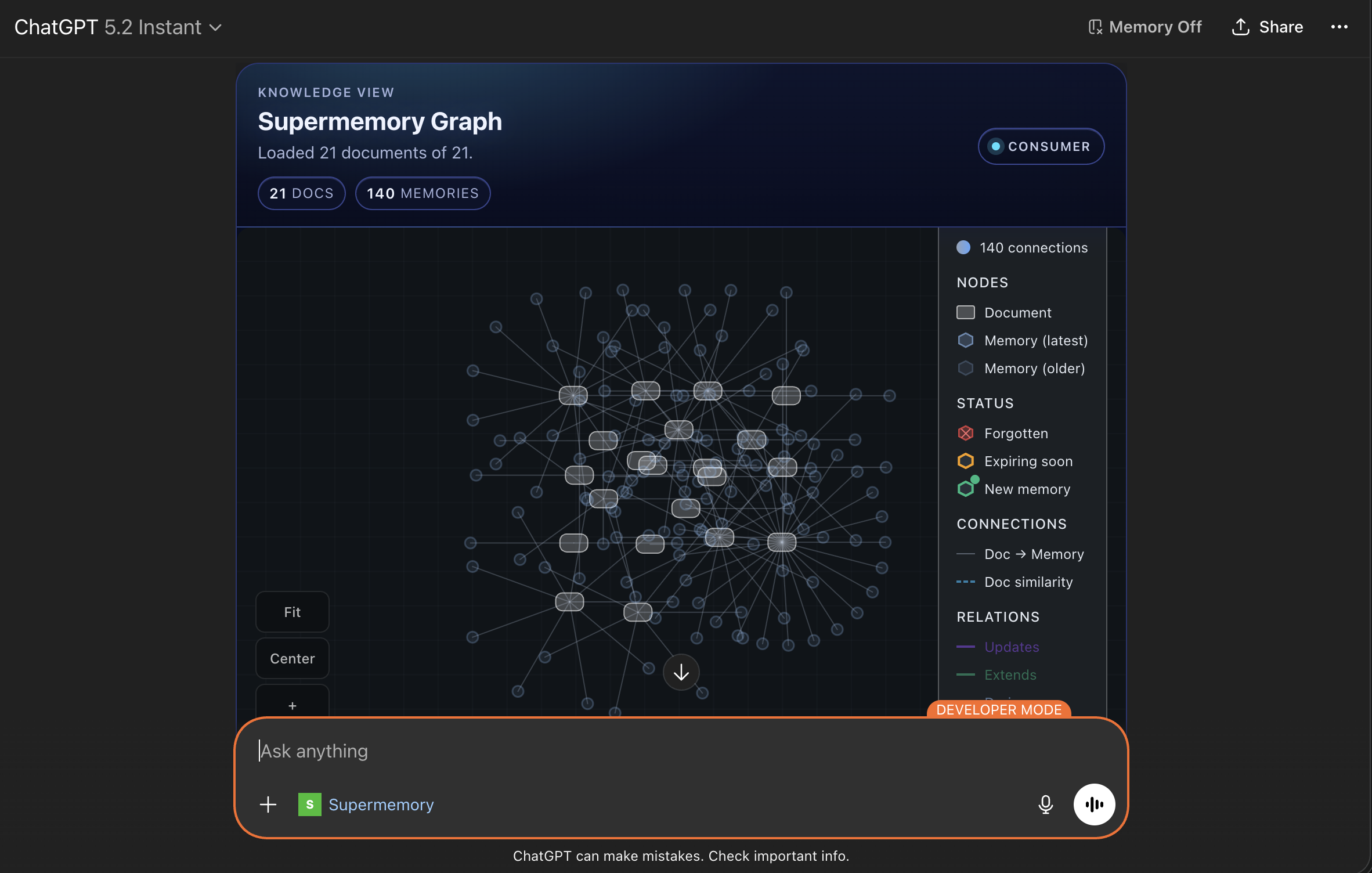
MCP server for rendering your Supermemory data as an interactive memory graph inside MCP-compatible clients (Claude, Inspector, and other MCP Apps hosts).
Demo Preview
What This Server Does
- Exposes a tool:
show-memory-graph - Fetches document data from Supermemory on the server side
- Returns an interactive widget powered by
@supermemory/memory-graph - Keeps your Supermemory API key off the client
Architecture
- Runtime:
mcp-useserver - Tool handler:
/index.ts - Widget UI:
/resources/memory-graph/widget.tsx - Widget props schema:
/resources/memory-graph/types.ts - Shared styles:
/resources/styles.css
Prerequisites
- Node.js 18+
- npm
- Supermemory API key
Environment Variables
Required:
SUPERMEMORY_API_KEY=sm_...
Optional:
# Base URL for MCP server metadata (important in deployed environments)
MCP_URL=https://your-mcp-server.example.com

# Override Supermemory API host if needed
SUPERMEMORY_API_BASE_URL=https://api.supermemory.ai
Local Development
npm install
npm run dev
Open Inspector:
http://localhost:3000/inspector
Tool Contract
Tool Name
show-memory-graph
Inputs
page?: numberdefault1limit?: numberdefault250(max500)sort?: "createdAt" | "updatedAt"default"createdAt"order?: "asc" | "desc"default"desc"variant?: "console" | "consumer"default"consumer"showSpacesSelector?: booleandefault depends on variant
Behavior
- Calls
POST /v3/documents/documentson Supermemory - Returns widget props (
documents,variant, etc.) - Returns text output summary for the model
- Handles API errors and surfaces readable error messages in the widget
Deploy
mcp-use deploys source from GitHub, but environment variables are attached to the deployment (not committed to the repo).
npm run deploy
Before deploy:
- Set
SUPERMEMORY_API_KEYin the deployment environment - Set
MCP_URLto the final public URL - Redeploy/restart after environment changes
Deploy with environment variables (recommended)
Set env vars at deploy time:
npm run deploy -- \
  --env SUPERMEMORY_API_KEY=sm_your_key_here \
  --env SUPERMEMORY_API_BASE_URL=https://api.supermemory.ai
Or use an env file:
# .env.production (do not commit this file)
SUPERMEMORY_API_KEY=sm_your_key_here
SUPERMEMORY_API_BASE_URL=https://api.supermemory.ai
npm run deploy -- --env-file .env.production
If your deployment already exists, re-running deploy updates code from GitHub and keeps/updates deployment env vars based on your flags/dashboard settings.
Using with Claude
- Deploy this MCP server
- Add the MCP server URL in Claude MCP settings
- Call the tool:
show-memory-graph
Important:
- Do not put
SUPERMEMORY_API_KEYinto Claude connector fields - The key belongs only in the MCP server environment
Troubleshooting
401 Unauthorized from Supermemory
- Key is invalid, malformed, or from the wrong environment
- Ensure key value does not include
Bearer - Restart/redeploy after updating env vars
Graph header renders but canvas is blank
- Usually caused by malformed/empty memory payloads or sizing
- This project normalizes memory entries and enforces widget viewport height
- Confirm tool response includes non-empty
documents
Build command fails with mcp-use: command not found
- Dependencies are not installed in the current environment
- Run
npm installfirst
Security Notes
- API key is only used server-side
- Never expose Supermemory credentials in widget/client code
- Review CSP and external domains before production rollout
Production Checklist
- Validate input limits and rate controls
- Add request/response observability and error tracking
- Add auth and access controls for your MCP endpoint
- Load test with real document volume
- Pin dependency versions instead of
latestwhere required


