
Lighthouse MCP Server
An MCP server that wraps around Google's Lighthouse tool to help measure various performance metrics for web pages.
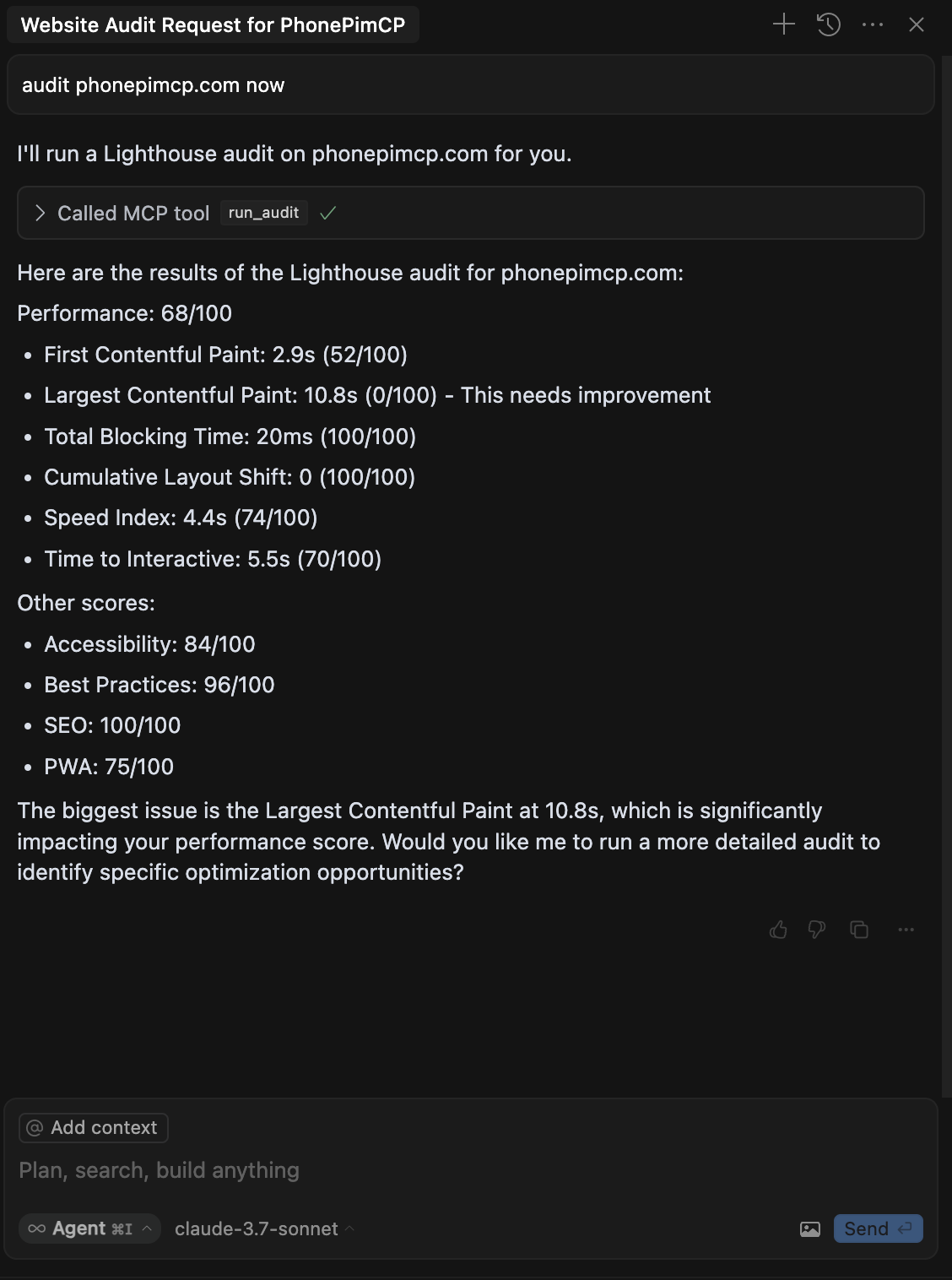
Features
- Run comprehensive Lighthouse audits on any URL
- Get performance scores and metrics
- Configure device emulation (mobile/desktop)
- Control network throttling
- Select specific audit categories
Installation
Option 1: Using npx (Recommended)
You can run the tool directly using npx without installation:
npx lighthouse-mcp
Option 2: Global Installation
Install the package globally:
npm install -g lighthouse-mcp
Then run it:
lighthouse-mcp
Option 3: Local Development
- Clone this repository
- Install dependencies:
npm install - Build the project:
npm run build - Run the server:
npm start
MCP Configuration
When installed via npm (global or npx)
Add the following to your MCP settings configuration file:
{
  "mcpServers": {
    "lighthouse": {
      "command": "npx",
      "args": ["lighthouse-mcp"],
      "disabled": false,
      "autoApprove": []
    }
  }
}
When using local development version
Add the following to your MCP settings configuration file:
{
  "mcpServers": {
    "lighthouse": {
      "command": "node",
      "args": ["/absolute/path/to/lighthouse-mcp/build/index.js"],
      "disabled": false,
      "autoApprove": []
    }
  }
}
Replace /absolute/path/to/lighthouse-mcp with the actual path to this project.
Available Tools
run_audit
Run a comprehensive Lighthouse audit on a URL.
Parameters:
url(required): The URL to auditcategories(optional): Array of categories to audit (defaults to all)- Options: "performance", "accessibility", "best-practices", "seo", "pwa"
device(optional): Device to emulate (defaults to "mobile")- Options: "mobile", "desktop"
throttling(optional): Whether to apply network throttling (defaults to true)
Example:
{
  "url": "https://example.com",
  "categories": ["performance", "accessibility"],
  "device": "desktop",
  "throttling": false
}
get_performance_score
Get just the performance score for a URL.
Parameters:
url(required): The URL to auditdevice(optional): Device to emulate (defaults to "mobile")- Options: "mobile", "desktop"
Example:
{
  "url": "https://example.com",
  "device": "mobile"
}
Example Usage
Once the MCP server is configured, you can use it with Claude:
What's the performance score for example.com?
Claude will use the get_performance_score tool to analyze the website and return the results.
Requirements
- Node.js 16+
- Chrome/Chromium browser (for Lighthouse)


