
zerion-ai
Maintained by Zerion.
zerion-ai is the public, self-contained repo for using Zerion from AI agents and developer tools.
It packages two first-class integration paths:
- Hosted MCP for Cursor, Claude, and other MCP-native agent environments
zerion-clifor OpenClaw-like and command-based agent runtimes
It also ships one flagship workflow:
wallet-analysisas a reusable skill/playbook for portfolio, positions, transactions, and PnL analysis
1. Choose your authentication method
Option A: API Key
Get an API key and export it: Get your API key
export ZERION_API_KEY="zk_dev_..."
- API auth via HTTP Basic Auth
- dev keys beginning with
zk_dev_ - current dev-key limits of 120 requests/minute and 5k requests/day
Useful docs:
Option B: x402 Pay-per-call
No API key needed. Pay $0.01 USDC per request on Base via the x402 protocol. The CLI handles the payment handshake automatically using your wallet's private key.
Setup:
export WALLET_PRIVATE_KEY="0x..." # EVM wallet with USDC on Base
Then use the --x402 flag:
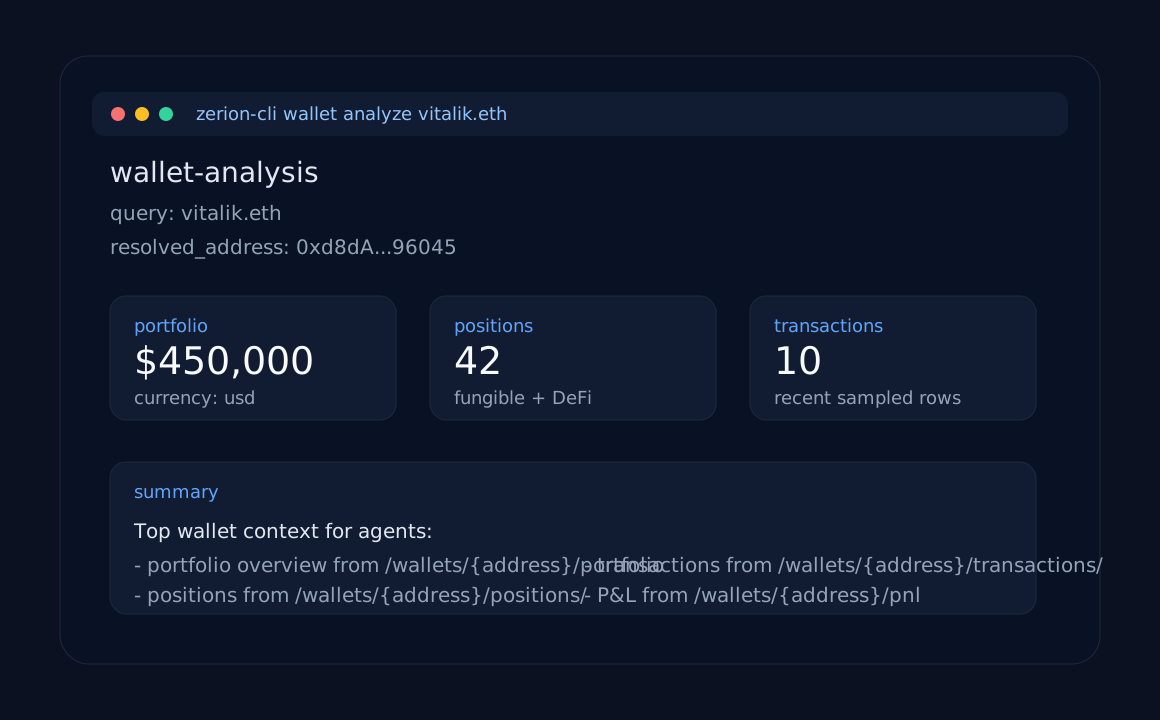
zerion-cli wallet analyze 0xd8dA6BF26964aF9D7eEd9e03E53415D37aA96045 --x402
Or enable x402 globally:
export ZERION_X402=true
zerion-cli wallet analyze 0xd8dA6BF26964aF9D7eEd9e03E53415D37aA96045
2. Install skills (Claude Code, Cursor, OpenClaw)
npx skills add zeriontech/zerion-ai
This installs 3 skills into your agent:
| Skill | Description |
|---|---|
| wallet-analysis | Analyze wallets: portfolio, positions, transactions, PnL |
| chains | List supported blockchain networks |
| zerion-cli | CLI setup, authentication, and troubleshooting |
The skills reference zerion-cli which runs via npx zerion-cli (no global install needed).
3. Choose your integration path
MCP clients
Use this if your agent runtime already supports MCP.
Start here:
- Hosted MCP quickstart
- Cursor example
- Claude example
OpenClaw and CLI-based agents
Use this if your framework models tools as shell commands returning JSON.
npm install -g zerion-cli
zerion-cli wallet analyze 0xd8dA6BF26964aF9D7eEd9e03E53415D37aA96045
Start here:
- OpenClaw example
- CLI usage
4. Run the first wallet analysis
MCP quickstart
Export your API key:
export ZERION_API_KEY="zk_dev_..."Add the hosted Zerion MCP config from examples/cursor/mcp.json or examples/claude/mcp.json
Ask:
Analyze the wallet 0xd8dA6BF26964aF9D7eEd9e03E53415D37aA96045.
Summarize total portfolio value, top positions, recent transactions, and PnL.
CLI quickstart
With API key:
npm install -g zerion-cli
export ZERION_API_KEY="zk_dev_..."
zerion-cli wallet analyze 0xd8dA6BF26964aF9D7eEd9e03E53415D37aA96045
With x402 (no API key needed):
npm install -g zerion-cli
export WALLET_PRIVATE_KEY="0x..."
zerion-cli wallet analyze 0xd8dA6BF26964aF9D7eEd9e03E53415D37aA96045 --x402
Example output:
{
  "wallet": {
    "query": "0xd8dA6BF26964aF9D7eEd9e03E53415D37aA96045"
  },
  "portfolio": {
    "total": 450000,
    "currency": "usd"
  },
  "positions": {
    "count": 42
  },
  "transactions": {
    "sampled": 10
  },
  "pnl": {
    "available": true
  }
}
Example wallets
This repo uses the same public wallets across examples:
vitalik.eth/0xd8dA6BF26964aF9D7eEd9e03E53415D37aA96045- ENS DAO treasury /
0xFe89Cc7Abb2C4183683Ab71653c4cCd1b9cC194e - Aave collector /
0x25F2226B597E8F9514B3F68F00F494CF4F286491
What ships in this repo
skills/: 3 agent skills installable vianpx skills add zeriontech/zerion-aiwallet-analysis/: portfolio, positions, transactions, and PnL analysischains/: supported blockchain networks referencezerion-cli/: CLI setup, auth, and troubleshooting
mcp/: hosted Zerion MCP setup plus the tool catalogcli/:zerion-cliJSON-first CLI (published to npm)examples/: Cursor, Claude, OpenAI Agents SDK, raw HTTP, and OpenClaw setups
Failure modes to expect
Both the MCP and CLI surfaces should handle:
- missing or invalid API key
- invalid wallet address
- unsupported chain filter
- empty wallets / no positions
- rate limits (
429) - upstream timeout or temporary unavailability
See mcp/README.md and cli/README.md for the concrete behavior used in this repo.


