
mcp-infra-lens
Explain Linux incidents over SSH with baseline-aware MCP tooling.





Demo
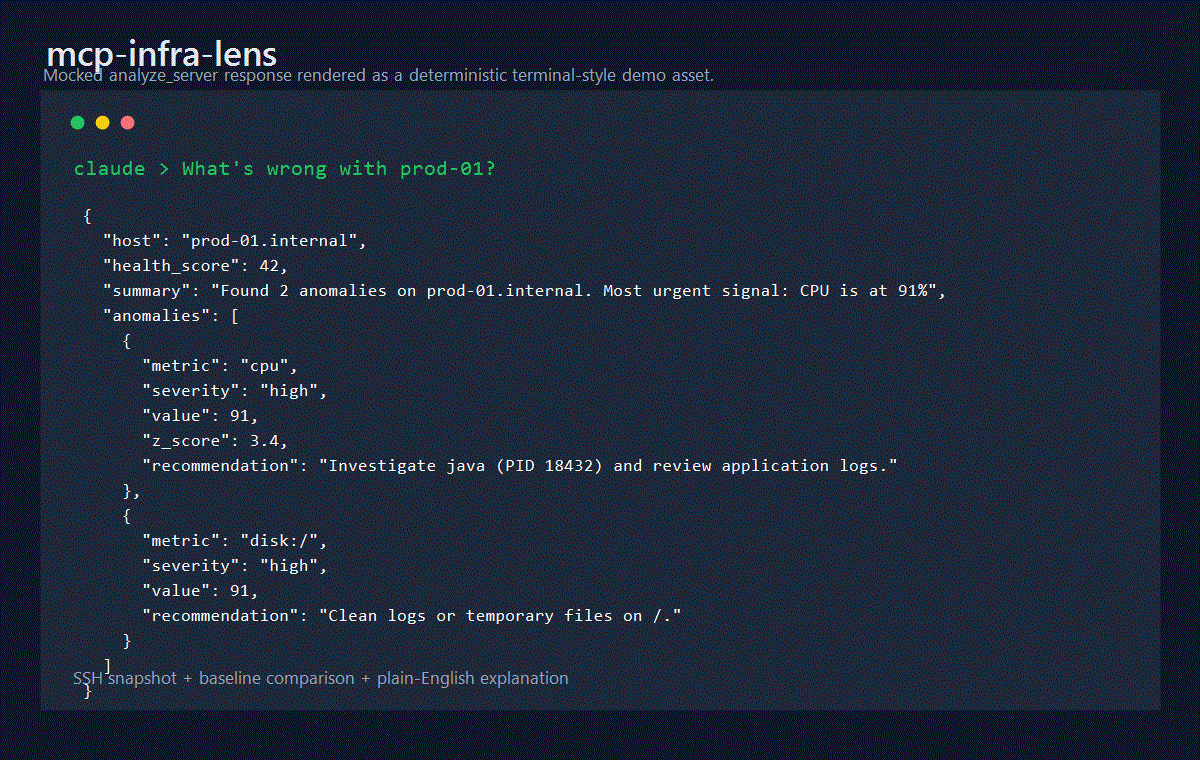
Sample analyze_server response when Claude asks, "What's wrong with prod-01?":
{
  "host": "prod-01.internal",
  "health_score": 42,
  "summary": "Found 2 anomalies on prod-01.internal. Most urgent signal: CPU is at 91% (3.4σ above baseline 28.2%). Load is 7.2/6.8/5.1. Top CPU consumer: java (87%).",
  "anomalies": [
    {
      "metric": "cpu",
      "severity": "high",
      "value": 91,
      "z_score": 3.4,
      "explanation": "CPU is at 91% (3.4σ above baseline 28.2%). Load is 7.2/6.8/5.1. Top CPU consumer: java (87%).",
      "recommendation": "Investigate java (PID 18432) and review application logs or scale-out options."
    },
    {
      "metric": "disk:/",
      "severity": "high",
      "value": 91,
      "explanation": "Disk / is 91% full (182GB/200GB).",
      "recommendation": "Run du -sh //* | sort -rh | head -20 and clean logs or temporary files."
    }
  ]
}
What It Does
mcp-infra-lens connects to Linux hosts over SSH, captures a live infrastructure snapshot, compares it to recently recorded baselines, and explains anomalies in plain English.
- Collects CPU, memory, disk, network, process, and OS data without mutating the target host
- Records local metric history in SQLite for baselines, comparisons, and trend lookups
- Uses z-score analysis for CPU anomaly detection once enough baseline samples exist
- Explains the likely cause of pressure, not just the raw metric value
- Supports MCP over
stdioand Streamable HTTP
How It Works
flowchart TD
    A["Claude / Cursor / VS Code / Windsurf"] --> B["mcp-infra-lens"]
    B --> C["server-core.ts"]
    C --> D["collector.ts"]
    C --> E["analyzer.ts"]
    C --> F["baseline.ts + db.ts"]
    D --> G["ssh.ts"]
    G --> H["Linux host over SSH"]
    F --> I["SQLite history + baselines"]
analyze_server now performs real sampled collection over the requested duration_minutes, averages CPU and memory pressure across the collection window, persists the resulting snapshot, and then runs anomaly detection against the selected baseline.
Tools
| Tool | What it does | Key params |
|---|---|---|
analyze_server |
Collects a sampled snapshot, stores it, and explains anomalies | connection, duration_minutes, include_processes, include_network |
snapshot |
Captures and stores the current point-in-time metrics without analysis | connection |
record_baseline |
Saves a labeled healthy-state sample for future comparisons | connection, label |
compare_to_baseline |
Compares the current state to a named baseline and explains the deltas | connection, baseline_label |
get_history |
Returns historical CPU, memory, or load points from SQLite | host, metric, hours, label? |
Quick Start
1. Run via npx
npx -y mcp-infra-lens
2. Claude Desktop
Published package:
{
  "mcpServers": {
    "infra-lens": {
      "command": "npx",
      "args": ["-y", "mcp-infra-lens"],
      "env": {
        "INFRA_LENS_DB": "/Users/you/.mcp-infra-lens/metrics.db"
      }
    }
  }
}
Local development:
{
  "mcpServers": {
    "infra-lens": {
      "command": "node",
      "args": ["/absolute/path/to/mcp-infra-lens/dist/mcp.js"],
      "env": {
        "INFRA_LENS_DB": "/Users/you/.mcp-infra-lens/metrics.db"
      }
    }
  }
}
3. Docker
docker build -t mcp-infra-lens .
docker run --rm -it \
  -v "$HOME/.mcp-infra-lens:/home/appuser/.mcp-infra-lens" \
  mcp-infra-lens
Configuration
| Environment variable | Default | Description |
|---|---|---|
INFRA_LENS_DB |
~/.mcp-infra-lens/metrics.db |
SQLite database path. Use :memory: for tests |
HOST |
127.0.0.1 |
Bind address for the HTTP transport |
PORT |
3000 |
Port for the HTTP transport |
Health Score
90-100: healthy, no meaningful anomalies detected70-89: mild or isolated pressure40-69: multiple warnings or a major issue in progress0-39: critical condition with urgent remediation needed
Recommended Workflow
- Record
record_baselinesamples during healthy operating windows. - Use
analyze_serverduring incidents or load spikes. - Use
compare_to_baselinefor a tighter differential view against a named baseline. - Use
get_historyto inspect trends and separate default snapshots from labeled baseline sessions.
Authentication
The SSH input schema supports:
- Password authentication
- Inline private key authentication
- Optional passphrase support for encrypted keys
Credential fields are redacted from structured logs before they are written to stderr.
Security Notes
- SSH collection is read-only on the target host
- SSH credentials are never stored in SQLite
- Host key verification is permissive in v1 for compatibility; production deployments should restrict outbound network access and plan to enforce strict host verification in a later release
- The HTTP transport has no built-in authentication; bind to loopback and place it behind an authenticated reverse proxy in any non-local deployment
See SECURITY.md for the reporting policy and stored-data scope.
Integrations
Claude Desktop
{
  "mcpServers": {
    "infra-lens": {
      "command": "npx",
      "args": ["-y", "mcp-infra-lens"],
      "env": {
        "INFRA_LENS_DB": "/Users/you/.mcp-infra-lens/metrics.db"
      }
    }
  }
}
Cursor IDE
{
  "mcpServers": {
    "infra-lens": {
      "command": "npx",
      "args": ["-y", "mcp-infra-lens"]
    }
  }
}
VS Code (MCP extension)
{
  "inputs": [],
  "servers": {
    "infra-lens": {
      "type": "stdio",
      "command": "npx",
      "args": ["-y", "mcp-infra-lens"]
    }
  }
}
Windsurf
{
  "mcpServers": {
    "infra-lens": {
      "command": "npx",
      "args": ["-y", "mcp-infra-lens"]
    }
  }
}
Docker (HTTP transport)
docker run -d \
  -p 3000:3000 \
  -v $HOME/.mcp-infra-lens:/home/appuser/.mcp-infra-lens \
  ghcr.io/oaslananka/mcp-infra-lens:latest
Then configure your MCP client to use http://localhost:3000.
Docker
The bundled Docker image:
- Builds the TypeScript project in a separate stage
- Rebuilds
better-sqlite3for the container architecture in both stages - Runs as a non-root
appuser - Stores SQLite data in
/home/appuser/.mcp-infra-lens/metrics.db
Contributing
Contributions are welcome. Start with CONTRIBUTING.md, then use:
- docs/usage.md for tool examples
- docs/architecture.md for the component map
- docs/testing.md for local validation and publish checks
- RELEASE_POLICY.md for npm and MCP Registry versioning rules
AGENTS.md,CLAUDE.md,GEMINI.md,.github/copilot-instructions.md, and.agent/rules/repository.mdfor repository-specific AI coding guidance
Operational / CI Notes
azure-pipelines.ymlis the canonical CI pipeline and now runs aQualitystage on Node 20 and Node 22, publishes JUnit and Cobertura artifacts, and executes Docker-backed SSH e2e coverage on Node 20.azure/pipelines/publish.ymlremains the manual npm release pipeline.azure/pipelines/mirror.ymlremains available for repository mirroring workflows- Publish only after the local pre-publish checklist and CI both pass cleanly on Node 20
- Follow RELEASE_POLICY.md when deciding whether a change needs npm, MCP Registry, or registry-only prerelease publication
License
MIT


