
Fancy
Paste data. Get a fancy API.
Fancy turns a table you paste, a CSV you drop, or a declarative YAML/JSONfile into a live, queryable REST API in minutes — filtering, sorting,pagination, and full-text search included, with an OpenAPI doc generated forfree. It started from a simple problem: an app with nowhere to store itsdata shouldn't need a backend project to get one. Every API also gets anMCP endpoint, so an AI agent can read andwrite records the same way a person edits a spreadsheet — no customintegration code required. Self-hostable with one docker compose up.




Repo: github.com/carmelosantana/fancy-api
Screenshots
Dashboard — your APIs, at a glance.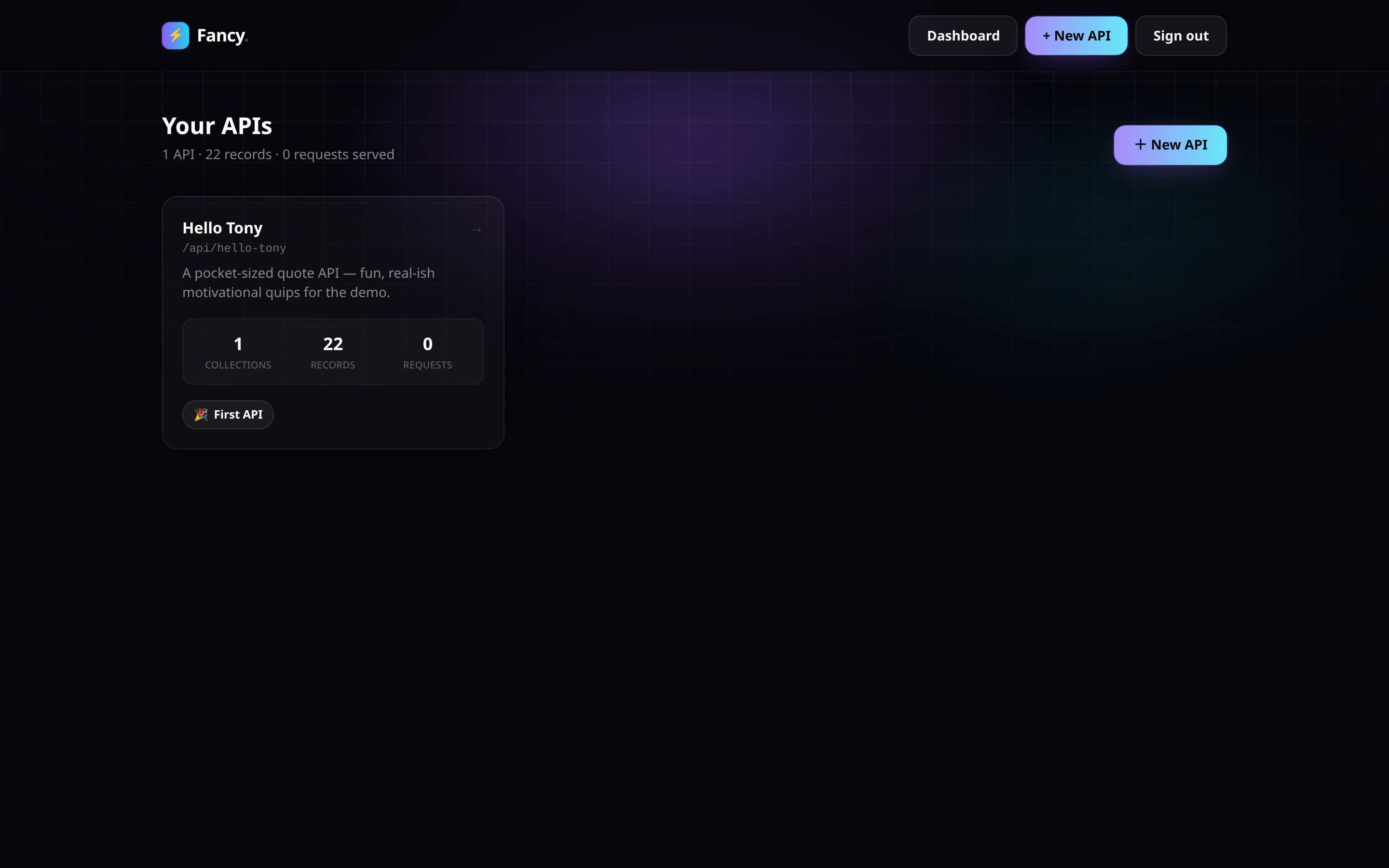
Create an API — paste a table, get a schema.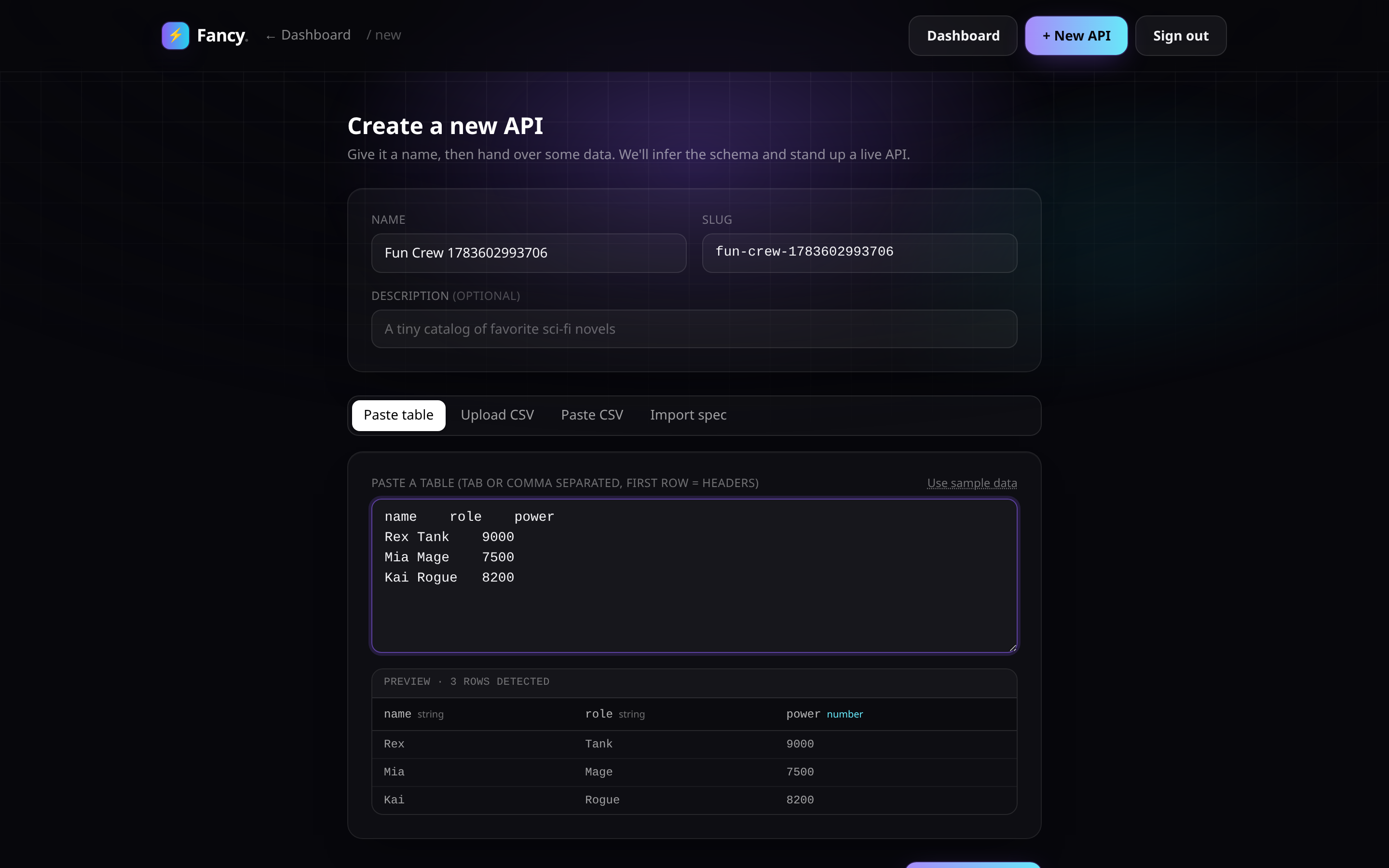
Instant success — live endpoints, a write token, ready to use.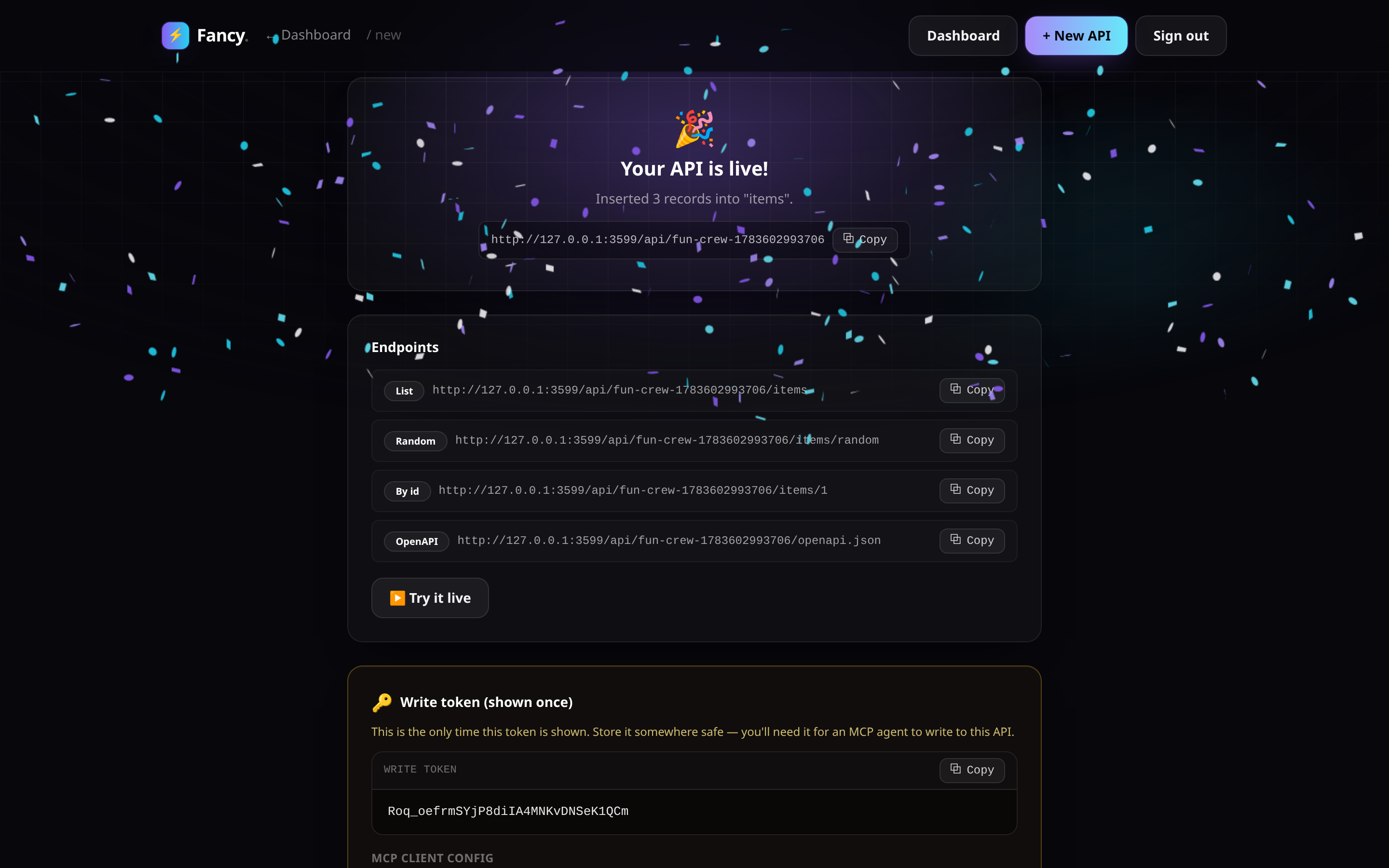
Query playground — build a filtered request and see the response.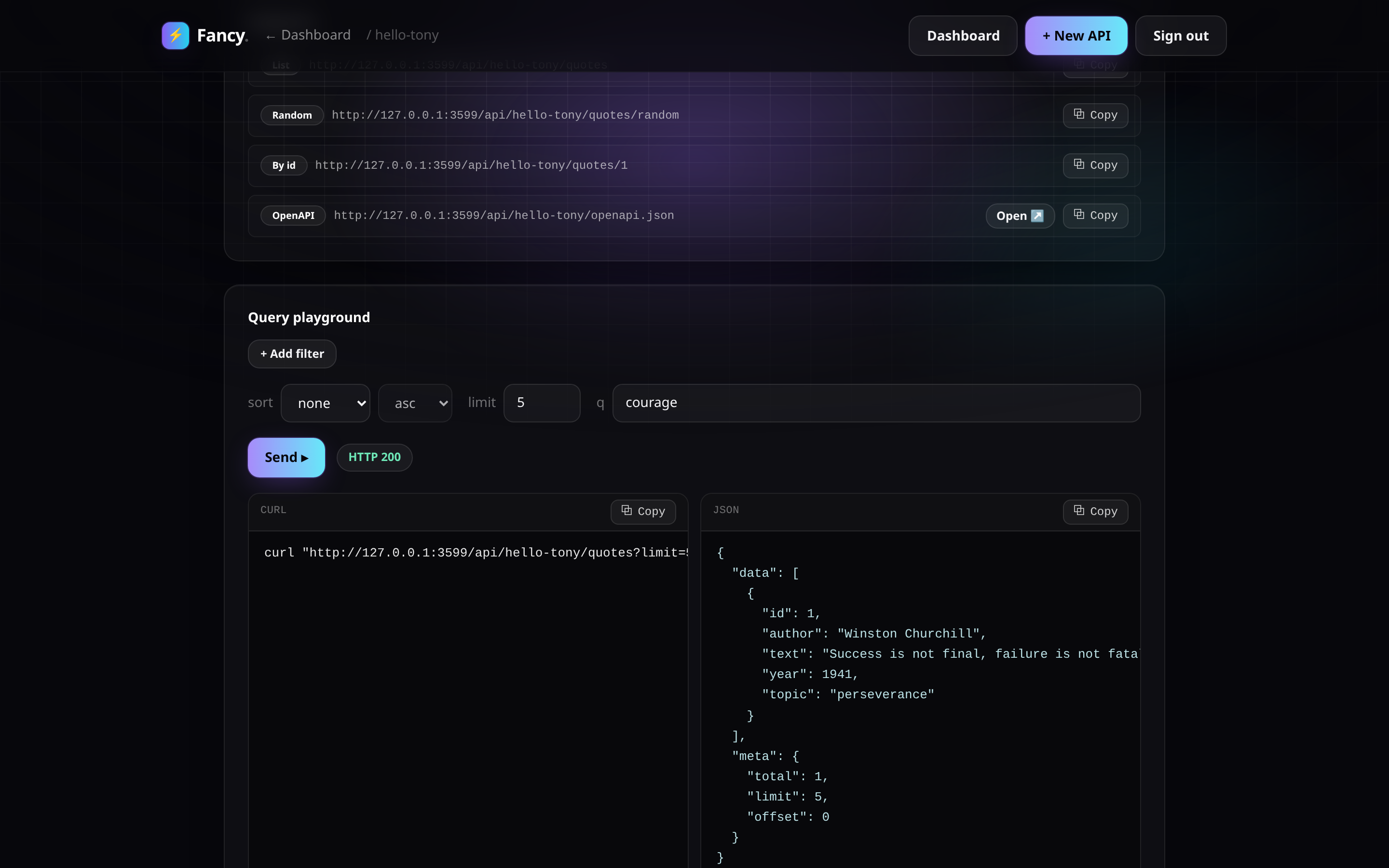
Install
Docker (recommended)
cp .env.example .env
make up
Open http://localhost:3000 and log in with theADMIN_PASSWORD from your .env (defaults to change-me — change it beforeexposing this beyond your own machine).
The container seeds a demo API, hello-tony, on first start. Try it:
curl http://localhost:3000/api/hello-tony/quotes/random
make logs   # follow the web service
make down   # stop the stack (data persists in the fancy-data volume)
Local dev
make install   # pnpm install
make seed      # populate the hello-tony demo against ./data/app.db
make dev       # next dev on http://localhost:3000
Deploying somewhere else
Running Dokploy or Coolify (or anything Docker-based)? SeeDeploy on Dokploy / Coolify below.
The four ways to create an API
From /admin/new, pick one:
- Paste table — paste tab- or comma-separated rows (e.g. straight outof a spreadsheet); Fancy infers column names and types.
- Upload CSV — drop a
.csvfile. - Paste CSV — paste raw CSV text.
- Import declarative file — paste a YAML or JSON spec that fullydescribes the api, its collection(s), and their schema + records.
A minimal declarative file looks like this:
slug: hello-tony
name: Hello Tony Quotes
collections:
  - slug: quotes
    name: Quotes
    schema:
      - { name: author, type: string }
      - { name: text, type: string }
      - { name: year, type: number }
      - { name: topic, type: string }
    records:
      - author: Winston Churchill
        text: "Success is not final, failure is not fatal: it is the courage to continue that counts."
        year: 1941
        topic: perseverance
schema[].type is one of string, number, boolean, date. Any api canbe exported back to this same shape from its detail page — the declarativefile is a portable import/export format, not the runtime store (seeArchitecture).
Query syntax
Every collection gets a read API at /api/{api}/{collection}, plus/{id}, /random, and an OpenAPI document at /api/{api}/openapi.json.Responses are shaped { data, meta: { total, limit, offset } } (a singleobject, no meta, for /{id} and /random).
| Syntax | Meaning |
|---|---|
field=value |
Equals |
field_gt=value / field_gte=value |
Greater than / or equal |
field_lt=value / field_lte=value |
Less than / or equal |
field_ne=value |
Not equal |
field_contains=value |
Substring match |
field_in=a,b,c |
In a set |
sort=field,-other |
Sort ascending by field, then descending by other |
limit=n |
Page size (default 25, max 100) |
offset=n |
Page offset |
q=text |
Free-text search across the collection's string columns |
Examples against the seeded hello-tony demo:
# List, filtered and sorted
curl "http://localhost:3000/api/hello-tony/quotes?topic=perseverance&sort=-year"

# Pagination
curl "http://localhost:3000/api/hello-tony/quotes?limit=5&offset=10"

# Free-text search
curl "http://localhost:3000/api/hello-tony/quotes?q=courage"

# One random record — handy for a "quote of the day" widget
curl "http://localhost:3000/api/hello-tony/quotes/random"

# A single record by id
curl "http://localhost:3000/api/hello-tony/quotes/1"

# OpenAPI document for the whole api
curl "http://localhost:3000/api/hello-tony/openapi.json"
Writing data with AI agents (MCP)
Every api gets a write-capable MCPendpoint at /api/mcp/{api}, served over Streamable HTTP. Read-only toolswork without a token; the four mutating tools require the api's write token,sent as Authorization: Bearer <writeToken>. The token is shown once whenthe api is created and can be rotated from its detail page in /admin atany time.
{
  "mcpServers": {
    "hello-tony": {
      "url": "http://localhost:3000/api/mcp/hello-tony",
      "headers": {
        "Authorization": "Bearer <writeToken>"
      }
    }
  }
}
Tools exposed:
| Tool | Requires token | Description |
|---|---|---|
list_records |
No | Paginated list of a collection's records |
get_record |
No | Fetch one record by id |
query_records |
No | Filter, sort, and free-text search |
insert_record |
Yes | Insert a single record |
insert_records |
Yes | Insert multiple records at once |
update_record |
Yes | Shallow-merge a patch into a record by id |
delete_record |
Yes | Delete a record by id |
Self-hosting
- Persistence — the sqlite database lives at
DATABASE_PATHinside thecontainer (default/data/app.db), backed by the namedfancy-dataDocker volume.make downstops the stack without touching it;make cleandeletes it (with a confirmation prompt). - Admin password — set
ADMIN_PASSWORDin.envbefore first start.Fancy has a single admin credential, no multi-user accounts (v1). - Ports — the container listens on
3000; the compose file maps it to3000on the host. Change the left side of theports:mapping indocker-compose.ymlto use a different host port. - Seeding —
SEED_ON_START=1(the default) seeds thehello-tonydemoon every start; it's idempotent, so this is safe to leave on. Set it to0for a blank instance.
Deploy on Dokploy / Coolify
Fancy is a single Docker container plus one sqlite file, which maps cleanlyonto either platform. Two supported paths:
Option A — Dockerfile app (recommended)
Point the platform at this repo (or a fork) and let it build Dockerfiledirectly — no compose file needed.
- App type: "Dockerfile" / "Application from Git", build context = reporoot, dockerfile path =
Dockerfile. - Port: the container listens on
3000— tell the platform to route tothat port. - Volume — required: attach a persistent volume mounted at
/data.The sqlite database lives at/data/app.db; without a persistent mountat that path, every redeploy starts from an empty database. This is thesingle most important setting for either platform. - Environment: set the variables from the table below.
- Domain: add a domain and enable HTTPS (see the HTTPS note below).
Option B — Docker Compose
Point the platform at docker-compose.yml and let it deploy the webservice as-is.
- Set the same environment variables (below) on the
webservice. - Map your domain to service
web, container port3000. - The
ports:mapping indocker-compose.yml(${WEB_PORT:-3000}:3000)is there for localdocker compose upconvenience — on a PaaS theplatform's reverse proxy talks to the container directly over itsinternal network, so publishing a host port is usually unnecessary andcan conflict with other stacks. The domain/proxy feature is whatactually exposes the app publicly; thefancy-datanamed volume stillprovides the persistent/datamount either way.
Required environment
| Variable | Required | Notes |
|---|---|---|
ADMIN_PASSWORD |
Yes | The single admin login for /admin and the management API. |
SESSION_SECRET |
Yes, for anything beyond a demo | HMAC key signing the admin session cookie. Without it the app generates a random secret per process, so every redeploy logs everyone out. Generate one with: node -e "console.log(require('crypto').randomBytes(32).toString('hex'))" |
SEED_ON_START |
No | 1 (default) seeds the hello-tony demo API on start, idempotently. Set 0 for a blank instance. |
DATABASE_PATH |
No | Defaults to /data/app.db. Only change this if you also change where the persistent volume is mounted — it must always point inside that volume. |
HTTPS note
Session cookies are marked Secure in production, so the app must be servedover HTTPS — the browser will silently drop the cookie otherwise and loginwon't persist. Both Dokploy and Coolify default to a Traefik + Let's Encryptdomain setup that handles this for you; if you instead hit the app overplain HTTP by bare IP, expect to be logged out on every navigation.
Scaling note
Fancy's storage is a single sqlite file (via libsql), not a networkeddatabase — run one instance only. Multiple replicas pointed at the same/data volume will corrupt or race on writes.
Architecture
Monorepo, two packages:
packages/core— the engine: ingest (CSV/paste/declarative-fileparsing + type inference), the generic JSON-column record store, thequery builder, the declarative import/export spec, and the MCP tooldefinitions. Framework-agnostic and meant to be reusable outside thisNext.js app.apps/web— the Next.js (App Router) binding: the admin builder UI,the public read API, the management API, and the MCP HTTP route.
Storage today is SQLite (via drizzle-orm/libsql + @libsql/client) —the query layer is built directly on SQLite's json_extract. Postgres isa roadmap item, not a working option yet (see docker-compose.yml'scommented-out db service and the design spec below); switching backendswill need query-layer changes, not just a connection string.
The declarative file (YAML/JSON) is a portable import/export format formoving an api's shape + data in and out of Fancy. The database is theruntime source of truth — the file is a snapshot, not something Fancy readsfrom at request time.
Development
| Target | Does |
|---|---|
make install |
pnpm install |
make dev |
Seed the local DB, then run next dev |
make build |
Production build (next build) |
make test |
Unit tests (Vitest) |
make e2e |
Playwright end-to-end suite |
make seed |
Populate the hello-tony demo against the local DB |
make typecheck |
Typecheck every workspace package |
make up |
Build (if needed) and start the Docker stack |
make down |
Stop the stack (keeps data) |
make logs |
Follow the web service's logs |
make restart |
Restart the web service |
make clean |
Stop the stack and delete the data volume (confirms first) |
make nuke |
clean, plus prune this project's build caches/images |
Run make (or make help) to print this from the terminal.
Testing
- Unit (
make test/pnpm test) — 99 Vitest tests overpackages/coreandapps/web: ingest/type-inference, the query builder,the record repo, spec import/export, auth token handling, and the MCPtool definitions. - End-to-end (
make e2e/pnpm e2e) — 8 Playwright specs driving thereal app: creating an api from a pasted table, the query playground, MCPround-trips, and more.
Contributing
Design constraints and the decisions behind them live in AGENTS.md —read it before making changes (~~human~~ or agent).
License
AGPL-3.0. If you run a modified version of Fancy as a networkservice, the AGPL requires you to make your modified source available tousers of that service.


