MCP Manager
A self-hosted MCP proxy and aggregation platform.
Manage multiple upstream MCP (Model Context Protocol) servers, sync their tools, and expose them through a single unified MCP endpoint. Connect once, access everything.










Quick Start
docker run -p 5057:8080 -v mcpmanager-data:/app/data daniel3303/mcpmanager:latest
Open http://localhost:5057 and sign in with the default admin account:
- Email:
[email protected] - Password:
123456
Change the password immediately after first login from the user menu → Change Password.
What is MCP Manager?
MCP Manager sits between your AI tools (Claude Code, Cursor, Windsurf, etc.) and your MCP servers. Instead of configuring each server individually in every client, you register them once in MCP Manager and connect your clients to a single endpoint.
Key Features
Unified MCP Proxy
Aggregate tools from all registered upstream MCP servers into a single /mcp endpoint. Connect your AI clients once and access every tool from every server — no per-server configuration needed.
Multi-Transport Support
Connect to remote servers via HTTP/SSE, run local CLI tools via Stdio, or auto-convert REST APIs from OpenAPI specs. Each transport supports its own authentication methods (Bearer, API key, Basic auth, environment variables).
Namespace Organization
Group MCP servers into logical namespaces with slug-based routing (e.g., /mcp/namespaces/my-namespace). Each namespace has independent rate limiting, API key scoping, and per-tool configuration.
Tool Customization & Control
Override tool names, descriptions, and parameter schemas per server or per namespace. Enable or disable individual tools so the same server can expose different tool sets in different namespaces.
Health Checks & Notifications
Automatic connectivity checks verify each server is reachable via its configured transport. When a server goes down, all active users receive in-app notifications.
Rate Limiting
Per-namespace rate limiting with three strategies: PerApiKey (limit per unique key), PerIp (limit by client IP), or Global (single namespace-wide limit). Configure requests-per-minute thresholds independently for each namespace.
Interactive Playground
Test and execute MCP tools directly from the browser. The playground dynamically builds input forms from each tool's JSON schema, including type-aware fields for enums, numbers, and nested objects.
API Key Management
Generate scoped API keys (prefixed mcpm_) with optional namespace restrictions. Keys are used as Bearer tokens for authenticating MCP client connections and are tracked per-request for auditing.
Import from Config
Import server configurations from Claude Desktop, Cursor, or Opencode JSON formats. Existing servers are detected and skipped automatically, with a summary of imported, skipped, and errored entries.
OpenAPI-to-MCP
Point MCP Manager at any OpenAPI 3.x spec (JSON or YAML) and it automatically converts each operation into a callable MCP tool. Path, query, and body parameters are mapped to tool input schemas.
Request Logging & Live Streaming
Every tool execution is recorded with parameters, response, success status, and execution time. A real-time log viewer streams entries with filters for server, log level, and time range.
User Management
Multi-user support with ASP.NET Identity. Claims-based authorization controls access to features like server management, API keys, and the playground. Admins can create users, reset passwords, and manage permissions.
Screenshots
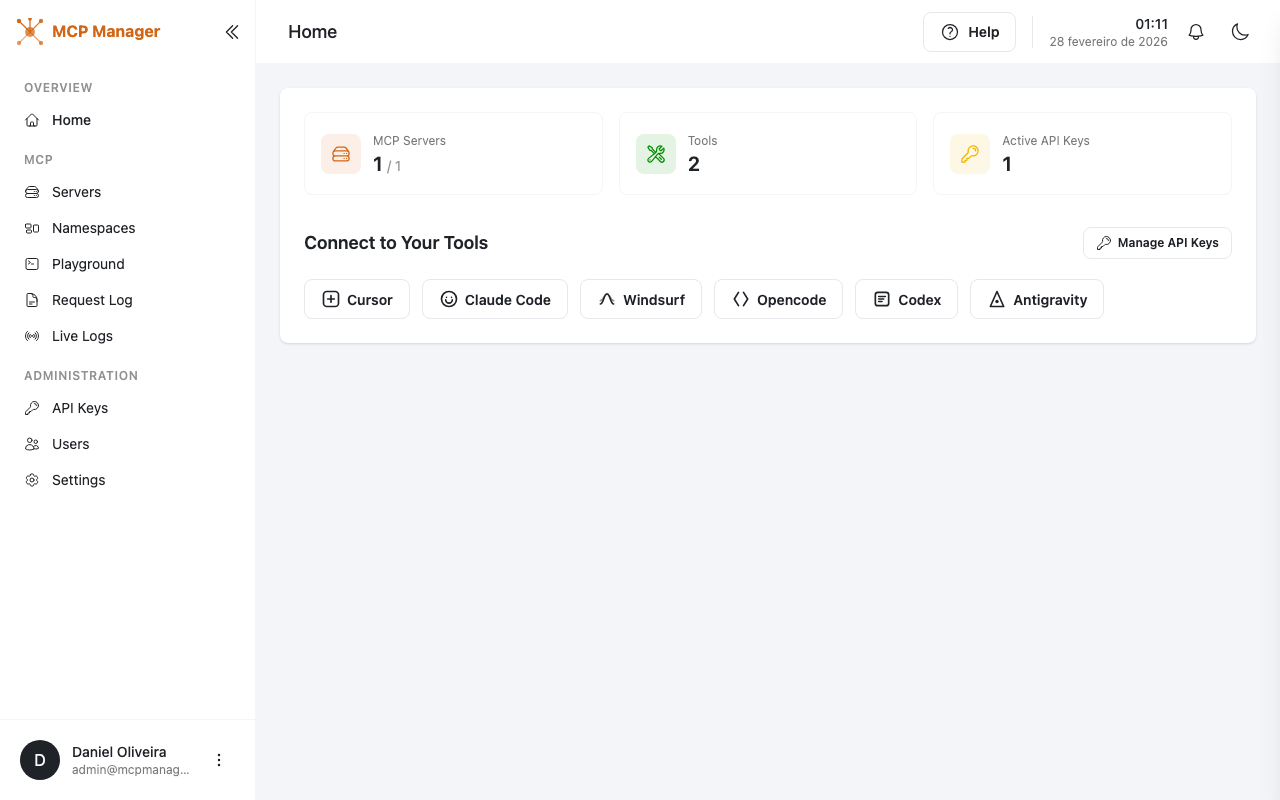 Dashboard — Overview of servers, tools, and API keys Dashboard — Overview of servers, tools, and API keys |
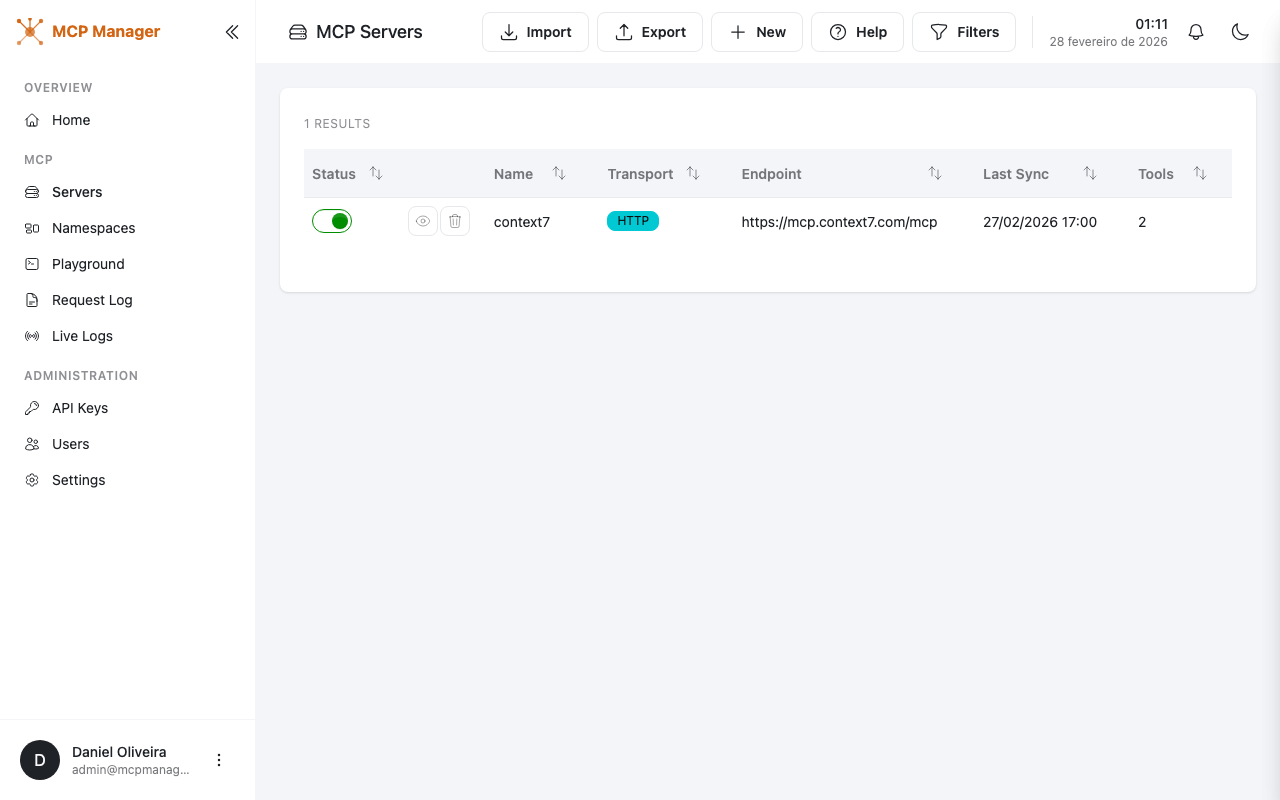 Servers — Manage upstream MCP servers Servers — Manage upstream MCP servers |
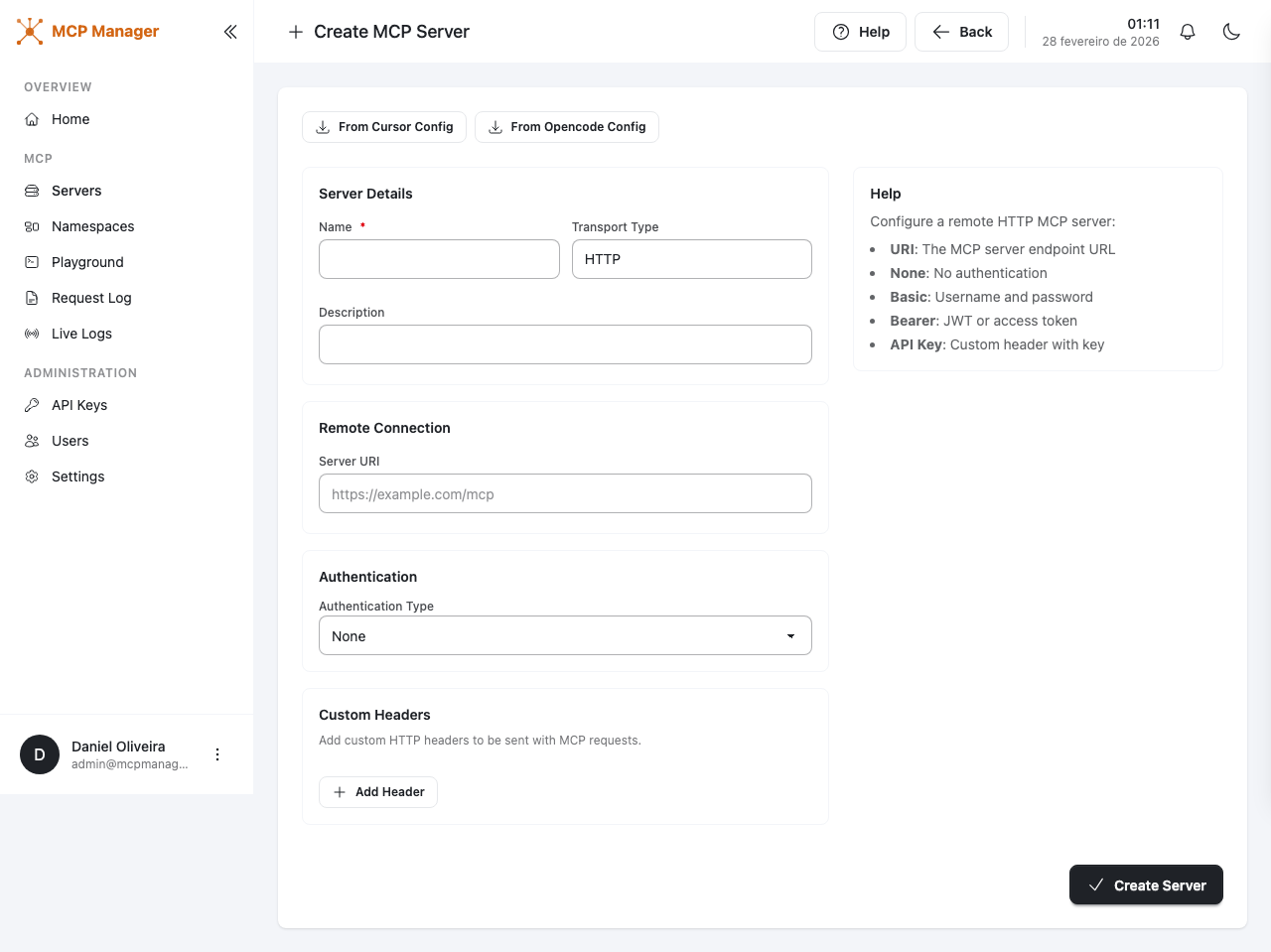 Create Server — Add servers with multi-transport support Create Server — Add servers with multi-transport support |
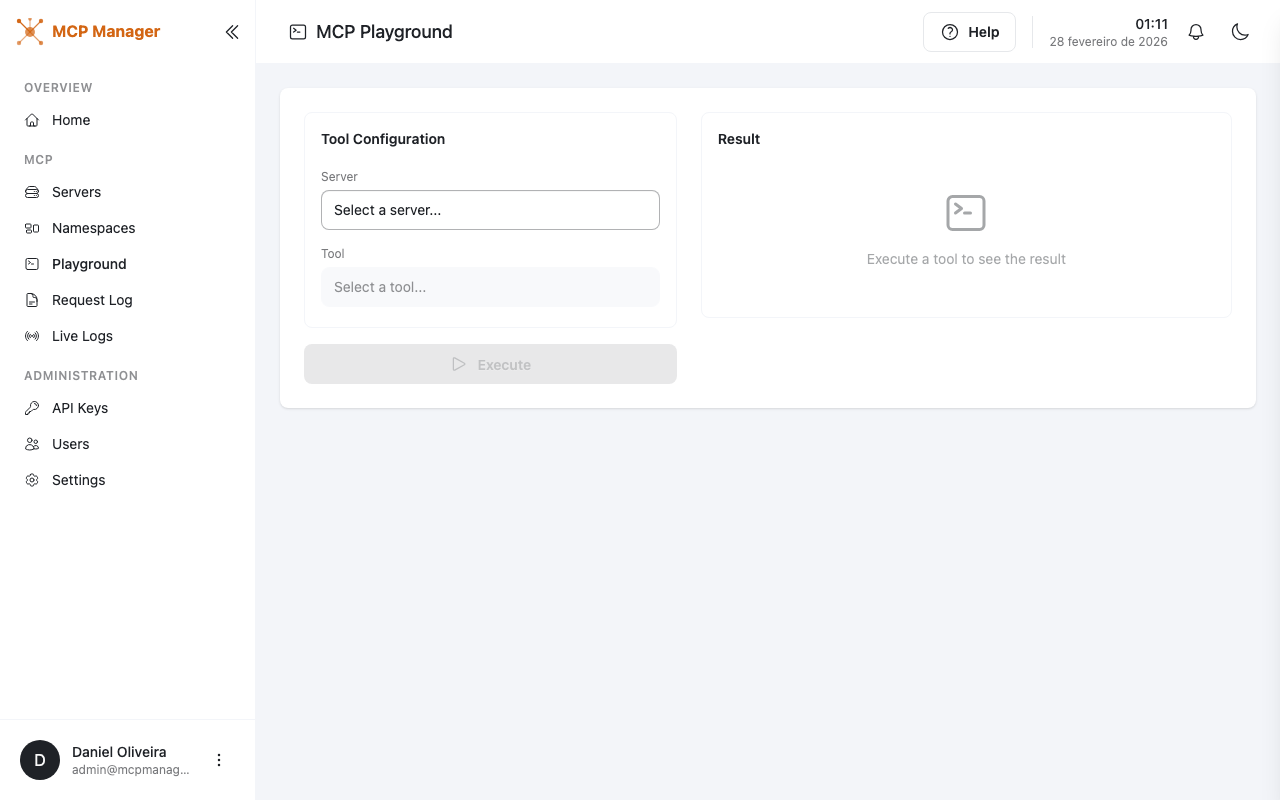 Playground — Execute tools interactively Playground — Execute tools interactively |
Getting Started
Docker
docker run -p 5057:8080 -v mcpmanager-data:/app/data daniel3303/mcpmanager:latest
The SQLite database and logs are stored in /app/data. Sign in with the default admin account shown in the Quick Start and change the password immediately.
Host Network Mode
If you need MCP Manager to connect to MCP servers running on the host machine (e.g., Stdio servers or services on localhost), use host networking:
docker run --network host -v mcpmanager-data:/app/data daniel3303/mcpmanager:latest
With --network host the container shares the host's network stack directly, so MCP Manager listens on port 8080 and can reach any local service. The -p flag is not needed in this mode.
Note: Host network mode is only supported on Linux. On macOS and Windows (Docker Desktop), use
host.docker.internalinstead oflocalhostto reach host services.
Run Locally
Prerequisites
- .NET 10 SDK
- Node.js (for frontend build)
# Clone the repository
git clone https://github.com/daniel3303/McpManager.git
cd McpManager

# Build the frontend
cd src/McpManager.Web.Portal && npm install && npx vite build && cd ../..

# Run the application
dotnet run --project src/McpManager.Web.Portal
The app will be available at http://localhost:5057. Sign in with the default admin account shown in the Quick Start and change the password immediately.
Connecting Your AI Tools
Once MCP Manager is running, connect your AI tools to the unified endpoint:
// Example: Claude Code, Cursor, Windsurf, etc.
{
  "mcpServers": {
    "mcpmanager": {
      "url": "http://localhost:5057/mcp",
      "headers": {
        "Authorization": "Bearer YOUR_API_KEY"
      }
    }
  }
}
Generate API keys from the API Keys page in the admin panel.
Configuration
Transport Types
| Transport | Description | Auth Options |
|---|---|---|
| HTTP | Connect to remote MCP servers via HTTP/SSE | Bearer token, API key, Basic auth |
| Stdio | Run local MCP servers as CLI processes | Environment variables |
| OpenAPI | Auto-convert OpenAPI specs to MCP tools | Bearer token, API key, Basic auth |
Tech Stack
- Backend: .NET 10, ASP.NET Core, EF Core, SQLite
- Frontend: Tailwind CSS, DaisyUI, Vite, jQuery
- MCP SDK: ModelContextProtocol v0.6.0-preview.1
- Auth: ASP.NET Identity
- Logging: Serilog (console + rolling file)
License
MIT
Author
Daniel Oliveira